- All of Microsoft
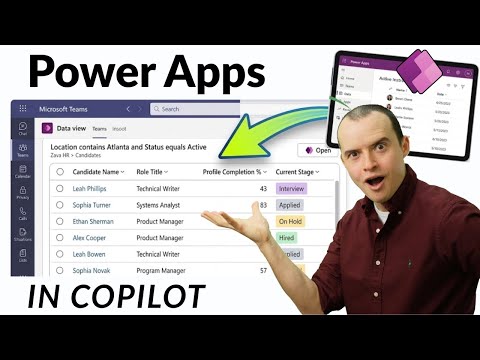
Power Apps + M365 Copilot: Build Faster
Solutions Architect, YouTuber, Team Lead
Microsoft expert: Power Apps with MCP Copilot in Teams creates and saves Dataverse records from chat with no pro code
Key insights
- MCP support brings Model-driven Power Apps into Copilot.
Apps become conversational agents you can call directly from chat. - The MCP Server exposes app functions as reusable tools and the system produces an agent package to upload to Teams or distribute centrally.
The integration preserves existing permissions and business logic without code changes. - Setup works with Zero pro-code—enable Copilot in your model-driven app, install the MCP Copilot in Teams, then create and save Dataverse records from chat.
You can populate and persist data without leaving the conversation. - Use the Admin Center to distribute packages and configure tenant settings; some steps commonly trip people up.
Verify required licenses before a broad rollout to avoid access issues. - The main benefit is reduced Context switching, which speeds tasks and keeps work in one place.
Users can retrieve or update app data while editing documents or chatting, improving team workflow. - Start small: use the preview URL and test with a pilot app and test accounts.
Check roles, audit logs and set clear governance rules before wider deployment.
Introduction: A New Way to Use Power Apps with Copilot
Sean Astrakhan (Untethered 365) recently published a YouTube video that demonstrates a new integration between Power Apps and Microsoft 365 Copilot. In the clip, he shows how to enable the feature for a model-driven app, wire it into Teams with zero pro-code, and then create, populate, and save Dataverse records directly from a chat. Consequently, this integration aims to make application actions conversational and available where users already work.
Overall, the video frames the update as a step change compared with the older Copilot chat, and it highlights practical steps and caveats administrators should watch for. Sean also notes license and admin center details that commonly trip people up, while giving a clear demo of the end-to-end flow. The presentation is designed to help both makers and admins evaluate adoption quickly.
How the Integration Works
At its core, the feature relies on the Model Context Protocol server to expose model-driven apps as tools that Copilot can call. When an app is enabled for Condensed Microsoft Power Apps integration, the system packages the app’s views and forms into an agent-like component that Copilot surfaces during chat. As a result, users can reference app data in plain language and receive interactive results without leaving the chat window.
The setup preserves the app’s existing logic, permissions, and processes, so makers do not need to rewrite their solutions. However, administrators must export and upload the generated package to the appropriate Microsoft 365 surface, most commonly Teams. This process keeps backend rules intact while extending the app to additional user surfaces like Word, Excel, and the Copilot pane.
What the Video Demonstrates
Sean walks viewers through enabling Copilot in a model-driven app, testing basic queries, and then handling the admin center steps that can confuse teams. Notably, he shows the full install in Teams in a few steps and demonstrates creating and saving a Dataverse record directly from chat. That hands-on section underscores how quickly an organization can reach a proof-of-concept without writing custom connectors or code.
He also calls out the preview URL path and the points where misconfiguration is common, such as permission scopes and the distribution method for packaged agents. Consequently, the demo balances optimism with practical warnings, making the feature feel approachable but not entirely frictionless. Viewers gain a realistic view of what a minimal-viable rollout looks like.
Licensing, Admin Setup, and Common Pitfalls
Sean explains that licensing requirements and admin center settings matter more than code in many cases, so teams should review entitlements before deployment. In particular, the right Microsoft 365 and Power Platform licenses must be in place to enable Copilot features and allow users to call model-driven apps from chat. Otherwise, administrators may see restricted functionality or errors during installation.
Furthermore, the admin center layout and distribution method can trip teams up when they try to publish the agent across an organization. For example, packaging and uploading to Teams may require tenant-level permissions and an understanding of app policies for deployment. Therefore, planning and coordination between makers and IT is essential to avoid delays.
Tradeoffs and Technical Challenges
While the integration reduces context switching and lowers the development burden, it also introduces architectural and governance tradeoffs that organizations must weigh. On one hand, exposing apps conversationally speeds workflows and increases adoption by meeting users where they work. On the other hand, broad exposure of app views could raise security, compliance, and data governance concerns if roles and filters are not strictly enforced.
Technically, the reliance on the MCP server and packaged agent approach simplifies developer effort but concentrates responsibility on correct configuration. Teams must balance speed against control: quick rollouts are possible, yet they increase the need for robust testing and monitoring. Hence, a measured pilot followed by iterative expansion tends to offer the best balance between value and risk.
Practical Next Steps and Editorial Takeaway
For organizations interested in testing this capability, the logical next step is to enable Copilot on a non-critical model-driven app and follow a guided test in Teams. Additionally, administrators should verify licensing, confirm tenant settings, and run permission checks before a broader rollout. This staged approach helps reveal configuration gaps early and keeps business impact contained.
In sum, Sean Astrakhan’s video provides a concise, actionable walkthrough that highlights both the promise and the pitfalls of integrating Power Apps with Microsoft 365 Copilot. As organizations consider this option, they should pair makers’ agility with IT governance to realize benefits while managing security and operational risks. Finally, the demo makes clear that conversational access to business apps is now practical, but prudent planning remains essential.

Keywords
Power Apps M365 Copilot, M365 Copilot Power Apps, Power Apps low-code Copilot, Power Platform Copilot, Copilot for Power Apps tutorial, Build Power Apps with Copilot, Power Apps AI assistant, Create no-code apps with Copilot