Copilot Cowork Apps: Build, Ship, Govern
IT Program Manager @ Caterpillar Inc. | Power Platform Solution Architect | Microsoft Copilot | Project Manager for Power Platform CoE | PMI Citizen Developer Business Architect | Adjunct Professor
Build publish govern Copilot Cowork Managed Apps in Copilot Studio with msCLI and GitHub via MS admin and Power Platform
Key insights
- Copilot Cowork and Copilot Studio: The video summarizes Microsoft’s preview for building apps with natural-language prompts, letting makers create, test, and refine apps before publishing.
- Managed Apps and App skill: Andreas demos building a local app using the Managed Apps repo, the App skill, the "ms" CLI, and the Microsoft Managed Apps plugin in Claude Code to produce a deployable package.
- Publish to a hosted managed environment: The team shows publishing the packaged app through Cowork into a hosted environment, including validation and the publish workflow.
- Microsoft 365 admin center and governance: The video walks admins through where published apps appear, how environment routing works, sharing controls, and how connector policies enforce organizational rules.
- Copilot credits and licenses: Presenters explain required Copilot licenses, usage-based billing, and how Copilot credits affect app usage and publishing costs.
- No-code creation and enterprise controls: The flow speeds app delivery by letting makers build without code while preserving Entra authentication, connector limits, and admin visibility for compliance.
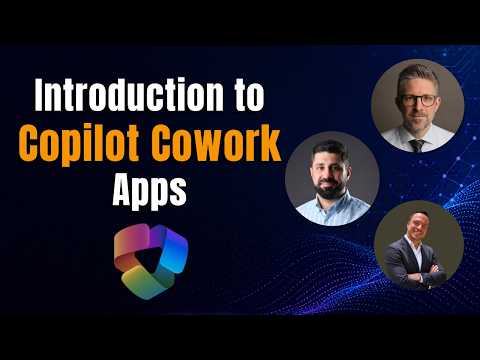
In a recent YouTube video produced by Rafsan Huseynov, with contributions from David Lorenzo and Andreas Adner, the team explores Microsoft’s new app-building flow in Copilot Cowork. The video walks viewers through both a maker’s view and an admin’s perspective, showing how apps are created, published, and governed within the Microsoft 365 ecosystem. Along the way, the presenters test tools and demonstrate a working example built from a local project, making the technical steps easier to follow. As a result, the video serves as a practical introduction for teams evaluating low-code and no-code approaches inside Microsoft environments.
What the video demonstrates
First, Andreas Adner outlines the announcement and points to the documentation on the Managed Apps start page and the associated GitHub repository with agent skills. Then, he builds a demo app from a local project using Claude Code, the ms CLI, and the Microsoft Managed Apps plugin, packaging the app locally before publishing. Later, Rafsan switches to the administrative side to show how published apps appear in the Microsoft 365 admin center, and how environment routing, sharing, and connector policies are applied. Consequently, the video covers the end-to-end flow from idea to published app and then to governance and operational controls.
Building and publishing the demo app
In the maker-focused portion, the team demonstrates how natural-language prompts and the App skill can generate a first draft that is then refined interactively. They show the steps to create the package locally, test it in a preview environment, and then publish it to a hosted managed environment via Copilot Cowork, emphasizing the simplicity of the no-code flow. However, the presenters also note that the setup requires specific tooling and membership in preview programs, so the smooth experience depends on those prerequisites. Therefore, the video balances clear how-to guidance with reminders about practical setup needs.
Moreover, the demo highlights interoperability: apps built in Copilot Cowork can later be opened and edited in Copilot Studio or further extended with other Microsoft tools. This flexibility helps makers iterate quickly while retaining the option to migrate to more advanced platforms if complexity grows. Still, the team warns that moving between environments may introduce compatibility or governance checks that require coordination with IT. Consequently, makers should plan for testing and version control as the app evolves.
Publishing, licensing and Copilot credits
The video explains the licensing side and the role of usage-based billing and Copilot credits in the new flow, making clear that a Microsoft 365 Copilot license is required to publish and use these apps. Furthermore, Rafsan discusses program membership such as the Frontier Program for early access to the built-in App skill, which affects who can try the preview features. While the model enables faster delivery, it also introduces cost and governance considerations that teams must evaluate beforehand. Consequently, administrators need to monitor consumption and align budget policies with expected business value.
An important tradeoff discussed in the video is between quick iteration and predictable cost control: natural-language app creation speeds development, but consumption-based billing can make costs variable. Therefore, organizations must balance the benefits of rapid prototyping against potential credit draw from frequent or complex runs. In practice, teams should set guardrails and reporting so makers understand cost implications while retaining creative freedom. This shared responsibility helps avoid surprises while enabling innovation.
Admin controls: routing, sharing and connectors
On the admin side, Rafsan demonstrates how published apps show up in the Microsoft 365 admin center under Apps > All apps, giving admins visibility into the app lifecycle. He explains environment routing rules, which determine where an app runs and how it accesses organizational data, and shows how sharing settings and connector policies enforce boundaries. Meanwhile, connector controls and Entra authentication help ensure only authorized flows touch sensitive content, which the presenters stress as central to enterprise adoption. Thus, the governance model ties app convenience to established security and compliance practices.
Nevertheless, the video highlights inevitable challenges: overly restrictive policies can stifle productivity, while lax controls can increase risk. Consequently, admins must strike a balance by applying sensible defaults, monitoring usage patterns, and enabling exceptions through established review processes. The presenters recommend iterative policy tuning, testing in safe environments, and clear documentation for makers to follow. In short, governance should enable use while protecting data and systems.
Challenges and implications for makers and IT
The video closes by discussing practical limitations and next steps for teams adopting this approach, noting that the feature set is in preview and will evolve as Copilot Studio integration matures. While the no-code path lowers the bar for app creation, organizations must invest in training, governance, and operational discipline to scale safely. Furthermore, makers and admins need workflows for testing, versioning, and incident response as apps move into production. Ultimately, the video offers a clear, balanced view: the new app-building tools accelerate innovation, but they require coordination and ongoing management to succeed.
For teams evaluating adoption, the video by Rafsan Huseynov and colleagues serves as a practical guide that combines demonstration with administrative context, allowing decision-makers to weigh speed, cost, and control. As the features exit preview, organizations that prepare governance, cost monitoring, and cross-team collaboration will have a smoother path to safe, useful apps. Consequently, the combined maker/admin perspective in the video is a useful starting point for planning pilot projects and governance frameworks within Microsoft 365.

Keywords
Copilot Cowork Apps, build Copilot apps, publish Copilot apps, govern Copilot apps, Copilot app governance, Copilot app development, Copilot cowork tutorial, Copilot apps best practices