- All of Microsoft
Copilot Studio: Agent Workflows Guide
Software Development Redmond, Washington
Microsoft expert: Copilot Studio AI agents automate support routing in Excel and Outlook with Copilot and Power Platform
Key insights
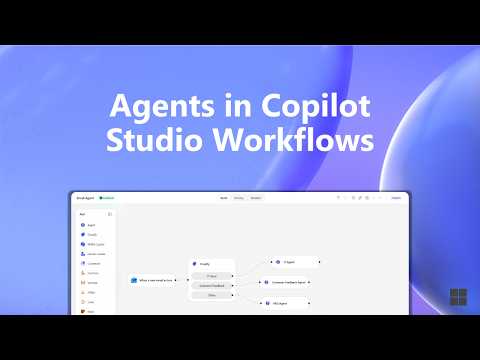
- Agents in Copilot Studio Workflows — The video shows how workflows can call an agent inside a flow step so the agent handles judgment or tool use, then the workflow resumes automatically.
- Agent nodes — A dedicated node delegates a single step to a Copilot Studio agent, creating a non-deterministic action inside an otherwise predictable flow.
- Hybrid model — Workflows provide triggers, branching, and audit trails while agents add reasoning and tool use, giving teams both control and AI flexibility.
- Trigger-action workflows — Build a flow that starts on a trigger, add an “Add an agent” step, set agent instructions and escalation rules, and let the workflow continue after the agent finishes.
- Computer-using agents — The update expands agents beyond text, enabling them to act across Microsoft 365 services (Excel, SharePoint, Dataverse, Outlook) and to call or include workflows as tools.
- Governance and control — The design keeps automation deterministic where needed, limits AI to specific steps, and adds visibility, testing, and auditability for safer scale-up.
Overview of the Microsoft YouTube video
Microsoft’s recent YouTube video explains how Agents in Copilot Studio Workflows bring AI agents into end-to-end business processes. The video shows how these agents can work with data in Excel, SharePoint, Dataverse, and Outlook to speed up tasks such as customer support routing and request handling. Moreover, Microsoft frames this as a move to combine structured automation with AI-driven judgment at specific workflow steps, creating a hybrid automation model.
In addition, the video highlights a redesigned workflows experience with a visual canvas, native AI actions, and node-level testing. Consequently, organizations can both call agents inside a workflow step and add workflows as tools inside agents. Furthermore, Microsoft emphasizes governance, visibility, and control so enterprises can scale operations while retaining oversight.
How the agent-enabled workflows operate
According to the video, the pattern is simple: a workflow triggers, runs steps, and can hand off one step to a Copilot Studio agent through an agent node. The agent then performs reasoning or tool use that a fixed script cannot handle, and the workflow resumes automatically when the agent finishes. Thus, the design keeps routine actions deterministic while enabling flexible decision-making where needed.
Additionally, the video demonstrates two-way integration: you can embed agents inside workflows or include workflows as tools inside agents. As a result, an agent can call a workflow when it needs a reliable sequence of actions, and a workflow can defer judgment to an agent for tasks that require interpretation. This interchange promotes modularity and lets teams reuse existing automation assets.
Benefits and tradeoffs of the hybrid model
The video lists several benefits, including greater reliability because deterministic workflow steps remain predictable and auditable. At the same time, agents add AI reasoning only where it matters, which reduces unnecessary non-determinism in the overall process. Therefore, organizations can improve response times and handle complex, judgment-based tasks without sacrificing governance.
However, the hybrid model also involves tradeoffs. For example, adding agent-driven steps introduces variability in outcomes compared with purely scripted automation, and teams must design clear escalation and validation rules to manage that variability. Moreover, integrating agents with multiple data sources and tools increases operational complexity, so companies must balance flexibility against the overhead of supervising agent behavior.
Practical steps and implementation considerations
The video walks through practical setup: create a workflow step called Add an agent, select a Copilot Studio agent, provide instructions, and define escalation paths if needed. Then add the remaining workflow steps and test the flow on the visual canvas. This approach encourages designers to think in terms of triggers and handoffs rather than trying to force every decision into a single automation pattern.
Yet, practitioners should expect several implementation challenges. First, ensuring data quality across Excel, SharePoint, Dataverse, and Outlook is crucial because agents rely on accurate context to reason correctly. Second, IT teams must establish monitoring and audit trails so they can detect and correct unexpected agent actions, which requires investment in observability and access controls.
Challenges, governance, and scaling
Governance and visibility receive significant attention in the video because agents can act unpredictably if left unchecked. Consequently, organizations must define guardrails, role-based permissions, and logging policies to maintain control over automated decisions. Moreover, node-level testing and the visual canvas help teams validate agent behavior before they deploy workflows widely.
Scalability also poses tradeoffs: while agentic automation can handle tasks that APIs cannot, adding many agent nodes across complex processes increases the need for oversight and ongoing tuning. Therefore, teams should pilot high-value scenarios first, iterate on prompts and tool access, and measure outcomes before scaling up broadly.
Outlook and final assessment
Overall, the YouTube video presents Copilot Studio Workflows as a practical step toward combining deterministic automation with agentic reasoning. The hybrid model promises faster responses and broader automation possibilities, particularly when systems must interpret requests or use tools beyond simple API calls. In short, organizations gain flexibility, but they must also manage new risks through governance and testing.
Ultimately, the technology offers a useful balance when teams match agent use to scenarios that truly benefit from judgment and tool use. Consequently, enterprises that design clear escalation paths and invest in observability should be able to harness these capabilities while keeping control over outcomes. As a result, the video positions Microsoft’s approach as a step forward in enterprise automation, one that blends control with intelligent flexibility.

Keywords
Copilot Studio agents, Copilot Studio workflows, AI agents in Copilot, Microsoft Copilot Studio automation, build agents Copilot Studio, workflow orchestration Copilot, enterprise Copilot agents, Copilot Studio workflow best practices