Azure SQL: plan an on-premises SQL Server migration
Plan an Azure SQL migration by matching each SQL Server workload to its performance, storage, compatibility, and cost needs.
Key insights
- Assess workloads before choosing an Azure destination; not every database needs the same target.
- Azure SQL Hyperscale is presented for rapid scaling, storage growth, and read-heavy workloads.
- Azure SQL Managed Instance and SQL Server on Azure VMs are alternatives for workloads with different compatibility needs.
- Right-size compute and review SQL licensing, including Azure Hybrid Benefit, as part of migration planning.
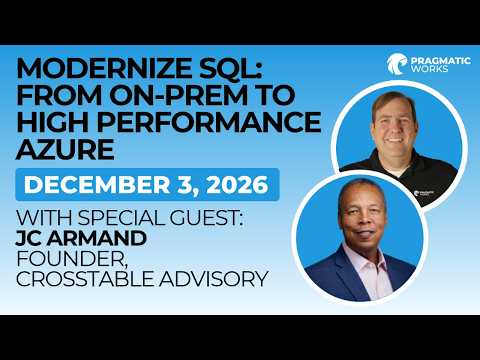
Moving an on-premises SQL Server workload to Azure starts with matching the database’s requirements to an appropriate destination, rather than copying existing server capacity unchanged. Database administrators, architects, and budget owners can use that assessment to weigh performance, storage growth, compatibility, and cost. Pragmatic Works outlines those migration decisions in a demonstration focused on Azure SQL Hyperscale and workload planning.
What it does
A SQL Server migration moves database workloads from infrastructure an organization operates on premises to a service or virtual machine in Azure. Modernization can involve more than relocating the database: the target affects how the workload scales, how much of the SQL Server environment the organization manages, and whether the application needs changes.
Azure SQL Database Hyperscale is one possible destination, particularly for workloads with rapid scaling needs, growing storage requirements, or read-heavy patterns. It is not the only option. Azure SQL Managed Instance is positioned for existing applications that need high SQL Server compatibility with minimal database changes, while SQL Server on Azure Virtual Machines can suit workloads that require operating-system access or a high degree of SQL Server compatibility.
The practical takeaway is to treat migration as a workload-by-workload decision. Moving every database to the same Azure target may not fit differences in application behavior, performance requirements, storage growth, and operational control.
Who it is for and what you need
This planning approach is relevant to database administrators assessing SQL Server estates, architects selecting a cloud target, and finance or licensing teams evaluating costs. It begins with understanding the current environment and identifying which workloads are suitable candidates for Azure.
Before selecting a destination, determine what the workload needs: its performance profile, storage trajectory, read activity, and compatibility requirements. Include application dependencies in the assessment. A database may appear suitable based on its engine alone, while application behavior, drivers, integrations, or SQL features can affect migration readiness.
Licensing and compute sizing belong in the same planning conversation as architecture. The migration discussion specifically calls out right-sizing compute, making appropriate use of existing licenses, and evaluating Azure Hybrid Benefit. These are assessment items, not reasons to carry current on-premises capacity or assumptions into the cloud unchanged.
How it works
A structured assessment gives teams a basis for choosing between a managed database service and a SQL Server environment with more direct control. The destination should follow the workload’s needs, rather than being selected first and treated as a universal landing zone.
- Inventory and assess workloads. Identify the databases and applications under consideration, then determine which are good candidates for Azure. Review the application and database together, including dependencies that could affect compatibility.
- Describe workload demands. Record performance requirements, storage growth, scaling patterns, and whether the application is read-heavy. These characteristics help determine whether Hyperscale is a relevant target.
- Compare destination options. Consider Azure SQL Database Hyperscale for rapid scaling, storage growth, and read-heavy workloads. Consider Azure SQL Managed Instance where high compatibility and limited database changes matter, or SQL Server on Azure VMs where operating-system access is required.
- Size compute and review licensing. Avoid automatically retaining the compute capacity used on premises. Evaluate existing SQL licenses and Azure Hybrid Benefit alongside the target architecture.
- Plan the migration around the chosen target. Make the tradeoffs explicit for performance, scalability, compatibility, and cost before moving the workload.
This sequence helps separate the question “Can this database move?” from “Which Azure design fits it?” It also gives database and budget stakeholders a shared framework for evaluating the migration.
Limitations and alternatives
Hyperscale is not presented as a default destination for every SQL Server workload. The alternatives have different purposes: Managed Instance emphasizes compatibility with limited database changes, and SQL Server on Azure VMs offers operating-system access and a high level of SQL Server compatibility. The right comparison depends on the actual workload and application requirements.
Capacity planning is another practical risk. Simply carrying an on-premises compute allocation forward can mean paying for capacity the workload does not need. Conversely, choosing a target without considering performance and storage growth can miss the requirements that led the team to consider migration in the first place.
Teams should also keep licensing analysis connected to architecture decisions. Existing licenses and Azure Hybrid Benefit may affect the evaluation, but they do not replace the need to assess workload fit, compute sizing, and application dependencies. Treat these as linked parts of one migration plan.
Sources
Frequently asked questions
When should I consider Azure SQL Hyperscale?
It is presented as an option for workloads with rapid scaling needs, storage growth, or read-heavy patterns. Assess the workload before choosing it as a migration target.
What are alternatives to Azure SQL Hyperscale for SQL Server migration?
Azure SQL Managed Instance is an option for existing applications that need high compatibility with minimal database changes. SQL Server on Azure VMs can suit workloads requiring operating-system access or high SQL Server compatibility.
What should I assess before migrating SQL Server to Azure?
Assess workload suitability, application and database dependencies, performance, storage growth, and scaling needs. Include compute sizing, existing licenses, and Azure Hybrid Benefit in the cost review.