- All of Microsoft
Azure 2026: What to Learn Now
Principal Cloud Solutions Architect
Microsoft expert Azure primer using Microsoft Learn, Azure Portal, Cloud Shell and Copilot to certify and cut costs
Key insights
- Azure Fundamentals and entry-level exams like AZ-900 give a clear starting point covering cloud concepts, compute, storage, and networking.
Begin with short modules and simple labs to build a reliable base before moving to specialized topics. - Microsoft Learn and curated learning paths provide free, interactive modules and short videos that guide hands-on practice.
Bookmark paths and follow step-by-step lessons to progress at your own pace. - Free account options and the Cloud Shell let you practice without local setup; use browser-based CLI and PowerShell to run real commands.
Use sandbox credits or trial accounts to test services safely and learn by doing. - Cost optimization and good resource organization (resource groups and tags) reduce waste and keep projects manageable.
Set budgets, use automation to stop unused resources, and monitor billing to control expenses. - Copilot and portal tools speed troubleshooting and learning by offering AI-guided help inside the Azure Portal.
Combine AI assistance with documentation and labs to solve tasks faster and learn best practices. - Certifications (for example AZ-900, AZ-104, and AI-focused badges) map learning to career goals and validate skills.
Keep learning with deeper videos, regular updates, and hands-on projects to stay current in 2026.
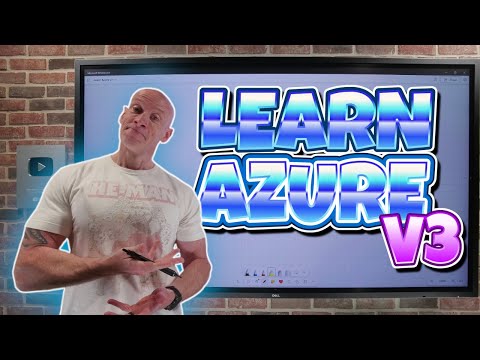
John Savill's [MVP] recently released a concise YouTube video titled "Learn Azure in 2026" that outlines how to begin learning Azure today. In clear steps, the video guides newcomers through foundational topics, recommended resources, and practical tips for hands-on practice. As a result, the video serves both beginners and those returning to cloud skills after a gap. This article summarizes the key points and explains tradeoffs to help readers plan their learning journey.
Overview of the Video
The video opens by framing the learning path for 2026 and highlights why keeping current matters in cloud work. It emphasizes a progression from basics to specialized topics and underscores the role of practical labs and curated content. Furthermore, the presenter stresses using official and community resources together to build real skills efficiently. Consequently, viewers get a roadmap that balances structured learning with hands-on experiments.
John Savill's approach is chunked by chapters, which makes it easy to follow specific topics such as access, optimization, and developer tools. For instance, the video covers getting an account, optimizing resource use, and locating information in the portal. Moreover, the presenter includes pointers to free learning platforms and explains how to access sandbox environments. Therefore, learners can choose a path that fits their schedule and goals.
Getting Started with Azure
To begin, the video recommends starting with core cloud concepts and the Azure Fundamentals materials. These initial modules explain compute, networking, storage, governance, and identity, which form the foundation for higher-level topics. In addition, the presenter suggests using a free account or sandbox to gain hands-on experience without upfront costs. This practical start helps learners move from theory to small projects quickly.
Next, the video covers ways to get access and manage costs while experimenting, including guided labs and free credits for new accounts. It cautions learners to monitor usage and to clean up resources after practice to avoid unexpected charges. At the same time, the presenter points out that deliberate, small experiments teach core concepts faster than reading alone. Thus, starting small and expanding projects offers a low-risk path to competence.
Learning Resources and Tools
The video highlights several learning channels, such as the Microsoft Learn modules and curated playlists for deeper study. It also demonstrates practical tools like the Cloud Shell for command-line work and the portal for visual management. Additionally, the presenter recommends bookmarking curated content and following step-by-step labs to avoid scattered learning. As a result, learners can stay organized and track progress more reliably.
Importantly, the video discusses the role of AI tools like Copilot as assistance for coding and troubleshooting. While AI can speed tasks and suggest configurations, the presenter warns against overreliance and encourages verifying outputs. Therefore, learners should use AI as a tutor rather than a substitute for understanding. In this way, AI complements hands-on practice while still requiring critical thinking.
Certifications and Career Path
The presenter identifies key certifications such as AZ-900 and administrator or specialist exams as useful milestones for career growth. He explains that certifications provide structure and are often valued by employers, but they do not replace practical experience. Moreover, the video recommends combining certification study with labs and portfolio projects to demonstrate applied skills. Consequently, candidates who show both badges and real projects tend to stand out.
Furthermore, the video suggests tracking learning paths that match job goals, such as cloud administration, DevOps, or AI engineering. It recognizes that different roles require different depths of knowledge and encourages learners to specialize after mastering fundamentals. At the same time, the presenter notes that staying current requires periodic refreshers and continuous learning. Thus, the certification route is a starting point rather than an endpoint.
Tradeoffs and Challenges
Balancing structured courses with hands-on practice presents a clear tradeoff that the video addresses. On one hand, formal modules give a reliable sequence of topics and some free labs, while on the other hand, practical projects reveal real-world complexity that course exercises may not cover. Therefore, learners must allocate time to both reading and building, which may slow short-term progress but yields stronger long-term skills.
Another challenge involves cost and time management when using live resources and cloud credits. Although free tiers and trial credits lower barriers, long-running tests can create unexpected charges, so disciplined cleanup and cost controls are essential. Likewise, relying heavily on AI help may speed learning yet mask gaps in understanding, requiring a deliberate balance between speed and depth. Consequently, smart planning and incremental scaling of complexity help manage these tradeoffs.
Practical Tips and Next Steps
Finally, the video offers actionable tips: follow a learning path, bookmark trusted content, use the Cloud Shell to practice, and combine labs with small projects. It also suggests tracking progress with a study calendar and joining communities for questions and accountability. Meanwhile, learners should document projects to build a portfolio that complements certifications.
In summary, John Savill's [MVP] video provides a clear, practical roadmap for learning Azure in 2026 by combining fundamentals, curated resources, hands-on labs, and thoughtful use of AI tools. By weighing tradeoffs between speed and depth, and by managing cost and time thoughtfully, learners can build durable cloud skills that match industry needs. Therefore, viewers who follow this balanced approach can make steady progress toward career goals in cloud and AI roles.

Keywords
Learn Azure 2026, Azure certification 2026, Azure for beginners 2026, Azure fundamentals 2026, Azure cloud training 2026, AZ-900 exam 2026, Azure DevOps training 2026, Azure architect certification 2026