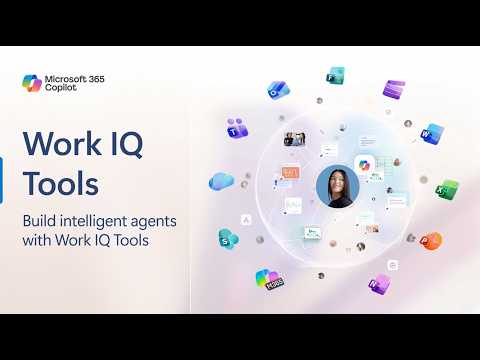
Work IQ Tools: Extend Intelligent Agents
Microsoft expert previews Work IQ MCP letting agents and Copilot tap SharePoint Teams Outlook OneDrive Word for workflows
Key insights
- Work IQ: A Microsoft intelligence layer that links signals across Microsoft 365 to give AI agents real work context, build a semantic graph of people and projects, and suggest next steps to users.
- Work IQ MCP servers: Model Context Protocol servers let agents access work data without custom setup, so agents can read and use your Microsoft 365 content securely and in real time.
- Microsoft 365 sources: Agents can tap SharePoint, Teams, Outlook, Calendar, Word, OneDrive, user profiles, and Copilot Search now; Excel and Planner support are coming soon.
- Copilot Studio integration: Developers add MCP tools in Copilot Studio, authenticate and grant permissions, and the agent can then fetch emails, meeting details, chat threads, and related files to answer or act with context.
- Benefits: Agents gain better context and accuracy, personalized results, enterprise-grade security and compliance, and scale to handle multi-step workflows while reducing incorrect outputs.
- Pillars and governance: Work IQ works through inference, skills, and tools, and ties into identity and security controls like DLP and enterprise identity to keep actions auditable and compliant. Work IQ MCP servers are available in public preview.
Introduction
The YouTube video published by Microsoft 365 Developer outlines how organizations can extend intelligent agents using Work IQ and the Model Context Protocol (MCP) servers. In clear, demo-driven segments the presenter shows how agents can access live work data from Microsoft 365 apps to improve context and task accuracy. As a result, viewers get a practical look at what public preview features are available now and what is scheduled to arrive soon.
What the Video Demonstrates
First, the video highlights that MCP servers act as a universal, out-of-the-box standard for agents to communicate with external data systems, without custom configuration. It then walks through specific connectors for areas such as SharePoint, Teams, Outlook, Calendar, Word, and OneDrive, and notes upcoming support for Excel and Planner. Consequently, the demonstration emphasizes how agents can read threads, understand meeting context, and locate relevant documents to ground their responses in real work context.
How Work IQ and MCP Servers Work
The presenter explains that Work IQ builds a semantic graph across Microsoft 365 signals, linking people, projects, timelines, and documents to provide a memory-like context for agents. Then, by adding Work IQ MCP tools in Copilot Studio, developers enable agents to call those services so they can observe, retrieve, reason, and execute tasks with up-to-date business data. This approach shifts agents from purely reactive assistants to proactive teammates that can suggest relevant next steps based on combined signals.
Moreover, the video outlines three core pillars underlying the system: inference to turn understanding into actions, skills that perform specialized tasks, and tools that provide access to data and capabilities. Together these pillars support Adaptive Intelligence by enabling integration with enterprise data stores like Dataverse and governance surfaces such as Agent 365. Therefore, organizations can combine model reasoning with enterprise controls to support production use cases.
Benefits for Organizations and Developers
The video makes clear that integrating Work IQ improves contextual relevance and personalization, because agents can link conversations and documents across applications to anticipate needs. In addition, the presenter notes improved accuracy and reduced hallucinations when agents use live business data to ground responses, which benefits everyday workflows from scheduling to incident triage. Consequently, agents become more useful in real work, not merely as novelty features.
From a developer perspective, the demo shows that adding MCP tools in Copilot Studio can be straightforward: select a tool, authenticate, and grant permissions so the agent can access designated data sources. Furthermore, the video highlights enterprise-grade features like Data Loss Prevention and Microsoft Information Protection integration, while noting that actions can be audited through Microsoft security services. As a result, teams can build agent experiences that align with corporate compliance and identity boundaries.
Tradeoffs and Challenges
Despite the clear benefits, the video also implies important tradeoffs, particularly between data access and privacy. On one hand, broader access to documents and chats enables richer, more accurate agent behavior; on the other hand, it raises risk if permissions or data governance are not carefully configured. Therefore, organizations must balance usability with strict controls to avoid exposing sensitive information or creating compliance gaps.
Another challenge is managing complexity and developer effort when integrating many data sources and long-running workflows, which can raise operational and testing overhead. Additionally, relying on real-time business context increases dependency on service availability and monitoring, so teams must plan for resiliency and observability. In short, the promise of richer agents comes with engineering, security, and governance costs that organizations must weigh.
Practical Steps and Next Steps
Practically, the video recommends that teams start with a small set of MCP tools relevant to their top scenarios, such as mail and calendar for scheduling or Teams and SharePoint for collaboration tasks. Then, they should validate privacy and compliance rules, instrument logging for auditability, and iterate on agent prompts and skills to reduce errors. Finally, the presenter mentions that the Work IQ APIs and additional integrations are rolling out in public preview, so teams can pilot capabilities before wider deployment.
Conclusion
The YouTube video from Microsoft 365 Developer offers a concise, hands-on view of how Work IQ and MCP servers extend agent capabilities across Microsoft 365, while also calling attention to governance and engineering tradeoffs. In addition, it provides practical guidance for starting pilots, managing permissions, and planning for scaling as features like Excel and Planner arrive. Overall, the demo suggests that with careful design, organizations can make agents more helpful without sacrificing security or compliance.

Keywords
Extend intelligent agents, Work IQ Tools, intelligent agents integration, Work IQ agent extensions, AI workplace automation, enterprise agent orchestration, Microsoft Work IQ integration, agent productivity tools