Power Platform: PPCC announcements for makers and admins
Lead Infrastructure Engineer / Vice President | Microsoft MCT & MVP | Speaker & Blogger
Power Platform conference demos highlighted connected app building, a redesigned workflow canvas and new admin tools for makers and administrators.
Key insights
- The demos showed moving app work between Cowork, Copilot Studio and code tools without restarting from scratch.
- The workflow canvas demo included drag-and-drop nodes, automatic connections and vertical or left-to-right layouts.
- The Power Platform Admin plugin in Cowork was used for environment impact analysis; one example identified six apps using a connector.
- A Power Platform Advisor skill was shown producing dashboards, including a view of credit consumption.
- The transcript does not establish rollout dates, licensing requirements or general availability for the demonstrated updates.
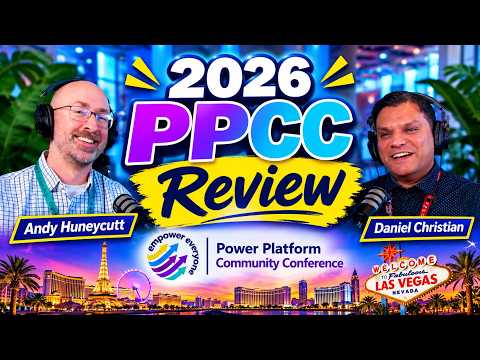
Power Platform conference demonstrations highlighted connected app-building experiences, workflow canvas changes and administrator tools, with the potential to reduce handoffs between maker and developer workflows. These changes matter to Power Platform makers, developers and administrators who build or govern apps, agents and workflows. Daniel Christian [MVP] reviews the announcements and demonstrations in a YouTube discussion with fellow MVP Andy Hunneycutt.
What's new
The clearest theme in the review is that app building is being presented as work that can move between experiences, rather than remain tied to one interface. The demonstrations described starting in Cowork or Copilot Studio and continuing in another environment, including a code-oriented workflow. The stated aim was to pick up existing work instead of rebuilding it from the beginning.
The speakers described Copilot Managed Runtime as the destination for apps built through different routes, including Cowork, Copilot Studio, Copilot Code and a command-line interface. That description is based on the keynote material discussed in the recording. The transcript does not provide setup steps or operational details for the runtime, so administrators should treat the segment as an overview of the direction shown rather than deployment guidance.
For Power Automate and Copilot Studio workflow makers, the demo emphasized editing the workflow canvas. Nodes could be dragged and dropped, with connections made automatically in the demonstrated scenario. The editor was also shown with vertical and left-to-right layouts, giving makers another way to navigate complex branches and groups of actions.
Administrators also featured in the discussion. A Power Platform Admin plugin in Cowork was used for impact analysis: the example asked how many apps in an environment used a particular connector and returned a count of six. The speakers also described a Power Platform Advisor skill that generated dashboards, including a view of credit consumption. The transcript does not list all the skills or explain their configuration.
Who it is for and what you need
These demonstrations are relevant to makers building apps and workflows, professional developers who may continue app work in code, and administrators responsible for environments and platform oversight. The examples span Power Apps, Copilot Studio, workflow authoring and Power Platform administration, rather than describing a single feature for one user group.
The material does not state the required licenses, tenant settings, prerequisites or supported regions for the features discussed. It also does not say whether each item is generally available, in preview or limited to a conference demonstration. The conference discussion is useful for understanding what was presented, but it is not enough to determine whether a particular tenant can use each capability today.
The Microsoft blog listed as a source describes the Power Platform Community Conference and its maker community context. It does not, based on the information available here, establish rollout details or licensing for each demo. Admins should verify those specifics in current Microsoft product documentation or their own tenant before planning deployment.
How it works
The recording provides a walkthrough of selected demonstrations, but not a complete configuration guide. For the app-building handoff, the key idea is continuity: start building in one supported experience and move the work into another, including code tools, without beginning again. The transcript does not specify the exact buttons, file formats or permissions involved.
- For a workflow, open the canvas shown in the demonstration and choose the vertical or left-to-right orientation that makes the flow easier to inspect.
- Drag a node, such as an action or connector, onto the canvas or into the relevant category. In the demo, the editor connected the new node to the preceding node automatically.
- Rearrange nodes to make branches and important steps easier to follow. The speakers described fitting the workflow on screen and zooming into sections as needed.
- For the administration example, use the Power Platform Admin plugin in Cowork to ask an impact-analysis question about connector use in an environment. The demonstration returned a count of apps for the connector queried.
These are mechanics described in the review, not verified instructions for every environment. In particular, the transcript does not identify a precise menu path to enable the plugin or skill, nor does it say whether the flow editor behavior is already present for all users.
Limitations and open questions
The most important limitation is the difference between a conference demonstration and a documented, released capability. Although the speakers describe several features as new or show them working, they do not confirm availability dates, licensing, rollout scope or support status. The workflow canvas interaction was explicitly discussed as something the speakers had not previously used, and they did not confirm its release stage.
The Cowork impact-analysis example is a single test, not evidence that every connector or environment can be queried in the same way. Likewise, the dashboard discussion does not supply the complete set of advisor skills, explain refresh behavior in detail or show how access is governed. The app handoff description does not document how changes are synchronized or which code tools are supported.
There is also no direct guidance here on how an organization should approve or govern these capabilities. The speakers discussed governance as a concern, but the transcript does not lay out policy configuration or security controls. Before adopting a demonstrated workflow, admins should confirm the product documentation, permissions and licensing that apply to their environment.
Sources
- Microsoft: Built by makers—five years of the Power Platform Community Conference
- Daniel Christian [MVP]’s PPCC review and demonstrations
Frequently asked questions
What Power Platform workflow canvas changes were demonstrated?
The demo showed dragging and dropping nodes, automatic connections in the demonstrated scenario, and vertical or left-to-right layouts. The transcript does not confirm rollout or availability.
What does the Power Platform Admin plugin in Cowork do?
The discussion shows it being used for impact analysis, including a query about which apps in an environment used a connector. The example returned six apps, but broader support and setup requirements are not stated.
Which license is required for the PPCC demonstrations?
The available material does not specify license requirements for the demonstrated features.
Can makers move app work from Copilot Studio into code tools?
The conference discussion described handing work between experiences, including code-oriented tools, without starting from scratch. It does not provide the exact supported tools, steps or availability status.