- All of Microsoft
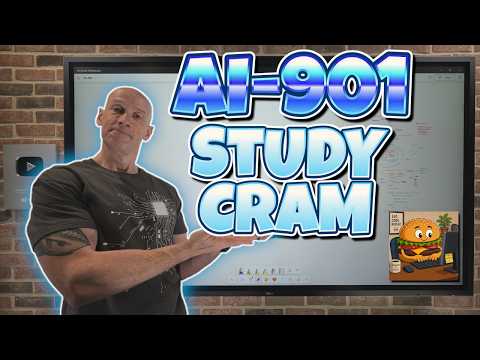
AI-901 Study Cram: Azure AI Quick Prep
Principal Cloud Solutions Architect
Microsoft expert Azure AI certification cram Azure OpenAI Entra Foundry models agents responsible AI NLP speech vision
Key insights
- AI-901 refresh: The exam now centers on Microsoft Foundry, shifting from separate Azure AI services to a unified platform.
Focus moves from theory to practical tasks you can build and deploy with Foundry. - Core topics: Expect questions on Generative AI, Agentic AI, text and language tasks, speech, computer vision, and information extraction.
Know basic concepts like prompting, model capabilities, and multimodal inputs. - Implementation skills: Learn to deploy models, manage endpoints and keys, and integrate apps with Foundry SDK.
Practice authentication steps such as setting the environment variable $Env:AZUREOPENAIKEY = 'YOURKEYHERE' and using Entra for identity. - Practical advantages: Foundry speeds prototyping, simplifies deployment, and supports mixed media workflows.
Use it to build lightweight apps, agents, and end-to-end multimodal solutions quickly. - Study resources: Use the video chapters and Microsoft Learn materials to map topics to hands-on practice.
Focus on building small projects for embeddings, agents, and content extraction to reinforce concepts. - Responsible AI and content: Know core Responsible AI principles and how they apply in production.
Study Azure Content Understanding for extracting structured data from documents, images, audio, and video.
The newsroom reports on a new study-cram video produced by John Savill's [MVP], which walks viewers through the updated AI-901 Microsoft Azure AI Fundamentals exam. The hour-long YouTube presentation organizes content into clear chapters and pairs conceptual summaries with hands-on examples, and it aims to help candidates focus on both ideas and implementation. Importantly, the video highlights a substantial shift in exam emphasis toward real-world application using Microsoft’s platform tools. Consequently, exam takers and practitioners will find the overview useful for aligning study time with practical skills.
Overview of the Video
The video opens with study resources and a whiteboard summary, then proceeds through foundational topics such as “what is AI” and responsible AI before moving into platform specifics. Furthermore, it covers assistant and agent concepts, model choices, endpoints and keys, and integration patterns using Microsoft tooling. Viewers will also see demonstrations on app integration, Foundry-generated code, and building custom AI applications that use multimodal inputs. Thus, the content balances theory and demos so learners can both understand and apply the material.
Foundry-Centric Shift and Exam Changes
One of the most significant points that the video stresses is the transition from service-by-service Azure AI coverage to a Microsoft Foundry-centric model. As a result, learners now need to know how to implement solutions in a unified environment rather than only recognizing separate services, and the video emphasizes this by showing Foundry workflows and SDK usage. This change reflects Microsoft’s product direction toward a single platform for deploying, testing, and integrating models, which simplifies some tasks while introducing new learning requirements.
However, the shift carries tradeoffs: while Microsoft Foundry reduces fragmentation and accelerates prototyping, it also creates a steeper initial learning curve for those familiar with the older service landscape. Additionally, the exam’s inclusion of Agents and multimodal workloads makes breadth a factor, so candidates must balance time spent on conceptual study with hands-on practice. Consequently, learners should prioritize a mix of reading, short labs, and guided demos to cover both the platform and the underlying AI concepts.
Practical Demonstrations and Tools
The video provides practical steps such as setting environment variables for local testing, exemplified by the instruction to set the OpenAI key, and it walks through endpoints, keys, and Entra authentication. Moreover, the presenter demonstrates Foundry-generated code and shows how to create lightweight client applications and single-agent solutions, giving viewers a replicable workflow. These demonstrations help candidates see how theoretical topics like prompting and model selection translate into functional applications. Therefore, hands-on replication of shown examples will likely improve retention and practical exam readiness.
Nevertheless, learners face challenges in replicating live demos, including version changes and tenant-specific configuration that can break examples if not carefully adapted. For instance, configuration values, permissions in Entra, and API keys require correct setup and secure handling, which the video highlights without oversimplifying the complexity. Consequently, viewers are reminded to follow responsible setup practices and to test in controlled environments to avoid service interruptions or security risks. This pragmatic advice aligns study efforts with operational realities.
Responsible AI, Security, and Tradeoffs
The video also devotes attention to Responsible AI concepts, stressing the need for guardrails, bias mitigation, and monitoring when deploying generative and agentic systems. Furthermore, it discusses the tension between enabling capability and ensuring safety: powerful multimodal models provide rich functionality, but they require careful oversight to limit hallucinations and protect user data. Thus, candidates must learn both the enabling features and the mitigation strategies to design ethical systems. In practice, balancing model performance, cost, and compliance often involves tradeoffs in architecture and operational practices.
Security considerations extend to data handling and access control, with Entra and key management playing central roles in production deployments according to the video. Moreover, the presenter calls attention to Azure Content Understanding for extracting structured data from documents, images, audio, and video, and he warns that those pipelines can expose sensitive content if not properly governed. Therefore, exam preparation should include understanding authentication, least-privilege access, and logging to support audits and incident response. These operational skills matter as much as conceptual knowledge for real-world adoption.
Who Should Watch and Study Advice
The video targets beginners, students, junior developers, and IT professionals preparing for the AI-901 credential, and it intends to bridge conceptual fundamentals with Foundry-based implementation. Additionally, viewers who are already conversant with cloud basics will find the demonstrations helpfully pragmatic, while newcomers should plan to combine the video with hands-on labs and the referenced whiteboard material. Therefore, learners should balance breadth—covering topics such as speech, vision, embeddings, and information extraction—with depth in a few practical areas like agents or app integration. That balanced approach reduces the risk of shallow preparation and improves readiness for both the exam and applied projects.
In closing, the presentation by John Savill's [MVP] offers a structured, practical study-cram that reflects the current direction of Microsoft’s AI platform. Consequently, candidates who align their study strategy with the video’s Foundry focus, and who intentionally practice secure, responsible deployments, will likely achieve better outcomes in both certification and real-world projects.
Related resources

Keywords
AI-901 Microsoft Azure AI Fundamentals, AI-901 study guide, Azure AI certification exam, AI-901 practice questions, Azure AI fundamentals cram, Microsoft AI-901 tips, AI-901 exam prep, Azure AI fundamentals practice test