- All of Microsoft
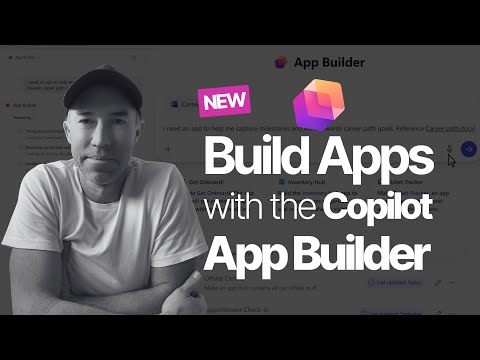
App Builder in SharePoint: Create an App in Minutes
A Microsoft MVP 𝗁𝖾𝗅𝗉𝗂𝗇𝗀 develop careers, scale and 𝗀𝗋𝗈𝗐 businesses 𝖻𝗒 𝖾𝗆𝗉𝗈𝗐𝖾𝗋𝗂𝗇𝗀 everyone 𝗍𝗈 𝖺𝖼𝗁𝗂𝖾𝗏𝖾 𝗆𝗈𝗋𝖾 𝗐𝗂𝗍𝗁 𝖬𝗂𝖼𝗋𝗈𝗌𝗈𝖿𝗍 𝟥𝟨𝟧
Microsoft Copilot App Builder enables no code feedback apps fast with SharePoint Lists and Graph
Key insights
- App Builder inside Copilot lets users create working apps in minutes by using plain language to generate screens, logic, and data models automatically.
- The tool uses Generative AI to convert prompts into full apps, enabling true No-code development for non-developers and speeding delivery from weeks to minutes.
- Apps connect to real Microsoft 365 sources and store data in Microsoft Lists, so they work with SharePoint, Teams, and Graph while keeping data inside your tenant.
- Common use cases include Feedback systems with voting and categories, Project trackers, status dashboards, and request forms with automatic routing and approvals.
- Typical process: describe the app in plain English, let the builder create the structure, refine with prompts, test the live app, then share it using standard Microsoft 365 permissions.
- Secure governance is built in: apps inherit Microsoft 365 security and permission controls, and admins can add controls and policies before wide deployment.
In a recent YouTube walkthrough, Daniel Anderson [MVP] demonstrates how Microsoft’s new App Builder inside Copilot can produce a working app in minutes using natural language prompts. The video highlights a practical demo where Anderson builds a feedback and ideation tool without writing code, which he says removes common bottlenecks such as IT tickets and long development cycles. Consequently, the piece signals a shift in how information workers can solve routine workflow problems quickly and with less dependence on developer teams. Moreover, the demo emphasizes that apps created this way connect to existing Microsoft 365 data stores, keeping data where organizations already manage it.
Overview of the Video and Key Features
Anderson opens the video by explaining what the new App Builder does and why it matters for everyday work. He shows users can describe an app in plain English and then watch the tool build screens, storage, and basic logic automatically, which he demonstrates by creating categories, upvoting, and admin controls. Furthermore, the walkthrough underscores that the generated apps use Microsoft Lists for backend storage, which preserves Microsoft 365 permissions and governance. As a result, teams can deploy functional tools quickly while still relying on familiar security controls.
During the demonstration, Anderson highlights how the conversational flow enables iterative refinement, allowing follow-up prompts to change layouts, workflows, and UI details. He also compares App Builder to traditional Power Apps development, noting that while both platforms aim to empower non-developers, the generative approach removes much of the initial setup and design friction. However, Anderson points out that users can still refine apps further with familiar tools if they need more advanced custom logic. Therefore, the offering serves both rapid prototyping and lightweight production use cases.
Live Demo: Building a Feedback and Ideation App
The central demo walks through building a feedback app with categories such as Product, Process, and Culture, plus an upvoting feature and admin controls for moderation. Anderson tests submissions in real time, showing how updates appear immediately and how the app layout adapts after design tweaks. In addition, he demonstrates how the app can pull or push data to other Microsoft 365 services using Microsoft Graph integration and standard permissions. Consequently, teams can use the app to collect ideas, route requests, and summarize trends without a separate development project.
Anderson also shows how to customize card layouts and workflows through additional conversational prompts, which lets non-technical users change behavior without writing formulas. Yet, he warns that more complex workflows may require manual adjustments or a power user to add conditional logic and automation. Thus, while the tool accelerates simple app creation, it may still need human oversight to support advanced scenarios or compliance needs. Nonetheless, the speed of starting from natural language is a significant time saver for many common tasks.
How It Works and Integration Choices
According to Anderson, the process starts by describing the desired app; Generative AI then creates the screens, data schema, and basic logic, typically storing data in Microsoft Lists. After the initial build, the user can refine the application with follow-up prompts or open it in familiar editors like Power Apps to make deeper changes. Moreover, this approach leverages Microsoft 365 identity and permissions, which means the app inherits existing governance and sharing models. As a result, organizations can balance speed with control.
He also explains the distinction between Lists and Dataverse for storage, suggesting Lists suit lightweight, list-based scenarios while Dataverse might be better for enterprise-grade data models and larger scale. Therefore, teams must weigh the simplicity and immediacy of Lists against the scalability and richer data types of Dataverse. Furthermore, integration with Microsoft Graph and Teams helps ensure that generated apps can participate in common collaboration workflows, making adoption smoother for end users.
Tradeoffs and Challenges
While the demo shows clear benefits, Anderson acknowledges several tradeoffs that organizations should consider before adopting this method broadly. For instance, rapid app creation can produce inconsistent design or duplicative tools across teams, which could complicate long-term maintenance and governance. Additionally, generative outputs can sometimes misinterpret requirements, so users should validate app logic and data mappings carefully after generation. Consequently, organizations should establish review and lifecycle practices to manage quality.
Security and compliance also present challenges despite built-in Microsoft 365 controls, because automated generation can inadvertently expose sensitive fields or create workflows that require stricter approvals. Therefore, IT and security teams still need visibility into apps created by business users and a plan for auditing and remediating risks. Finally, while the tool reduces the initial barrier to building apps, complex automations, integrations, and advanced UI patterns may still require professional development resources to implement robustly.
Implications for the Workplace
Ultimately, Anderson frames App Builder inside Copilot as a practical enabler for faster problem solving at the team level, where simple tools often deliver the most immediate value. Because employees can iterate quickly, organizations may see faster process improvements and higher adoption of digital workflows. However, to capture these gains sustainably, teams should pair rapid creation with governance, documentation, and periodic audits. As a result, the feature looks poised to reshape how many information workers build and share internal tools.
In conclusion, the YouTube walkthrough by Daniel Anderson [MVP] provides a clear, hands-on look at how conversational AI can accelerate app creation while highlighting the need for deliberate governance and occasional technical oversight. Moving forward, organizations that balance flexibility with control will likely get the most value from these new generative capabilities. Meanwhile, the demo serves as a useful primer for teams curious to test rapid, low-risk app development in their existing Microsoft 365 environment.

Keywords
how to make an app in minutes, create app without coding, no code app builder, build an app fast, make your own app tutorial, mobile app maker online, app builder for beginners, create android and ios app quickly