- All of Microsoft
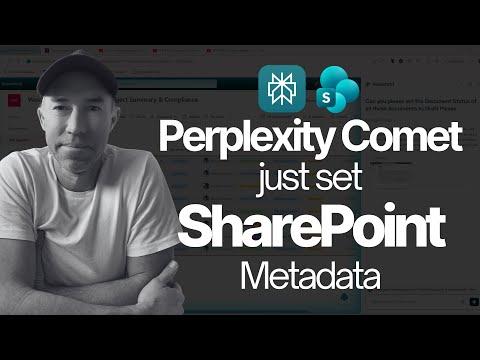
I Watched AI Complete My SharePoint Work in Real-Time
A Microsoft MVP 𝗁𝖾𝗅𝗉𝗂𝗇𝗀 develop careers, scale and 𝗀𝗋𝗈𝗐 businesses 𝖻𝗒 𝖾𝗆𝗉𝗈𝗐𝖾𝗋𝗂𝗇𝗀 everyone 𝗍𝗈 𝖺𝖼𝗁𝗂𝖾𝗏𝖾 𝗆𝗈𝗋𝖾 𝗐𝗂𝗍𝗁 𝖬𝗂𝖼𝗋𝗈𝗌𝗈𝖿𝗍 𝟥𝟨𝟧
Microsoft expert demos Perplexity Comet AI automating SharePoint tasks live, shifting work to outcome-driven productivity
Key insights
- Comet browser, SharePoint, natural language: In a demo video Daniel Anderson (MVP) shows the Comet browser using plain-language commands to complete SharePoint tasks.
He updated multiple documents and deleted folders without manual clicking, demonstrating fast real-time execution. - AI assistant, transparent reasoning, outcome-driven: The assistant not only performs actions but displays its step-by-step thinking.
This visibility helps users trust decisions and understand how the AI reached each result. - Copilot, Knowledge Agent, automation: SharePoint now leverages Copilot and Knowledge Agents for task automation like tagging, metadata population, search, and content creation.
These tools let users describe desired results and let AI handle navigation and execution. - productivity, integration: The approach reduces repetitive work, speeds bulk edits and approvals, and connects with Microsoft 365 tools for smoother workflows.
Teams can focus on outcomes instead of manual steps. - limitations, governance: The demo works best with structured apps and clear instructions, and it’s not a full replacement for complex or ambiguous tasks.
Organizations should consider permissions, policies, and testing before broad rollout. - future of work, testing: This demo signals a shift from searching to describing outcomes, with browser-based AI changing everyday workflows.
Test features in controlled environments to measure benefits and surface any issues before wide adoption.
Overview of the Video
In a recent YouTube demonstration, Daniel Anderson [MVP] showcases how modern browser-based AI can perform SharePoint tasks in real time. He uses the Comet browser to give natural language commands and then watches as an AI assistant carries out actions without manual clicking. As a result, the video illustrates a move from search-driven workflows to outcome-driven automation, and it frames the experience as a glimpse of browser-based productivity's near future.
Live Demo: What the Presenter Showed
Anderson walks through concrete examples, including setting up a document library task and performing bulk edits on multiple files. He describes a single command that updated eight documents in under three minutes while the browser displayed the steps the AI planned and executed. Consequently, viewers see both the speed and the transparency of the tool, which narrates its reasoning as it navigates and changes SharePoint content.
How the AI Assistant Works
The video highlights how natural language instructions map to browser actions via the Comet assistant, which interprets intent, locates items, and executes commands inside a web application. Anderson also shows the assistant breaking tasks into steps, explaining each move before it happens, which helps users understand and validate its actions. Thus, the experience blends automation with a visible decision path, reducing some of the trust barriers that often surround AI.
Benefits and Productivity Tradeoffs
This approach delivers clear productivity gains by removing repetitive navigation and manual edits, freeing users to focus on outcomes rather than interfaces. At the same time, the demonstration underscores tradeoffs: automation works best with structured, predictable interfaces and consistent metadata, while more complex or bespoke SharePoint sites may confuse an agent. Therefore, organizations must weigh faster routine work against the effort needed to ensure data and interfaces remain predictable enough for reliable automation.
Challenges: Accuracy, Control, and Governance
Despite the promise, the video also reveals practical challenges, such as the need for strict permissions, careful logging, and fallbacks when the assistant misinterprets an instruction. Administrators must design governance policies to control what agents can change and to capture an audit trail of actions for compliance. Moreover, as tasks become more autonomous, teams will need to balance convenience with safeguards to prevent unwanted bulk changes or accidental data loss.
Integration and Technical Limits
The demonstration points out that such AI works best when it can rely on stable APIs or consistent DOM structures, and it performs less reliably on highly customized pages or where elements change frequently. Therefore, technical teams should plan for maintenance: updates to SharePoint pages or custom scripts can break an agent's ability to find elements, which entails testing and occasional reconfiguration. In short, the technology reduces routine work but introduces new operational tasks to keep automations healthy.
Transparency Versus Speed
One of the most notable aspects of the video is the assistant's step-by-step reasoning, which helps users trust automated actions while maintaining speed. However, transparent reasoning does not eliminate errors, and visibility alone cannot replace strong validation and rollback mechanisms. Consequently, teams should combine visible AI reasoning with robust approval workflows and version controls to manage the balance between swift execution and safe operation.
Outlook and Practical Advice
Looking ahead, the demo signals a broader shift toward describing desired outcomes rather than performing every click manually, and this can change daily work for many teams. To adopt such tools successfully, organizations should prioritize clear metadata, stable interfaces, and strong governance while piloting automation in low-risk areas first. By doing so, they can capture early productivity benefits while learning how to mitigate limits around accuracy, security, and operational maintenance.

Keywords
Microsoft SharePoint AI, SharePoint automation, real-time AI SharePoint, AI-powered SharePoint workflows, automate SharePoint tasks, SharePoint AI assistant, AI productivity for SharePoint, watch AI complete SharePoint tasks