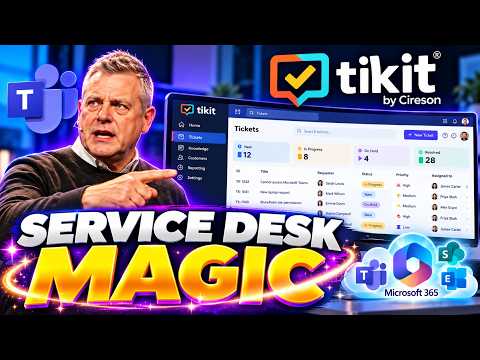
Tikit for Teams service desk walkthrough
Microsoft 365 Expert, Author, YouTuber, Speaker & Senior Technology Instructor (MCT)
Andy Malone’s video walks through Tikit in Teams, from ticket submission to administration, giving Microsoft 365 support teams a product overview.
Key insights
- The video description lists installation of Tikit in Microsoft Teams.
- The walkthrough covers submitting tickets through Teams and exploring the Tikit user portal.
- Listed administration topics include Views & Filters and customizing Tikit.
- The description includes an exploration of Tikit Asset Inventory.
- Power BI integration and reporting are among the topics listed.
Andy Malone [MVP] published a video introducing Tikit as a service desk for Microsoft 365. Its description outlines a walkthrough of installing Tikit in Microsoft Teams, submitting service tickets, using its virtual agent and administering the service desk. The takeaway for support teams is a tour of the areas to evaluate, rather than evidence of a particular rollout or measured outcome.
What's new
The video description presents Tikit as a way to run a service desk in the Microsoft 365 environment, with Microsoft Teams as a central point of access. It lists both the user-facing experience and the tasks involved in configuring and managing the service. The topics include a Tikit Virtual Agent, a user portal, ticket submission in Teams, and administration.
Beyond ticket intake, Malone’s outline names Asset Inventory, Views & Filters, customization, and Microsoft Power BI integration and reporting. That gives viewers a broad checklist of functions to inspect. The available description does not explain how these features work, what data they use, or how they are configured.
Why it matters
For IT administrators and service-desk teams, the practical question is whether users and support staff can handle requests in a workflow that fits their organization. A Teams-based ticketing experience may be relevant to organizations assessing support tools alongside their existing Microsoft 365 work. The video’s listed topics point to both request intake and operational management, rather than ticket submission alone.
Makers and administrators may also want to assess the listed customization and reporting areas. The description says Malone covers Power BI integration and reporting, but does not identify report content, setup requirements, or licensing. Likewise, it names an Asset Inventory without describing its scope or integrations. Readers should treat the video as an introductory product tour, not as confirmation that a specific configuration or capability is suitable for their tenant.
How it works
The published outline suggests a sequence from installation through end-user and administrator experiences. It does not provide procedural instructions in the supplied material, so the steps below reflect the topics the video says it covers—not a verified deployment guide.
- Install Tikit in Microsoft Teams.
- Explore the Tikit Virtual Agent and user portal, then submit a service ticket in Teams.
- Review service desk administration, including Views & Filters and customization.
- Explore Asset Inventory and the Power BI integration and reporting topics.
This outline can help viewers decide whether the video covers the areas they need to investigate. It does not establish whether every user interaction happens within Teams, nor whether the portal or other interfaces require separate setup. The description also does not specify how tickets are routed, how administrators configure the service, or which Power BI reports are demonstrated.
Limitations and open questions
The supplied video material consists of a topic list and timecode headings; no transcript or demonstration details are available here. As a result, this article cannot verify the screens shown, exact setup steps, product behavior, or any claims about efficiency. The description’s reference to AI features is broad and does not explain what those features do.
Licensing, pricing, supported plans, rollout status, and tenant or regional availability are not specified in the available material. The description also does not say how Tikit Asset Inventory is populated, what Power BI integration requires, or whether the Virtual Agent relies on configured knowledge. Teams considering the product should verify those details directly with the vendor before making a deployment decision.
Sources
Frequently asked questions
What does the video cover?
Its description lists Tikit installation in Teams, ticket submission, the Virtual Agent, the user portal, administration, Asset Inventory, customization, and Power BI reporting.
Does the supplied material explain how to configure Tikit?
No detailed transcript or setup instructions are included. The description says installation and administration are covered, but not the steps.
What licensing or availability details are provided?
The available video description does not specify licensing, pricing, rollout status, or availability.