- All of Microsoft
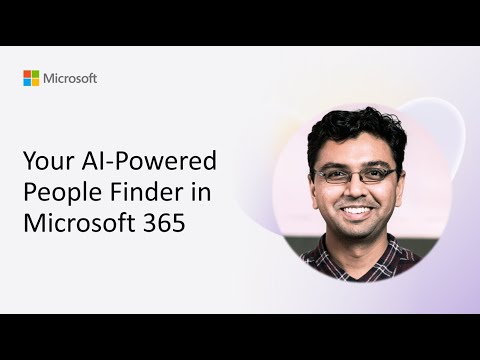
Microsoft 365: Find Anyone Fast with AI
Software Development Redmond, Washington
AI people finder for Microsoft three sixty five: Copilot agent with Azure OpenAI, SharePoint Search and Teams extension
Key insights
- Copilot agent: A custom Copilot agent combines AI with Microsoft 365 to deliver precise people searches across your organization.
- Azure OpenAI: It processes natural-language queries and refines results for relevance and context, improving search accuracy.
- SharePoint search: Use SharePoint people data and modern search web parts (search box, refiners, results) to surface names, roles, and skills.
- Teams message extension: Integrate the finder into Teams so users can search, share contact cards, and see live availability without leaving chats.
- People Agent: The People Agent scans meetings, files, and past interactions to suggest the right experts and show org charts and skills.
- Privacy and permissions: The tool follows Microsoft 365 access controls so users only see authorized data, and admins can manage authoritative profiles.
Overview
The YouTube demo published by Microsoft showcases an AI-driven people search built for Microsoft 365. In the recording, presenter Gautam Sheth walks through a custom Copilot agent that combines Azure OpenAI, SharePoint search, and a Teams message extension to produce more precise results. The demo focuses on practical scenarios, including locating colleagues by skills, projects, or availability, and it emphasizes integration into common workflows. As a result, the video frames the tool as a way to reduce friction when teams need to find the right people quickly.
Demonstration highlights
First, the demo shows how natural-language queries return targeted people profiles rather than generic directory hits. Moreover, viewers see web parts such as search boxes and refiners added to SharePoint pages so searches can filter by location, role, or recent activity. The presenter also demonstrates a Teams message extension that brings these search results into conversations without forcing users to switch apps. Consequently, the workflow stays within the collaboration context, improving response time and continuity.
How it works
Technically, the system queries SharePoint people data and uses Azure OpenAI models to refine results and interpret intent. Then, a Copilot agent orchestrates the prompt logic and formats answers, while the Teams message extension delivers quick access inside chats and channels. Additionally, the People Agent concept expands this approach by scanning meetings, documents, and interaction history to suggest subject-matter experts. Thus, the solution blends semantic AI with established directory services for richer, context-aware discovery.
Practical uses and scenarios
For example, teams can ask who worked on a past project and immediately view relevant contacts, org charts, and their availability. Furthermore, managers can find specialized skills across distributed groups to staff short-term initiatives faster than manual searches allow. The demo also shows pinning collaborators and sharing interactive contact cards to speed follow-ups. Consequently, frequent tasks like forming a meeting or assembling a working group become less time-consuming.
Benefits and tradeoffs
The main benefits include improved accuracy, reduced search time, and tighter workflow integration because the agent understands context and intent. However, there are tradeoffs: adding AI layers increases architectural complexity and can introduce latency when models process prompts, so responsiveness depends on configuration and compute. Moreover, while the approach improves discovery, it may surface imperfect matches that require human verification, and business owners must balance automation with oversight. Therefore, organizations should weigh faster access against additional maintenance and monitoring needs.
Deployment, governance and challenges
Implementing this solution requires configuring SharePoint web parts, enabling secure single sign-on for the Teams extension, and connecting to Azure OpenAI through the Copilot agent framework. Administrators must also manage permissions so results respect directory security and compliance policies, and they should curate authoritative profiles to reduce noisy results. In addition, cost and data residency concerns arise when using cloud AI, so teams must evaluate budget and regulatory constraints before broad roll-out. Finally, ongoing tuning and user feedback remain essential because the AI models and search indexes need updates to keep results relevant.
Conclusion and outlook
Overall, the video illustrates a practical step toward smarter people discovery inside Microsoft 365, and it suggests clear productivity gains for organizations that invest in integration and governance. Looking ahead, teams that pilot the approach should plan for iterative improvement, measurable search performance metrics, and policies that safeguard sensitive information. Additionally, community demos like this encourage shared patterns and sample code that can shorten the learning curve for implementers. In short, the demo shows promise, but successful adoption depends on striking the right balance between automation, control, and ongoing stewardship.

Keywords
Microsoft 365 people finder, AI people search Microsoft 365, Microsoft Search people finder, Employee directory Microsoft 365, AI-powered people search, Microsoft Graph people search, Workplace people discovery AI, Find colleagues in Microsoft 365