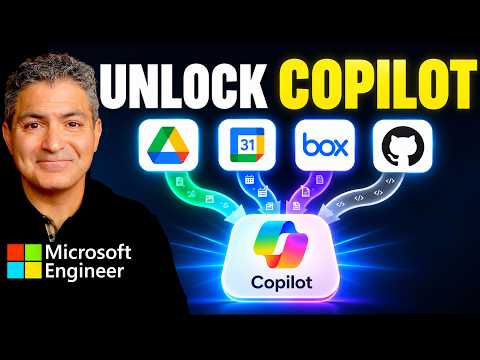
Microsoft Copilot connects to external apps
Principal Technical Specialist @ Microsoft | Engineer | YouTuber
Shervin Shaffie demonstrates Copilot connections to services including Google Drive and Box, and highlights an admin setting that can block connectors.
Key insights
- The walkthrough covers connections to Google Drive, Google Calendar, Box and GitHub, as well as other apps.
- The video shows setup in Microsoft 365 Copilot and Copilot Cowork.
- Its demonstrations include reading and writing with Google Drive and Box.
- A Google Calendar and Outlook live-sync demonstration is listed in the video chapters.
- The description flags an admin setting that can block connectors for some users.
Shervin Shaffie of Collaboration Simplified recently published a 10-minute walkthrough of connecting Microsoft Copilot with external apps. The video description names Google Drive, Google Calendar, Box and GitHub, and says the demonstration covers Microsoft 365 Copilot and Copilot Cowork. Its practical takeaway is that app connections involve both a user-facing setup and an administrative setting that may prevent connectors from working.
What's new
The video is a guided demonstration, not an announcement of a newly released Microsoft feature. Its description says it shows how to connect Copilot with several third-party apps, including Google Drive, Google Calendar, Box and GitHub, as well as hundreds of other apps. It also includes a custom dashboard overview called Mission Control.
The chapter list gives a sense of the material covered: installing and connecting Google Drive, using Copilot with connected apps, demonstrating read and write activity with Google Drive and Box, and showing live sync between Google Calendar and Outlook. The description also identifies a comparison of Power Apps connectors and MCP plugins. MCP is named but not expanded or explained in the available material.
Shaffie’s description says the walkthrough includes an admin-center setup to unblock connectors. That makes the video relevant not only to people trying to connect an app, but also to administrators troubleshooting why a connector is unavailable. The description does not identify the setting’s exact name or provide its configuration details.
Why it matters
For end users, the demonstrated connections point to a way to use Copilot alongside information and services outside Microsoft’s own apps. The listed examples span file storage, calendars and GitHub. The video description signals that the goal is to make those connections usable from Copilot, but it does not specify the full set of supported tasks for each service.
For makers and consultants, the chapter on Power Apps connectors versus MCP plugins may help frame different approaches to connecting systems. However, the supplied description does not give enough detail to compare their setup, capabilities or trade-offs. It also does not establish that every listed app works in the same way or supports the same actions.
For administrators, the key operational point is that connector access can be blocked by an admin setting. This means a user’s inability to connect an app may not be a problem with the user’s setup alone. The video description identifies an admin-center step, but does not state which roles can change it, whether it applies tenant-wide, or what licensing is required.
How it works
The description presents the video as a step-by-step walkthrough. Based on its chapters, the sequence moves from the Copilot app connections area into an example connection, then tests Copilot with connected apps and shows administrative configuration. It does not provide the actual click-by-click steps or screenshots in the text supplied for this article.
- Review app connections. The walkthrough begins with Microsoft 365 Copilot app connections and Copilot Cowork.
- Connect a service. Google Drive is the named setup example; the description also lists Google Calendar, Box and GitHub.
- Try the connection. The chapters include using connected apps, reading and writing with Google Drive and Box, and live syncing Google Calendar with Outlook.
- Check the admin configuration. The final setup section addresses an admin setting described as blocking connectors for many people.
These are the chapter themes, not a guarantee that the exact process will work in every organization. The publisher’s description explicitly cautions that demonstrations reflect a particular environment and are not guaranteed instructions for a reader’s tenant. Organizations should test configuration changes and review them against their own security requirements.
Limitations and open questions
The available source is the video description and chapter list rather than a full transcript. It does not confirm the exact interface steps, required permissions, licensing, connector availability by region, or whether the demonstrations represent preview or generally available functionality. It also does not explain the technical distinction between Power Apps connectors and MCP plugins.
The description states that an admin setting blocks connectors for many people, but does not name the setting or explain its scope. It also does not document what data is accessed, how authentication works, or what safeguards apply to each third-party service. Those details matter before deploying connections in a production tenant.
Shaffie notes that the demonstrations reflect one configuration in a specific environment and may not work in every tenant. As a result, treat the video as a practical illustration rather than a complete deployment guide. The described next topic—reasoning across multiple data sources such as an Excel spreadsheet and a Google Sheet—is framed as a future subject, not a capability demonstrated here.
Sources
Frequently asked questions
Which apps are covered in the walkthrough?
The description names Google Drive, Google Calendar, Box and GitHub, along with hundreds of other apps. It lists demonstrations involving Google Drive, Box, Google Calendar and Outlook.
Why might a connector be blocked?
The description says an admin setting can block connectors for many people. It does not name the setting or explain its scope.
Does the video give complete setup instructions for every tenant?
No. The publisher says the demonstrations reflect one configuration in a specific environment and are not guaranteed to work in every tenant.
Does the source specify licensing or rollout status?
No licensing requirements or rollout stage are provided in the available description and chapter list.