- All of Microsoft
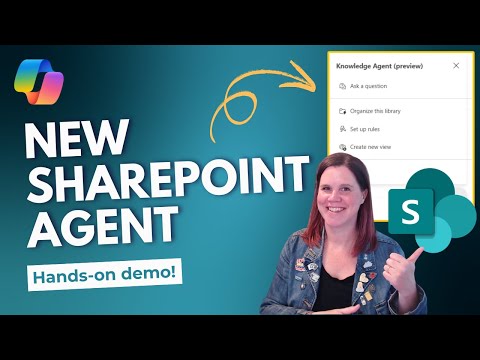
SharePoint Knowledge Agent: Real Review
Evangelist at Barhead Solutions | Microsoft Business Applications MVP | Content Creator
Microsoft expert explores SharePoint Knowledge Agent, AI document metadata, natural language rules, Copilot views
Key insights
- Knowledge Agent in SharePoint is an AI feature that enriches and organizes content; the video demos show live, step-by-step examples of creating rules, autofilling metadata, and asking questions of site content.
- The agent automatically adds and updates metadata, creates AI-generated summaries, and builds filtered views so users find relevant files faster; the demo highlights how autofill applies these updates in real time.
- You can define simple rules using natural language to classify content and run automated actions; the presenter shows how to set rules, view rule activity, and manage exceptions inside a document library.
- Knowledge Agent helps governance by spotting broken links, flagging outdated pages, and suggesting retirements, which reduces manual maintenance and keeps content trustworthy.
- The system integrates with Microsoft 365 Copilot and other tools, supports site-level scoped agents as subject-matter experts, and adds inline AI interactions on pages for quick answers.
- Requirements: a Copilot license and tenant admin opt-in to enable the feature; test it on a small pilot site first, monitor autofill activity, and standardize metadata before broad rollout to get the best results.
- Role definitions: Site Owner (full control), Content Manager (read, write, list), Content Creator (read/write or Site Members), and Content Consumer (read or Site Visitors) determine who can use and edit enriched content.
- Admin setup: In preview, enable or limit the agent using PowerShell and the SharePoint Online Management Shell (version 16.0.26413.12010 or later). Use the Set-SPOTenant cmdlet to control availability; update the shell module if needed before configuring.
- Scope and exclusions: The KnowledgeAgentScope values are AllSites, ExcludeSelectedSites, and NoSites. Use KnowledgeAgentSelectedSitesList to list up to 100 excluded site URLs and KnowledgeAgentSelectedSitesListOperation (Overwrite, Append, Remove) to manage that exclusion list.
- Disable and verify: Set KnowledgeAgentScope to NoSites to turn the agent off tenant-wide and run Get-SPOTenant to verify settings. Follow least-privilege admin practices and limit Global Administrator use to emergencies.
Quick summary of the video
In a recent YouTube walkthrough, Lisa Crosbie [MVP] tests the new SharePoint Knowledge Agent through a series of live demos and hands‑on examples. She shows how the tool can automatically organize libraries, generate metadata, create rules in natural language, and let users ask questions about their content. The video aims to answer practical questions about usefulness, setup needs, and whether organizations should try the feature. As a result, viewers get both a feature tour and operational tips for getting started.
How the Knowledge Agent works in practice
Crosbie begins by demonstrating the setup requirements, stressing that a Microsoft 365 Copilot license and tenant opt‑in are necessary to enable the preview. Then she walks through how the agent suggests metadata and autofills fields to improve classification and discoverability. Next, she shows how simple natural language rules can be created to drive automated behaviors without deep admin scripting. Altogether, the demos emphasize that the agent embeds AI into everyday SharePoint tasks rather than requiring new tooling outside the platform.
Live demonstrations and notable features
In the live demos, Crosbie organizes a document library with AI‑generated metadata and watches the autofill feature update properties automatically as documents are added. She also builds filtered views based on the generated metadata and uses a floating query interface to ask questions about content directly on a page. Furthermore, she inspects the autofill activity and manages rules to show how governance touches are applied after automation. These examples highlight real workflows where AI reduces repetitive work while making content easier to find.
Tradeoffs: automation versus control
While automation speeds up classification and discovery, Crosbie highlights the need to balance convenience with oversight because AI suggestions are not infallible. Administrators must decide how aggressively to apply autofill and whether to require human review for certain metadata, which affects speed and accuracy differently. Additionally, adopting the feature requires a Copilot license and tenant opt‑in, creating a financial and governance tradeoff for organizations that must weigh cost against productivity gains. Therefore, careful pilot testing and staged rollouts can help teams find the right balance between automation and control.
Challenges and operational considerations
Crosbie points out several practical challenges, including metadata drift when AI misclassifies files and the potential for stale or incorrect summaries if content is not updated. Permission scopes and tenant settings also complicate adoption since the Knowledge Agent requires central enablement and careful security review. Moreover, because the feature is initially in preview, compatibility and behavior may change before general availability, so teams should plan for periodic revalidation. Consequently, maintaining human oversight and an approval process remains important even as AI handles routine tasks.
Recommendations for adoption and next steps
For organizations testing the capability, Crosbie recommends starting with a limited pilot on a single site or document library to observe how autofill and rules behave under real workloads. She also advises monitoring autofill activity logs and regularly reviewing rules to catch misclassifications early and refine prompts. Over time, teams can broaden the agent’s scope while keeping governance guardrails in place, such as approval workflows or sampling audits. Ultimately, the Knowledge Agent can deliver measurable efficiency, but it works best with iterative tuning and clear ownership models.
Context and what to expect going forward
The video positions the SharePoint Knowledge Agent as part of a broader move to embed AI deeply into Microsoft 365 experiences so that tools like Copilot can give more grounded answers. However, Crosbie cautions that the feature is evolving and that administrators should expect changes as Microsoft moves from preview to general availability. For now, the Knowledge Agent offers tangible gains in metadata quality and discoverability, while requiring deliberate governance and licensing decisions. As organizations weigh those tradeoffs, early adopters can shape best practices that other teams may later follow.

Keywords
SharePoint Knowledge Agent, SharePoint Knowledge Agent review, SharePoint AI assistant, SharePoint knowledge management, SharePoint AI features, How to use SharePoint Knowledge Agent, SharePoint knowledge search, SharePoint Copilot integration