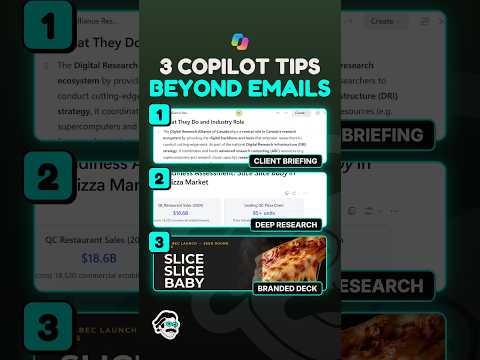
Microsoft Copilot: use it beyond email
Microsoft Copilot can help turn work conversations into briefs and refine documents, presentations, and spreadsheets.
Key insights
- Copilot can help extract decisions, open questions, owners, and actions from work discussions.
- In Word, PowerPoint, and Excel, Copilot can help revise content, shape presentations, and analyze spreadsheet data.
- Copilot Pages and Notebooks can support collaborative work and outputs grounded in selected sources.
- Review Copilot’s facts, formulas, and conclusions before relying on or sharing its output.
Microsoft Copilot can help turn work information into briefs and action lists, and assist with creating or refining documents, presentations, and spreadsheet analysis. These uses matter to Microsoft 365 users who need to organize project context or prepare work products, not just draft email. Piggy Bank Accountant is the source associated with the tips, but the supplied Short transcript contains no spoken or demonstrated steps to verify.
What it does
Copilot can support work across Microsoft 365 apps, including Word, Excel, PowerPoint, Outlook, Teams, and OneNote. The research notes describe using it to summarize discussions, identify decisions and unresolved questions, and organize action items with owners and deadlines. That can turn scattered project information into a structured brief, although users should check whether the result accurately reflects the source material.
It can also help edit existing work rather than only produce a first draft. Examples in the notes include rewriting or shortening a document, turning material into a presentation, and explaining spreadsheet trends or suggesting formulas. Copilot Pages and Copilot Notebooks are also mentioned as ways to develop collaborative content or ground outputs in selected work sources.
Who it is for and what you need
These examples are relevant to people working with Microsoft 365 documents, spreadsheets, presentations, meetings, and conversations. The notes say Copilot can use organizational context when it is properly licensed and permitted, but they do not identify required licenses, plans, tenant settings, or rollout status for the capabilities described here. They also do not establish that every feature is available to every user.
For prompts that rely on work information, the material should be accessible to the user and available to Copilot in the relevant context. The supplied material does not provide a definitive setup checklist or confirm specific prerequisites for Pages, Notebooks, or individual app features.
How it works
- State the task clearly, such as preparing a project brief or reviewing a spreadsheet.
- Specify the source material Copilot should use, such as relevant files, conversations, or meeting information, where available.
- Describe the audience and desired format. For a brief, request decisions, open issues, actions, owners, and deadlines.
- Review the response against the source material. Verify figures, formulas, facts, and conclusions before sharing or making decisions.
The research notes also describe natural-language assistance for organizing email, but that capability is not necessary for these broader document and project-work examples. They mention confirmation prompts for larger mailbox changes; details for other tasks are not provided.
Limitations and open questions
The Short’s transcript is unavailable, so its specific advice and demonstrations cannot be confirmed. The background notes do not supply official Microsoft links, precise licensing guidance, or confirmed availability details. Treat the examples as suggested workflows rather than a feature-by-feature guarantee. Copilot’s output should be checked by a person, particularly for financial, legal, compliance, or business decisions.
Sources
Frequently asked questions
Can Microsoft Copilot create a project brief from work conversations?
The research notes describe prompting Copilot to summarize project discussions and identify decisions, open issues, action items, owners, and deadlines. Check the result against the underlying information.
What Microsoft 365 license do I need for these Copilot features?
The supplied material does not identify required licenses or plans. It says organizational context depends on appropriate licensing and permissions.
Can Copilot help with Excel, Word, and PowerPoint?
The notes describe help with document revisions, presentation creation or refinement, and spreadsheet analysis or formula suggestions. They do not specify prerequisites or availability for each capability.
Should I verify Microsoft Copilot's answers?
Yes. The material advises reviewing facts, formulas, citations, and business conclusions, especially before relying on outputs for consequential decisions.