Microsoft AI: Nonprofit Solutions Guide
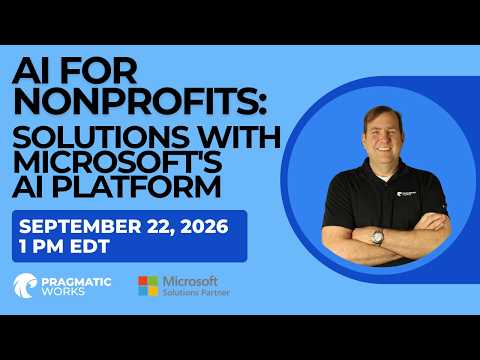
Microsoft AI for nonprofits with three sixty five Copilot, Copilot Studio and Foundry to automate grants, build agents
Key insights
- Microsoft AI platform: This video shows how nonprofits can use Microsoft AI to cut administrative work and boost service delivery using tools they already have.
It emphasizes practical, real-world solutions rather than theory. - Microsoft 365 Copilot, Copilot Studio, and Microsoft Foundry: Copilot speeds grant research, drafts, and summaries; Copilot Studio helps build custom assistants and automate workflows without heavy coding; Foundry supports mission-specific apps (example: a meal-planning and nutrition assistant).
Each tool targets different nonprofit needs from drafting to full application development. - Microsoft Elevate for Changemakers: The new program adds sector-focused training, an AI for Nonprofits credential, and a fellowship to help nonprofit leaders adopt AI responsibly.
Microsoft also offers discounted Copilot access for eligible nonprofits to lower cost barriers. - High-impact use cases: automate case and compliance management, unify data for a single source of truth, improve administrative efficiency, and streamline donor and program engagement.
These examples show clear, immediate benefits for staff, volunteers, and constituents. - Practical platform components: combine Azure and Microsoft Cloud for Nonprofit with solution templates, governance guidelines, and skills training to build secure AI solutions.
Templates and partner resources speed rollout and reduce setup time. - Strategic takeaways: pick the right AI tool for each task, look for quick-win projects to prove value, and prioritize responsible AI and governance during adoption.
Start small, measure impact, and scale what works.
Pragmatic Works Highlights Microsoft's AI Tools for Nonprofits
Pragmatic Works released a YouTube video that walks nonprofit leaders through practical uses of Microsoft’s AI platform. In the video, presenters show how organizations can apply AI to reduce administrative burdens and improve service delivery without large new budgets. Consequently, the session frames AI as a set of tools that can scale impact while remaining accessible to smaller teams.
Overview of Technologies Demonstrated
The video centers on three Microsoft offerings: Microsoft 365 Copilot, Copilot Studio, and Microsoft Foundry. First, the presenters demonstrate how Microsoft 365 Copilot speeds grant research and proposal drafting by generating first drafts and summaries from internal data. Next, they show Copilot Studio as a low-code option for building custom assistants that answer program questions and automate routine workflows.
Finally, the session introduces Microsoft Foundry with a concrete example: a meal-planning and nutrition assistant that supports mission-specific needs. Throughout, the video stresses integration across Microsoft 365 and Azure so organizations can move from simple productivity gains to tailored AI applications. Thus, the tutorial aims to move nonprofits from concept to concrete prototypes in a short time.
Practical Use Cases and Real-World Examples
Pragmatic Works focuses on scenarios many nonprofits encounter, such as grant writing, case management, and stakeholder communications. They illustrate how AI can reduce time spent on repetitive tasks so staff can focus on direct service, and they show how chat-based agents can handle high volumes of routine inquiries. As a result, nonprofits can improve responsiveness while reallocating limited human resources to more complex needs.
Moreover, the video highlights data unification as a key benefit: consolidating disparate records into a single, searchable source of truth makes both reporting and service coordination easier. The meal-planning demo underscores how mission-specific apps can be built with guidance from the platform, helping organizations support clients with personalized recommendations. Therefore, the examples clarify not only what AI can do but also how it applies to everyday nonprofit work.
Tradeoffs and Implementation Challenges
While the video is optimistic, it also addresses tradeoffs such as cost, complexity, and governance. For instance, although eligible nonprofits may access Microsoft 365 Copilot at reduced rates, organizations still need the right Microsoft 365 license and technical resources to implement more advanced solutions. Consequently, leaders must weigh quick productivity wins against the longer-term investments required for custom AI agents and secure data practices.
Additionally, the presenters emphasize responsible AI considerations including data privacy and model monitoring, which add governance overhead but reduce risks of errors or bias. They recommend starting with low-risk pilot projects to validate benefits before scaling up, thereby balancing impact with caution. In short, the path to AI adoption involves pragmatic choices about where to invest time and money.
Strategic Takeaways and Next Steps
Pragmatic Works leaves viewers with clear strategic advice: match the right tool to each use case and pursue quick-win scenarios first. For example, nonprofits can adopt Microsoft 365 Copilot to accelerate content tasks and employ Copilot Studio for staff-facing assistants, while reserving Microsoft Foundry for mission-critical, custom applications. As a result, organizations gain momentum from small successes and build confidence before tackling larger projects.
Lastly, the video underscores the importance of training, governance, and partnerships when scaling AI responsibly. It points to new training initiatives and credentialing as useful supports for nonprofit teams, while advising organizations to document outcomes and refine processes iteratively. Therefore, the message is clear: AI can expand nonprofit impact, but success requires careful planning, governance, and an incremental approach.
Why This Matters for Nonprofit Leaders
This YouTube presentation by Pragmatic Works offers a practical roadmap for nonprofits that want to try AI without overreaching. By combining demos, real-world use cases, and guidance on tradeoffs, the video helps leaders decide which tools best fit their needs and how to manage risks. Thus, the piece functions as a useful primer for organizations ready to explore AI while preserving mission focus.
Overall, the session encourages starting small, measuring impact, and learning iteratively so that AI investments deliver measurable benefits. With that approach, nonprofits can reduce administrative drag, increase service quality, and scale operations while remaining grounded in sound governance and responsible practices.

Keywords
AI for nonprofits, Microsoft AI platform, AI solutions for nonprofits, Azure AI for nonprofits, AI fundraising tools, AI donor engagement, nonprofit automation with AI, responsible AI for nonprofits