- All of Microsoft
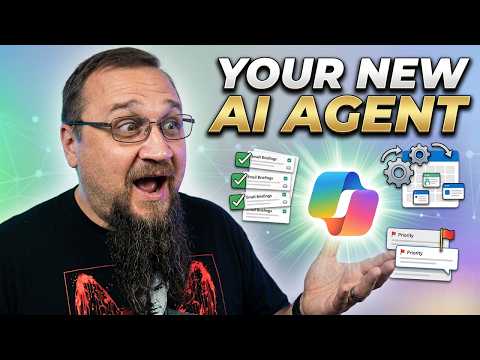
Copilot Cowork: AI That Gets Things Done
Lead Consultant at Quisitive
Microsoft expert on Copilot Cowork: actionable AI agents, new SharePoint AI and governance with Microsoft Copilot
Key insights
- Copilot Cowork: A new Microsoft 365 feature that acts as an AI agent to carry out multi-step tasks for users.
It moves beyond chat replies by planning and executing workflows across apps on behalf of the user. - Work IQ: The context layer that reads signals from email, meetings, files, and apps to shape actions.
Work IQ helps Cowork turn a user goal into a clear, step-by-step plan that runs with oversight. - Agentic execution: Cowork can run background workflows that draft emails, update files, schedule meetings, or build briefs.
It pauses for approvals and logs actions so users keep control while saving time. - Integration: Embedded in Outlook, Teams, Word, Excel, and PowerPoint, Cowork works across familiar tools.
This deep integration allows it to fetch data, update documents, and coordinate tasks without manual copying or switching apps. - Security and compliance: Cowork enforces identity, permissions, and audit trails within enterprise controls.
All actions are auditable and respect governance, making it suitable for regulated environments. - Productivity gains: Organizations can automate repetitive coordination and focus on decisions that need human judgment.
Early users report faster meeting prep, fewer manual steps, and safer scale-up of AI-powered work.
Introduction
In a recent YouTube video, technology commentator Steve Corey explained the new Microsoft feature Copilot Cowork, presenting it as a shift from conversational assistance to action-oriented automation. He framed the announcement within Microsoft's broader Copilot updates and highlighted how the feature uses company data to carry out multi-step tasks. As a result, viewers got a clear sense of both the practical possibilities and the risks that enterprises should weigh before adoption.
What Copilot Cowork Does
Steve Corey describes Copilot Cowork as an agent that turns user goals into executable plans and then coordinates actions across Microsoft 365 apps. For example, it can draft emails, prepare a meeting brief, update spreadsheets, and schedule follow-up tasks while running in the background. Consequently, it promises to reduce repetitive work by taking on orchestration that previously required manual handoffs and separate tools.
Moreover, Corey emphasized that Copilot Cowork relies on a layer called Work IQ, which gathers signals from email, meetings, files, and chats to create context-aware plans. This context lets the agent make more informed decisions than single-app automations, and it helps the system propose meaningful next steps. However, Corey also noted that built-in checkpoints allow users to approve actions before they proceed, preserving human oversight.
How It Works and Model Choices
The video explains that Copilot Cowork pairs Microsoft 365 Copilot’s interface with an agentic control plane that coordinates long-running tasks across apps. It routes complex reasoning tasks to different AI models as needed, for instance using models designed for multi-step reasoning and others for text generation. As a result, Microsoft aims to deliver better outcomes by matching tasks to the strengths of each model.
At the same time, Corey pointed out tradeoffs inherent in this multi-model approach: while model routing can improve results, it also increases system complexity and introduces additional governance considerations. For example, different models may have varied latency, cost, or compliance profiles, which IT teams must weigh. Therefore, organizations need to understand model selection policies as part of rollout plans.
Benefits and Business Tradeoffs
Corey highlighted clear advantages, including saved time on repetitive coordination and richer context when the agent accesses files and meeting notes. In addition, enterprise features such as audit logs, permissions enforcement, and approval workflows aim to make the system usable in regulated environments. These safeguards help reduce risk while letting teams scale routine processes.
However, tradeoffs remain: automation may speed workflows, yet it can also hide edge-case errors unless teams monitor outputs closely. Consequently, businesses must balance efficiency gains against the potential for missteps when agents act across systems without constant human supervision. Thus, a phased rollout and strong feedback loops are crucial to capturing benefits while limiting downside risks.
Challenges and Governance
Steve Corey underscored governance as a central challenge, stressing that identity, permissioning, and auditing must work seamlessly for the tool to be trusted. He explained that Microsoft built an Agent 365 control plane to manage permissions and to ensure actions remain auditable and reversible where possible. Therefore, security and compliance leaders should evaluate how these controls fit into existing policies and risk frameworks.
Another practical challenge is error handling in long-running tasks, which may depend on changing data or incomplete context. Corey advised that teams define clear approval checkpoints and escalation paths so the system can pause and request input when ambiguity arises. In short, resilience and human oversight should be part of any deployment strategy to avoid automation surprises.
Getting Started and Practical Tips
The video includes a demo of using the feature to prepare a meeting, showing how Cowork can pull items from chats and files to build a concise brief. Corey recommended that early adopters start with well-scoped workflows, such as recurring meeting preparations or standard report updates, so they can measure value and tune permissions. In addition, he suggested running pilots within a Frontier-style program to evaluate behavior safely before a broad rollout.
Finally, Corey offered practical tips for administrators: document model routing policies, build clear approval templates, and train users on when to pause or intervene. He argued that combining user education with monitoring dashboards will accelerate trust and adoption. Therefore, organizations that blend governance, training, and small pilots will likely see smoother deployments and better long-term outcomes.
Conclusion
In summary, Steve Corey’s video paints Copilot Cowork as a noteworthy step toward AI systems that act on behalf of users rather than only advising them. While the potential productivity gains are strong, Corey repeatedly warned that organizations must manage governance, model complexity, and error handling carefully. As a result, enterprises should plan phased deployments, maintain human oversight, and align technical controls with business risks to make the most of this new capability.

Keywords
new Copilot Cowork, Copilot Cowork review, Microsoft Copilot Cowork, Copilot automation AI, Copilot workflow automation, AI that takes action Copilot, Copilot for teams, Copilot task assistant