- All of Microsoft
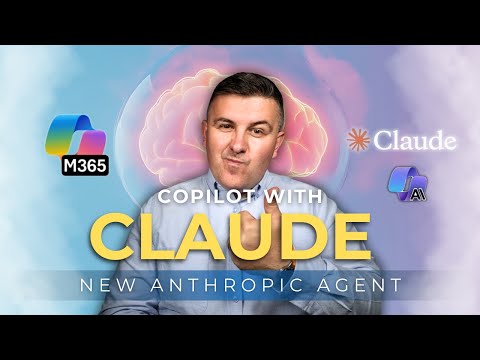
Copilot Adds Claude Sonnet 4.5 Agent
Microsoft 365 atWork; Senior Digital Advisor at Predica Group
Microsoft expert on Copilot with Claude Sonnet four point five boosting deep research and reasoning with Anthropic setup
Key insights
- Copilot with Claude: Microsoft added a dedicated Copilot agent that runs Claude Sonnet 4.5 inside Microsoft 365 Copilot.
Users can open this agent like any other Copilot personality to handle work tasks directly. - Multi-model Copilot: Copilot now routes tasks to the best model, using either OpenAI GPT models or Anthropic Claude models.
This gives teams explicit control to pick the agent that fits each task. - Deep reasoning and long-context strengths: Claude Sonnet 4.5 performs well on complex, multi-step analysis and keeps context across long interactions.
It suits legal, regulatory, and research-heavy tasks that need sustained accuracy. - Researcher agent fit: You can run Researcher sessions on Claude to get structured, citation-friendly summaries and cross-document synthesis.
This helps when you need reliable comparative analysis or long-form evidence gathering. - Office integrations: Claude appears in preview features like Excel Agent Mode and in Word and PowerPoint agents for drafting and editing.
Expect faster formula design, clearer data interpretation, and more consistent long-document outputs. - Enterprise and compliance: Tenants can configure Anthropic as a subprocessor for Microsoft 365 Copilot, supporting data governance needs.
The explicit agent model and routing improve control for compliance and sensitive workflows.
Introduction: New video highlights Copilot’s Claude integration
The YouTube video by Szymon Bochniak (365 atWork) outlines Microsoft’s new Copilot with Claude agent and the addition of Claude Sonnet 4.5 to Microsoft 365 Copilot. The presenter walks viewers through what this change means for knowledge workers, with timestamps that demarcate the demo, explanation, and conclusion. Consequently, the video positions the update as part of a broader multi‑model strategy that pairs OpenAI GPT and Anthropic capabilities inside Copilot. Overall, the piece aims to show practical use cases while noting configuration steps for tenants.
What the new agent is and where it appears
According to the video, the new agent appears as a named personality you can open in Copilot Chat, rather than only as an invisible backend model. Specifically, the “Copilot with Claude” agent runs on Claude Sonnet 4.5 and behaves like a first‑class Copilot persona that users can choose explicitly. Moreover, Bochniak explains that Claude was already available in smaller scopes such as the Researcher agent, preview features in Excel, and in Copilot Studio. Therefore, making Claude a standalone agent emphasizes clarity: users know when Claude is handling a conversation versus other models.
How the integration works in practice
The video describes a multi‑model Copilot that selects or lets users select the model best suited to a task, and it shows both user‑driven and system‑driven routing. For example, you can open the Claude agent for long research sessions or click “Try Claude” inside the Researcher workflow to run a scoped session on Sonnet 4.5. Meanwhile, Copilot continues to support GPT models for conversational, creative, or general drafting tasks, which means teams can mix strengths depending on their needs. This explicit choice reduces hidden switching and helps maintain predictable behavior during complex tasks.
Practical benefits and recommended use cases
The presenter highlights several practical advantages, especially for long‑form and compliance‑sensitive work where deep reasoning matters. For instance, Claude Sonnet 4.5 is shown to hold context across extended documents, assist with cross‑document synthesis, and perform structured analysis useful in legal and regulatory scenarios. Additionally, Claude’s role in preview features like Excel Agent Mode promises faster formula suggestions, anomaly detection, and clearer data explanations for analysts. As a result, teams that do heavy research, auditing, or complex data interpretation may find Claude’s reasoning strengths particularly valuable.
Tradeoffs and deployment challenges
However, Bochniak also acknowledges that adopting Claude in Copilot involves tradeoffs around governance, cost, and operational complexity. Enabling Anthropic as a subprocessor requires tenant configuration and vendor consent, which raises both administrative work and questions about data handling. Moreover, while Claude may provide deeper reasoning in many cases, it can behave differently from GPT models, so verification and quality checks remain necessary to avoid subtle errors. Therefore, organizations must balance the benefits of specialized reasoning against added review steps, potential latency, and licensing considerations.
Governance, compliance, and configuration tips
The video ends with pragmatic guidance on tenant setup and compliance, urging administrators to explicitly authorize Anthropic as a subprocessor when they want to use the Claude agent. Bochniak emphasizes that this choice should align with an organization’s data policies, because routing data to different models changes processing footprints and audit requirements. Furthermore, he suggests testing the new agent in controlled scenarios before wide rollout so teams can observe cost impacts and model behavior under real workloads. Consequently, this staged approach helps reduce surprises during broader adoption.
Final assessment and next steps for teams
In summary, the new Copilot with Claude agent brings a focused option for deep research and long‑context reasoning into Microsoft 365 Copilot, and the video frames the change as an expansion of Copilot’s multi‑model strategy. While the benefits for complex knowledge work are clear, successful adoption depends on careful governance, tenant configuration, and ongoing verification of outputs. For editorial readers and IT leaders, Bochniak’s walkthrough offers a practical starting point to evaluate where Claude’s strengths fit into existing workflows. Ultimately, teams should weigh the improved reasoning against setup overhead and plan for gradual rollouts that include governance and cost monitoring.

Keywords
Claude Sonnet 4.5, Copilot Claude integration, Copilot agent Sonnet, Claude 4.5 features, Copilot AI agent update, Claude Sonnet capabilities, Copilot with Claude tutorial, Sonnet 4.5 agent review