- All of Microsoft
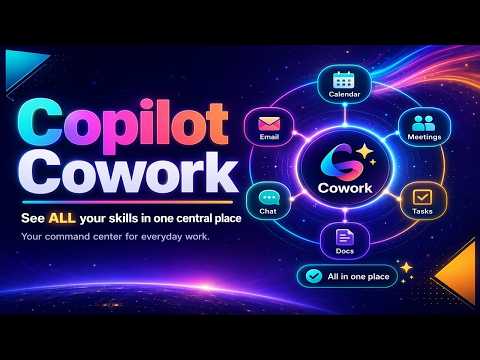
Copilot Cowork: Your Skills Dashboard
M365 Adoption Lead | 2X Microsoft MVP |Copilot | SharePoint Online | Microsoft Teams |Microsoft 365| at CloudEdge
Microsoft Copilot central skills view lets you edit Skill.MD and customize Copilot experiences across SharePoint Teams
Key insights
- Copilot Cowork: An agentic experience inside Microsoft 365 that turns user requests into multi-step plans and executes them while keeping you in control.
It moves Copilot from “help me write” to “help me finish the work.” - Centralized skills view: All Copilot abilities appear in one place so users can discover, reuse, and manage them easily.
You can edit the Skill.MD file to customize and fine-tune how skills behave. - Agentic execution: Cowork breaks tasks into steps, runs those steps over time, and asks questions when it needs clarification.
It creates checkpoints and asks for approval before applying important changes. - Work IQ: A context layer that reasons over emails, meetings, files, chats, channels, and relationships to make actions more relevant and accurate.
This grounding reduces guesswork and helps Copilot act with better context. - Tasks and workflows: Cowork handles multi-step jobs like drafting and sending emails, scheduling meetings, building Office files, posting to Teams, and assembling meeting packets.
These workflows can run in the background for minutes or hours and combine content across your organization. - Availability and integration: Microsoft is testing Cowork in preview programs and expanding it to iOS, Android, and more Microsoft 365 apps.
It integrates with line-of-business systems to make the experience practical for everyday use.
Introduction
The newsroom reviewed a recent YouTube video by Ami Diamond [MVP], who is male, that highlights a major shift in Microsoft 365 Copilot functionality. The video focuses on a new central skills view that promises to make Copilot capabilities visible and editable in one place. Moreover, the demonstration shows how users can edit the Skill.MD file directly to customize behaviors and refine outcomes.
What the Video Demonstrates
In the short step-by-step clip, Ami walks viewers through accessing the centralized skills interface and reviewing existing skills. He then shows how to edit the Skill.MD file so that users can fine-tune or extend Copilot actions to match their workflows. The result, as he explains, is less guessing and fewer scattered configurations across apps.
Key Features and Practical Examples
The video highlights several practical capabilities that illustrate the shift from a chat-style helper to an agent that executes tasks. For example, the system can draft and send emails, schedule meetings, create and update Office documents, and post to Teams while reasoning across files and conversations. Ami emphasizes that these actions are grouped as skills so users can find, reuse, and control them from a single pane.
How the Technology Works
Under the hood, the experience relies on a context layer that Microsoft calls Work IQ, which gathers signals from emails, meetings, files, and chats. Consequently, Copilot Cowork can plan multi-step tasks, pause for approvals, and checkpoint progress while remaining grounded in real work data. Ami’s demo makes the case that this grounding reduces guesswork and helps Copilot act with greater relevance.
Autonomy, Control, and Customization
The video makes clear that Copilot Cowork moves toward agentic behavior, but it preserves human control through checkpoints and approval steps. While greater autonomy speeds routine tasks, Ami points out that the ability to edit the Skill.MD file offers a practical way to customize how Copilot operates. Thus, organizations can balance automation with governance by choosing how aggressive or conservative skills should be.
Benefits for Teams and Individuals
This centralized approach promises improved discoverability and consistent behavior across Microsoft 365 applications, which should help reduce friction for teams. Because skills are visible and editable, power users and IT admins can standardize workflows and ensure predictable outcomes. Moreover, the ability to run multi-step processes over time means Copilot can complete work that used to require repeated manual intervention.
Tradeoffs and Challenges
Despite the clear benefits, the new model introduces tradeoffs that organizations must weigh carefully. For example, increased autonomy raises governance and security concerns, since running multi-step tasks across mail, files, and chats requires careful permissioning and monitoring. At the same time, editing skill definitions adds flexibility but also introduces complexity that may demand new training and change management.
Technical and Operational Risks
Another challenge is the risk of brittle workflows when skills depend on multiple apps or external systems. If a linked system changes, a skill might fail or produce unintended results, so testing and monitoring become essential. Furthermore, while Work IQ improves grounding, it also heightens reliance on accurate and timely signals, which requires thoughtful data handling and privacy safeguards.
Availability and Adoption Path
Ami notes that Microsoft has rolled these updates into targeted programs such as the Frontier cohort and a research preview with selected customers, and that broader availability is planned for iOS and Android. As a result, early testers can shape behavior and report issues, while larger deployments will need policies and training to scale safely. Therefore, organizations should pilot features, update governance, and plan user education before broad rollout.
Conclusion and Next Steps
Overall, the video by Ami Diamond [MVP] frames the centralized skills view and editable Skill.MD as a meaningful shift in how Copilot works, making capabilities clearer and more controllable. However, practical adoption requires weighing automation benefits against governance, security, and operational complexity. For readers who use Microsoft 365 Copilot, the demo is a useful primer and a recommended watch to evaluate how these changes might fit into their workflows.

Keywords
Copilot Cowork skills, Copilot Cowork dashboard, Copilot skills overview, centralized skills hub, AI skills tracker for teams, Copilot for team productivity, manage skills with Copilot, Copilot Cowork tutorial