- All of Microsoft
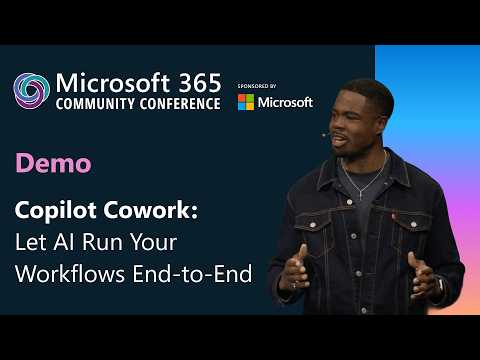
Copilot Cowork: End-to-End Automation
Software Development Redmond, Washington
Microsoft expert demo of Copilot Cowork automates workflows end to end, builds reports, analyzes data, and sends emails
Key insights
- Copilot Cowork acts as an execution layer that does work for you across Microsoft 365.
It moves AI from giving suggestions to carrying out tasks end to end. - Key capabilities include sending emails, scheduling meetings, creating Word/Excel/PowerPoint/PDF files, posting in Teams, searching organizational content, managing OneDrive and SharePoint files, and synthesizing research into reports.
These actions can run as connected steps rather than one-off replies. - Long-running workflows let Cowork plan and execute multi-step projects over time.
You state a desired outcome and Cowork breaks it into steps, works in the background, and returns finished outputs. - Work IQ gives Cowork context from Outlook, Teams, documents, calendar, and files.
This broader context helps the agent reason across your real work data instead of isolated snippets. - Multimodel design lets Copilot use the best model for each task, including capabilities brought from partners like Claude Cowork.
This improves task fit and flexibility for different job types. - Enterprise-grade control provides visible progress, checkpoints, and approval before actions apply.
Users can review, guide, or stop work while Copilot operates inside Microsoft security and governance policies.
Overview of the demo
The newsroom reviewed a YouTube demo presented by Derah Onuorah and published under the name Microsoft, which showcased a new capability called Copilot Cowork. In the video, the presenter demonstrated how the tool can carry out multi-step work across Microsoft apps, shifting the role of AI from an assistant that suggests to an agent that executes. Importantly, the demo stressed user oversight, showing checkpoints and approval prompts while the agent worked. As a result, the presentation framed the feature as both powerful and controllable for business use.
How Copilot Cowork operates
According to the demo, users describe a desired outcome and Copilot Cowork breaks it into a plan, then acts across Microsoft apps such as Outlook, Teams, Word, Excel, OneDrive and SharePoint. The agent gathers relevant inputs, builds documents or slides, schedules meetings, and drafts follow-up emails while running those steps over time. Furthermore, the tool checks in with users at key moments, offering visible progress and explicit approval before applying certain actions.
Technical innovations highlighted
The demo emphasized several technical shifts that make end-to-end flow possible, beginning with contextual awareness across the Microsoft 365 suite. In addition, Microsoft described a Work IQ layer that gives the agent broader context spanning messages, calendar entries, chats and files, which helps the system reason about tasks more holistically. The company also pointed to a multimodel strategy and mentioned work with Anthropic to bring technology that powers Claude Cowork into the mix, enabling the agent to select the right model for specific tasks.
Enterprise controls and governance
Microsoft framed governance as a basic requirement for enterprise adoption and showed controls designed to keep administrators and users in charge of automation. The demo included checkpoints, approval flows, and the ability to review or stop actions, which reduces the risk of unexpected changes to documents or calendars. Moreover, the agent operates within Microsoft’s identity, security and compliance boundaries, so enterprises retain logging and policy enforcement capabilities that align with existing governance frameworks.
Tradeoffs to consider
While automation promises time savings, it also raises tradeoffs between convenience and oversight that organizations must balance carefully. On one hand, letting an agent run multi-step workflows can free employees from repetitive tasks and improve consistency; on the other hand, increased automation can amplify errors if model outputs misinterpret details or rely on outdated data. Consequently, firms will need to balance automation gains against the cost of oversight and the potential workload for reviewers who approve agent actions.
Challenges and risks
Beyond governance, the demo implicitly highlighted several operational challenges such as data access, accuracy and integration complexity. Agents that synthesize content across mail, files and chats require well-scoped permissions, and organizations must decide how much data access to grant without increasing exposure. In addition, the underlying models can still make mistakes, so organizations will need testing, validation and human-in-the-loop workflows to catch errors before they affect customers or partners.
Adoption and workflow design
Adopting Copilot Cowork will require teams to rethink how they design workflows, since the tool works best when users define clear outcomes rather than single-turn prompts. Therefore, training and change management are crucial to help employees trust the agent and to ensure prompts lead to predictable results. Also, IT leaders should plan pilot projects that measure both productivity improvements and governance burdens so they can scale automation responsibly.
Model selection and flexibility
The multimodel approach promises flexibility by allowing the system to choose specialized models for different tasks, yet it also introduces operational complexity. Organizations must understand which models run where and how model updates affect outcomes, and they will need monitoring to detect regressions or performance changes over time. Meanwhile, legal and procurement teams should evaluate third-party model dependencies and ensure contractual and compliance requirements stay aligned.
What this means for businesses
Overall, the demo presented Copilot Cowork as a step toward AI that executes real work rather than only suggesting it, which could reshape productivity in many offices. However, adoption will depend on clear governance, careful workflow design and ongoing oversight to manage accuracy and data exposure risks. For organizations that balance these factors well, the technology could streamline complex tasks; conversely, those that rush without controls may face added operational risk.
Next steps and practical takeaway
As a practical takeaway, teams should evaluate the technology through controlled pilots that measure both time savings and governance overhead, while defining explicit approval rules and permission scopes. Furthermore, IT and compliance leaders should prepare monitoring and validation plans so that human reviewers catch errors and improve agent performance over time. Ultimately, the demo by Microsoft illustrates promising capabilities, but successful use will hinge on disciplined deployment and sensible tradeoff management.

Keywords
Copilot Cowork demo, Copilot workflow automation, AI-run workflows end-to-end, automate workflows with AI, Microsoft Copilot Cowork, end-to-end AI workflow automation, Copilot for business workflows, AI workflow orchestration demo