- All of Microsoft
OneNote: Copilot Notebooks, Maps & Info
Microsoft expert: OneNote and Copilot boost AI learning with mind maps, infographics and a secret productivity tip
Key insights
- Copilot Notebooks
AI-powered workspaces in OneNote that gather documents, notes, PDFs, and web pages into a single project. Copilot uses those notebook sources as the main context so answers, summaries, and outputs stay grounded in your materials. - Interactive Mind Maps
Visual maps show topics and relationships as clickable nodes so you can explore summaries and drill into details. They speed understanding, planning, lesson prep, and research review on desktop and web with Copilot licensing. - AI-generated Infographics
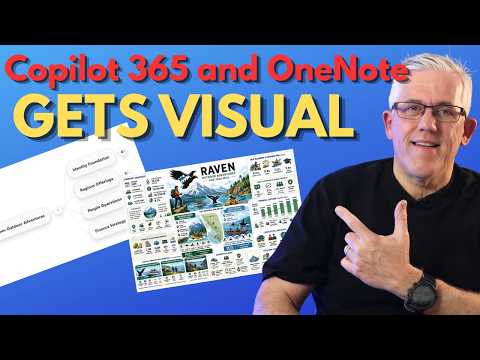
Copilot turns notebook content into visual summaries that explain and summarize research or meeting notes, not just decorative images. You can create, copy, or download infographics that reflect your notebook’s sources. - PowerPoint Generation
Quickly build editable slide decks from notebook material: add sources, ask Copilot to synthesize, and generate a presentation ready for refinement in PowerPoint. This shortens the path from research to presentation. - Grounded Responses
Copilot prioritizes the notebook’s references for answers and content creation, which improves relevance and reduces hallucination. Use chat, summaries, and theme detection to produce reliable deliverables tied to your sources. - Cross-device Capture & Workflow
OneNote and Copilot work across desktop, web, and mobile so you can capture notes and continue projects on any device while keeping Microsoft 365 security and collaboration features.
Learning and Technology with Frank published a detailed YouTube demonstration that spotlights recent updates to Microsoft’s note-taking and AI workflow, and the video focuses on practical classroom and project applications. In the clip, the presenter walks viewers through how Copilot Notebooks and OneNote now work together to create visual summaries like mind maps and infographics, and he shares a brief workflow “secret” that aims to speed up research and content creation. Overall, the video frames these features as tools for educators, students, and knowledge workers who need clearer ways to organize and present information. Consequently, the content is both a walkthrough and an early critique of how these tools fit into real learning and productivity scenarios.
Overview of the video
The video introduces the integration of Copilot 365 capabilities into the familiar OneNote environment, and it emphasizes visual outputs as a major benefit. Frank demonstrates how collected materials—documents, notes, and web captures—become a grounded context that the AI can use to generate summaries and visuals. He highlights the three-column layout that surfaces chat, pages, and reference content, which helps users trace how outputs were created. As a result, viewers get a practical sense of where to start and what to expect from the experience.
What Copilot Notebooks bring to the table
The host explains that Copilot Notebooks act as project-focused workspaces where people gather relevant source material to keep AI responses grounded. By using notebook references, the AI reduces reliance on generic web information and instead synthesizes content based on what the user adds, which improves relevance. However, Frank also notes that the quality of output depends heavily on the curation of those sources, so users must organize and select good references. Therefore, the notebook model trades convenience for responsibility: it speeds synthesis but asks for stronger source discipline.
Interactive mind maps and AI-generated infographics
One of the video’s focal points is the demonstration of interactive mind maps that visualize the structure of a notebook’s content, and Frank shows how nodes reveal summaries and let users drill into details. This visual approach helps people spot relationships and gaps more quickly than reading linear notes, and it supports planning, study, and teaching tasks. Yet, he also warns that mind maps simplify complexity and may obscure nuance if users rely on them alone, so they function best as entry points rather than final explanations.
Similarly, the host walks through creating AI-generated infographics from notebook sources, explaining that these visuals aim to communicate a narrative grounded in the stored materials. The process converts long notes and diverse documents into shareable graphics, which can aid presentations and student reviews. At the same time, Frank observes that infographics can blur fine details and require review to ensure factual accuracy and appropriate emphasis. Consequently, the tradeoff involves faster communication against a potential need for careful editing and verification.
From notes to deliverables: PowerPoint and export workflows
Frank also showcases how notebook content can be turned into slide decks and other deliverables, which shortens the path from research to presentation. Copilot can generate editable PowerPoint files based on the notebook’s structure, saving time on initial layout and content selection. Still, the produced slides often need refinement in tone, design, and accuracy, so users should plan for a post-generation editing step. Thus, automation accelerates creation but does not fully replace human curation and design judgment.
Challenges and tradeoffs
The video balances enthusiasm with cautions about reliance on AI, licensing, and access, noting that features are tied to specific Microsoft subscriptions and platform availability. Moreover, Frank points out privacy and compliance considerations when storing sensitive project or student data inside cloud-based notebooks, so organizations must weigh convenience against governance. Accuracy is another challenge: while the notebook grounding reduces hallucination risk, it does not eliminate errors, which means educators and professionals need verification steps. Ultimately, the tradeoffs revolve around faster workflows, the need for better source management, and attention to data policies.
Practical implications and final thoughts
In closing, Learning and Technology with Frank frames the OneNote and Copilot integration as a meaningful step toward visual, research-driven productivity for learners and teams. He encourages viewers to experiment with mind maps and infographics while maintaining careful source curation and review processes. For many users, these features will save time and improve clarity, yet they also introduce new responsibilities around editing and privacy. Therefore, the video serves as both a tutorial and a reminder that technology amplifies skill when people pair it with thoughtful practice.
Keywords
OneNote Copilot Notebooks, OneNote mind maps, OneNote infographics, OneNote AI features, Copilot Notebooks tutorial, OneNote infographic templates, OneNote visual note taking, OneNote new features 2026