Conditional Access gaps admins miss
Product Manager @ Microsoft 👉 Sign up to Entra.News my weekly newsletter on all things Microsoft Entra | Creator of cmd.ms & idPowerToys.com
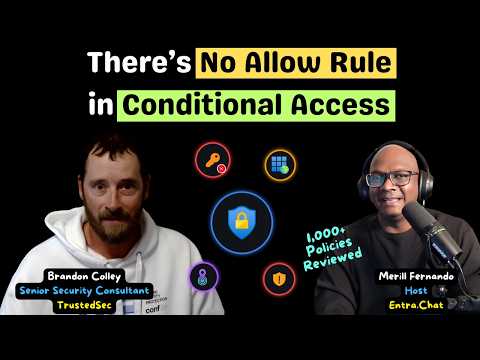
Merill Fernando’s discussion with Brandon Colley examines common Conditional Access blind spots, from unsupported devices to app consent.
Key insights
- The video contrasts security defaults with Microsoft-managed MFA policies and an MFA-for-admins template.
- Selecting every listed device platform does not necessarily cover unknown or unsupported platforms.
- Conditional Access uses conditions and controls, not an explicit allow rule.
- Trusted-location MFA exceptions can leave sign-ins at the office protected only by one factor.
- Stale or wildcard redirect URIs and broad app consent are among the application risks discussed.
Merill Fernando recently published a 39-minute discussion with Brandon Colley, a Senior Security Consultant at TrustedSec and Microsoft Security MVP, about recurring gaps in Conditional Access reviews. Colley says he has reviewed well over a thousand policies in customer assessments. The main takeaway for Entra administrators is that policy count alone does not prove coverage: device conditions, exceptions, user actions and application access all need scrutiny.
What's new
The video is a practitioner-led review of mistakes that can remain hidden in a mature Conditional Access setup. Its topics range from the difference between security defaults and Microsoft-managed MFA policies to unsupported device platforms, trusted locations, device code flow and app consent. Rather than presenting a new Entra feature, the discussion calls attention to how administrators interpret and test existing policy configurations.
One comparison concerns which administrator roles are covered by different MFA approaches. The video description says security defaults require MFA for more admin roles (16) than a Microsoft-managed policy and the “Require MFA for admins” template (14). It also raises the question of which roles an organization should treat as privileged, and where mandatory MFA requirements stop.
Another point is that choosing every device platform shown in a policy is not necessarily the same as covering every device. The discussion points administrators to a policy Microsoft recommends for blocking unknown or unsupported device platforms. It also challenges the assumption that Conditional Access contains an explicit “allow” rule: the description says policy conditions can stack, while narrow scoping can shrink the users or scenarios covered.
Why it matters
For identity and security administrators, these are coverage questions with practical consequences. A policy can appear comprehensive in the portal while leaving a class of devices, a user action or an application path outside the intended controls. The video’s emphasis is on checking what policies do not apply to, rather than merely counting policies or reviewing their names.
The trusted-location example is particularly useful for teams that exempt office traffic from MFA. As the description puts it, “MFA everywhere except trusted locations” means single-factor authentication at the office. The speaker instead discusses using location conditions to constrain service, shared and kiosk accounts. The point is to understand what the exception permits, not to assume that a trusted network makes every sign-in safe.
Makers and application owners also have a stake in the app-focused sections. The video flags stale, wildcard and reclaimed redirect URIs, which can affect where an application sends authentication responses. It also explains that the “Consent on behalf of your organization” option has organization-wide implications, and mentions Assignment required as a way to limit an app’s access to assigned users. The description does not provide a universal configuration recipe, so teams should assess their own app registrations and consent process.
How it works
The discussion recommends a testing mindset: identify the situation that should be protected, then test whether the policy actually applies. Microsoft’s What If tool is one resource named in the video. The description also mentions examining sanitized policy JSON with AI to help untangle policy behavior. Sanitizing matters because the proposed input is policy data; the video description does not specify a particular AI tool or provide a full data-handling procedure.
- Review the policy’s intended users, conditions and controls, including exclusions and narrow assignments.
- Check device-platform coverage rather than assuming that selecting the visible platforms includes unknown or unsupported devices.
- Test representative sign-in scenarios with the What If tool, and investigate cases that do not produce the expected result.
- Look beyond standard sign-ins: the discussion specifically calls out user actions and device code flow as areas to examine.
- Review trusted-location exceptions and app configurations, including redirect URIs, consent and whether assignment is required.
The video also asks where administrators can find their privileged applications when no single page shows them. That observation points to an inventory problem as well as a policy problem: reviewing Conditional Access alone may not reveal every app that matters. The description raises the question but does not identify a single inventory location or prescribe a complete discovery workflow.
Limitations and open questions
This is a discussion summary, not a full transcript or a tenant-specific audit. It identifies recurring gaps and references relevant Microsoft documentation, but the available material does not provide the complete policy examples, screen-by-screen demonstrations or exact remediation settings for each scenario. Readers should treat the issues as review prompts, not as evidence that every tenant has the same exposure.
The video description does not state licensing requirements, rollout status or tenant-wide availability for the items discussed. Nor does it explain how the figure of more than a thousand reviewed policies maps to the number of policies in an individual tenant. That distinction matters: the title describes Colley’s review experience, not a claim that one tenant can hold that many policies.
Administrators can use the linked Microsoft documentation for the specific topics it covers, including security defaults, mandatory MFA, unsupported devices, What If testing, network conditions, app registration redirect URIs and consent. The video does not establish that any one tool can detect every gap, so review and testing still need to reflect the organization’s identities, apps and access scenarios.
Sources
- Merill Fernando’s video with Brandon Colley
- Microsoft documentation on security defaults
- Microsoft documentation on mandatory MFA
- Microsoft guidance for unknown or unsupported device platforms
- Microsoft documentation on the Conditional Access What If tool
- Microsoft documentation on network assignments and named locations
- Microsoft app registration security guidance
- Microsoft documentation on the application consent experience
- Microsoft guidance on restricting an app to assigned users
Frequently asked questions
Does selecting every device platform cover every device?
Not necessarily. The video says unknown or unsupported platforms need separate attention and points to Microsoft’s recommended block policy.
Does Conditional Access have an allow rule?
The video says it does not. Conditions and policy scope determine which controls apply, so stacked conditions and narrow assignments can reduce coverage.
What does excluding trusted locations from MFA mean?
The discussion warns that an MFA exception for trusted locations can leave office sign-ins using only one factor. It also discusses location-based controls for service, shared and kiosk accounts.
Does the video give a complete remediation plan?
No. It identifies recurring gaps and points to Microsoft documentation and testing approaches, but the available description does not include a complete set of configuration steps.