- All of Microsoft
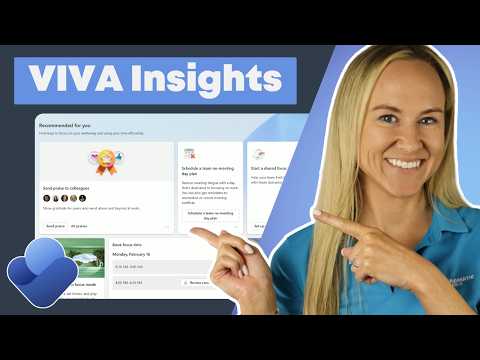
Viva Insights: Boost Productivity Today
Viva Insights in Teams uses privacy-safe signals to boost focus time, no meeting days with Copilot and Microsoft apps
Key insights
- Viva Insights uses privacy-protected Microsoft 365 signals to show how work actually happens and gives practical recommendations to help people and teams work more intentionally.
- Personal Insights in Teams and the web surface features like focus time, planned no-meeting days, meeting-shortening settings, and suggested learning blocks to protect deep work.
- Focus sessions link with tasks (To Do), include timed breaks and tones, and help you block uninterrupted time for priority work.
- Personal settings let you define your work week, protect time and quiet hours, and set meeting and learning goals so recommendations match your routine.
- Wellbeing alerts identify meeting overload and after-hours work patterns so you can prevent burnout by adjusting schedules and habits.
- Copilot Dashboard tracks Copilot adoption and usage trends across Microsoft 365 apps, helping leaders spot training needs and measure AI impact.
Introduction
The latest YouTube presentation from Pragmatic Works, led by Angelica Choo Quan, outlines how Viva Insights aims to help people and organizations work smarter. The video emphasizes that productivity is not just about output but about the shapes of work: meetings, context switching, and after-hours effort. As a result, the tool focuses on time management, wellbeing, and actionable recommendations drawn from collaboration signals. Consequently, viewers get a practical walkthrough of personal settings and organizational dashboards that aim to reduce overload.
Where to Find and How It Works
First, the presenter shows how to access Viva Insights inside Teams and via the web, and then explains the data sources that feed its recommendations. Specifically, the system uses privacy-protected signals from Microsoft 365 apps like Outlook, Teams, and OneDrive to build patterns without exposing individual details. Therefore, the tool balances insight and privacy by aggregating and de-identifying data to protect users. In turn, this enables both personal nudges and team-level trends without turning analytics into surveillance.
Personal Productivity Features
Next, the video highlights Personal Insights, which suggest focus time, no-meeting days, and meeting-shortening settings so individuals can carve out deep work. Additionally, features such as focus sessions, quiet hours, and protect time settings give users direct control over how recommendations map to their calendars. The presenter also reviews praise cards and recognition workflows that encourage positive team behavior while supporting wellbeing. As a consequence, employees can shape their day-to-day routines to reduce context switching and improve concentration.
Task Integration and Focus Practices
Moreover, Angelica explains how tasks integrate with To Do and how focus sessions include break prompts and gentle tones to sustain attention. Likewise, learning time blocks and progress settings let people set practical goals for meetings, breaks, and skill development. Thus, the experience blends time management with small behavioral nudges designed to be easy to adopt. However, adoption depends on consistent use and on individuals trusting automated suggestions.
Team and Manager Insights
Then the walkthrough turns to team-level capabilities where managers can observe aggregated trends like meeting load, after-hours work, and collaboration patterns. Importantly, the video stresses that leaders see only aggregated views, which helps protect individual privacy while still surfacing risks such as burnout. Consequently, organizations can make data-informed choices about meeting culture and workload distribution without micromanaging employees. Nevertheless, leaders must interpret trends carefully to avoid one-size-fits-all fixes that may not suit every team.
Copilot Dashboard and AI Adoption
In the later segment, Angelica demonstrates the Copilot Dashboard, which tracks Copilot adoption and usage across productivity apps including Word, Excel, and PowerPoint. This tool highlights where AI assistance gains traction and where targeted training could help teams extract more value. Therefore, managers can identify gaps in usage and craft enablement efforts rather than assuming uniform readiness. At the same time, measuring AI use raises questions about how to balance metrics with qualitative feedback on actual impact.
Tradeoffs and Implementation Challenges
While the features are practical, the video also implies important tradeoffs, starting with privacy versus visibility: more insight can drive better changes, yet excessive measurement risks eroding trust. Additionally, there is a tension between automated nudges and individual autonomy, since recommended schedules may not fit every role or personal rhythm. Moreover, organizations face the challenge of training managers to act on trends constructively, because misinterpreting data can lead to blunt policies that harm morale. Consequently, thoughtful rollout, transparent communication, and opt-in controls become essential parts of successful implementation.
Balancing Technology and Culture
Furthermore, Angelica’s demo shows that tools alone cannot fix meeting overload or burnout; culture change must accompany technology adoption. For instance, leaders must decide whether to enforce no-meeting days or simply encourage them, and this choice affects employee buy-in. Similarly, relying heavily on the Copilot metrics to judge performance can create perverse incentives unless contextual factors are considered. Thus, organizations must blend clear expectations, training, and ongoing dialogue to realize the benefits.
Final Takeaways
Overall, the Pragmatic Works video provides a clear, practical guide to how Viva Insights supports both individual focus and organizational decision-making. It showcases useful features while candidly surfacing the tradeoffs and adoption hurdles that teams will encounter. Therefore, teams considering the tool should plan pilot rollouts, pair analytics with manager coaching, and prioritize transparency to maintain trust. In the end, the platform offers helpful signals, but its value depends on how thoughtfully organizations interpret and act on them.

Keywords
Viva Insights, Microsoft Viva Insights, Viva Insights productivity, Viva Insights work smarter, workplace analytics, focus time automation, meeting effectiveness tips, employee wellbeing insights