Pro User
- All of Microsoft
Timespan
explore our new search
SharePoint Online
Sep 22, 2025 3:23 PM
SharePoint Knowledge Agent: Enable Now
by HubSite 365 about Lisa Crosbie [MVP]
Evangelist at Barhead Solutions | Microsoft Business Applications MVP | Content Creator
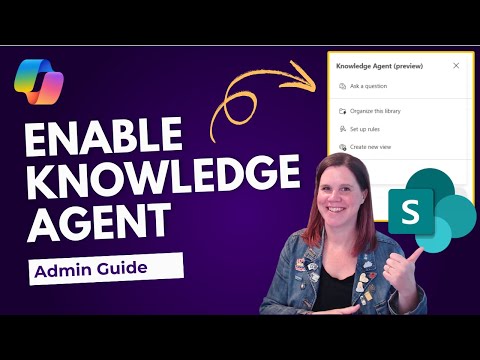
Enable SharePoint Knowledge Agent with PowerShell and Copilot licensing for secure tenant AI enrichment and metadata
Key insights
- Knowledge Agent: A SharePoint preview feature that enriches and organizes content for AI, adding intelligent page summaries and metadata optimization so Microsoft 365 Copilot can use site content more effectively. It’s not available in Microsoft 365 Government (GCC, GCC High, DoD) or air-gapped environments.
- Prerequisites: A SharePoint Administrator (or Global Administrator when necessary) must enable the feature, and users need a Microsoft 365 Copilot license plus Site Owner or Site Member access to see the agent button.
- Role definitions: Site Owner (full control), Content Manager (read, write, list), Content Creator (read/write or Site Members), and Content Consumer (read or Site Visitors) determine who can use and edit enriched content.
- Admin setup: In preview, enable or limit the agent using PowerShell and the SharePoint Online Management Shell (version 16.0.26413.12010 or later). Use the Set-SPOTenant cmdlet to control availability; update the shell module if needed before configuring.
- Scope and exclusions: The KnowledgeAgentScope values are AllSites, ExcludeSelectedSites, and NoSites. Use KnowledgeAgentSelectedSitesList to list up to 100 excluded site URLs and KnowledgeAgentSelectedSitesListOperation (Overwrite, Append, Remove) to manage that exclusion list.
- Disable and verify: Set KnowledgeAgentScope to NoSites to turn the agent off tenant-wide and run Get-SPOTenant to verify settings. Follow least-privilege admin practices and limit Global Administrator use to emergencies.
# Connect to SharePoint Online admin center
Connect-SPOService https://yourtenant-admin.sharepoint.com
# Enable Knowledge Agent for all sites in the tenant
Set-SPOTenant -KnowledgeAgentScope AllSites
# Verify the configuration
Get-SPOTenant | Select-Object KnowledgeAgentScope
Keywords
Enable SharePoint Knowledge Agent, SharePoint Knowledge Agent setup, How to enable SharePoint Knowledge Agent, Configure SharePoint Knowledge Agent, SharePoint AI Knowledge Agent enablement, Turn on SharePoint Knowledge Agent, SharePoint Knowledge Agent permissions, SharePoint Copilot Knowledge Agent tutorial