- All of Microsoft
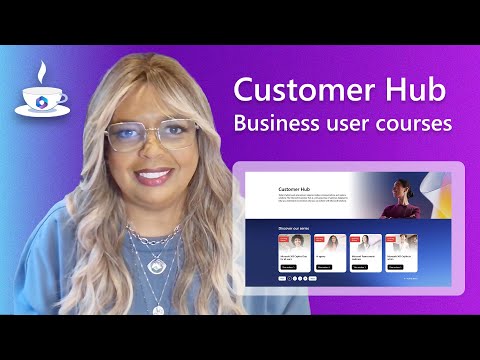
Customer Hub: Courses for Business Users
Coffee in the Cloud is videos that give you useful content about popular Microsoft topics. View short videos over a cup of coffee to learn a specific task.
Microsoft expert: Customer Hub on adoption.microsoft.com jumpstarts adoption with Copilot and Teams training
Key insights
- Microsoft Customer Hub is a web-based learning center that helps business users learn Microsoft tools like Microsoft 365, Dynamics 365, and Modern Work.
It provides curated webinars, on-demand courses, and guided learning paths for real business scenarios. - Learning formats include self-paced modules, live webinars, recorded sessions, hands-on labs, and practice assessments.
Users can pick the format that fits their schedule and learning style. - Role-based training offers targeted paths for sales, marketing, customer service, finance, and operations.
AI-powered personalization recommends courses and creates learning plans based on role and skill level. - Core skills cover collaboration and productivity with tools like Copilot, Teams, and SharePoint, plus common apps such as Excel and Outlook.
Courses focus on practical workflows, automation, and improving customer outcomes. - Business benefits include up-to-date, relevant content, continuous upskilling, and faster adoption of new technology.
Organizations can boost productivity and extend the value of their Microsoft investments. - Integration and readiness show how training fits into daily work, supports internal adoption campaigns, and prepares users for certifications.
Teams can adapt materials to onboard staff and accelerate digital transformation.
Coffee in the Cloud’s recent YouTube demo walks viewers through the business user courses available on the Customer Hub, and it offers a concise view of how organizations can accelerate adoption of Microsoft tools. The video highlights ready-made learning paths, live and on-demand sessions, and how these resources can be paired with internal adoption campaigns. In short, the presenter shows how teams can avoid starting training programs from scratch and instead adapt Microsoft’s materials to fit local needs. As a result, the clip serves as a practical primer for digital adoption leads and business users alike.
What the Video Shows
First, the demo introduces the central catalog of role-based courses that focus on business applications such as Microsoft 365, Dynamics 365, and Modern Work tools. The presenter navigates examples of session formats, including short webcasts, on-demand modules, and instructor-led classes, and emphasizes the ease of accessing these resources on the platform. Furthermore, the video points out examples that matter to business users, such as materials tailored for sales, marketing, and customer support roles. Consequently, viewers get a quick sense of what they could repurpose for their teams.
Next, Coffee in the Cloud demonstrates how courses align with daily workflows, showing scenarios like using Teams for collaboration or Copilot capabilities for productivity. The demo also highlights recommended learning paths that adapt to user roles and business priorities, which helps learners focus on practical skills. Meanwhile, the presenter stresses the benefit of combining Microsoft’s content with an organization’s internal training to create context-rich programs. Thus, the video frames the Customer Hub as a starting point, not a finished solution.
Benefits and Opportunities
Notably, the video makes a strong case for the convenience of centralized, role-based content that stays current as Microsoft updates its services. Because materials include both live sessions and on-demand modules, organizations can support flexible learning schedules and continuous upskilling. Moreover, AI-driven recommendations can help surface the most relevant paths for users, which improves training efficiency and reduces time to impact. In practice, this combination can speed digital transformation by equipping business users with immediately applicable skills.
Additionally, the Hub helps standardize messaging across departments while still allowing local customization, which is especially useful for larger enterprises working across regions. By reusing Microsoft’s assets, teams can reduce preparation time and focus on change management activities that drive adoption. However, the video also underscores that the real value appears when those materials are localized and tied to measurable business goals. Therefore, the platform’s greatest strength is its role as a launchpad for tailored initiatives rather than a turnkey program.
Tradeoffs and Governance Challenges
Although the Hub simplifies access to training, the video also implies tradeoffs between personalization and scale: highly personalized learning requires more effort to configure, whereas broad rollouts risk feeling generic. Furthermore, organizations must balance speed of deployment against governance needs, since less oversight can lead to inconsistent experiences across teams. Meanwhile, IT and adoption leaders must decide how much to standardize course selections versus allowing local teams to pick paths that fit their context. These tradeoffs require clear policies and a lightweight governance model to manage quality without blocking agility.
Security and compliance considerations also complicate rollout decisions, as some content integrations may touch sensitive business data or require alignment with internal controls. The presenter suggests aligning Hub recommendations with existing governance frameworks and tracking usage to detect gaps. Yet, measuring true behavioral change remains challenging and often needs custom metrics beyond simple completion rates. As a result, leaders must invest in measurement plans that connect training activity to business outcomes.
Technical Structure and Integration
The demo describes the Hub as a web-accessible catalog that integrates with broader Microsoft learning and service platforms, enabling a cohesive experience for enterprise customers. Content types include fundamentals, role-based training, labs, and assessments, which together support varied learning styles and readiness levels. Additionally, integration options let organizations combine Hub materials with internal LMS systems or adoption portals, which improves continuity across programs. Consequently, the Hub is positioned as both a content source and a connector to existing enterprise systems.
However, integration is not always straightforward: differences in identity systems, localization needs, and reporting standards can complicate import and mapping processes. The video recommends planning integration work early and testing small pilots before scaling to larger user groups. Moreover, the presenter notes that aligning the Hub’s AI recommendations with internal competency models yields better outcomes but requires data sharing and careful configuration. Therefore, technical planning and collaboration between IT and adoption teams are essential.
Practical Advice for Adoption Leaders
In closing, Coffee in the Cloud advises starting small with focused learning campaigns that pair Hub content with internal communications and local champions. This approach reduces risk while allowing teams to validate relevance and measure impact on real business processes. Furthermore, the video encourages leaders to iterate quickly: collect feedback, adjust learning paths, and expand successful pilots to broader audiences. In this way, organizations can scale effective programs without losing the local context that makes training stick.
Finally, the demo suggests tracking success through both usage and outcome metrics and by linking training to specific productivity goals. While tooling speeds up course delivery, sustainable adoption still depends on change management, leadership support, and meaningful incentives for learners. By balancing technical integration, governance, and people-focused practices, organizations can turn Hub resources into measurable business value rather than just another library of videos. Overall, the video offers a practical roadmap for teams ready to accelerate Microsoft adoption across their business users.

Keywords
Customer Hub training, Business user courses, Customer Hub tutorials, Customer Hub for business users, Customer Hub online course, Business user training, Customer Hub certification, Customer Hub best practices