Microsoft IQ: share governed context across AI agents
Founder | CEO @ RADACAD | Coach | Power BI Consultant | Author | Speaker | Regional Director | MVP
Microsoft IQ business plugins let organizations curate and share context, instructions and data sources across Copilot and other supported agents.
Key insights
- Microsoft IQ is presented as an enterprise context management platform for grounding AI agents in organizational knowledge.
- Business plugins combine sources with instructions about what agents should use and when.
- Plugins can be organized by team, region or role, with access governed at separate plugin layers.
- The demonstration describes private preview access through iq.microsoft.com and a planned Frontier public preview.
- Copilot can use the context directly; other platforms can connect through the Work IQ MCP.
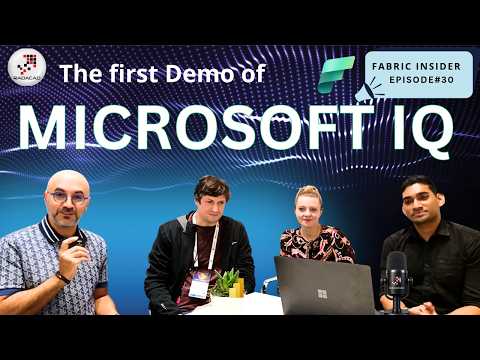
Microsoft IQ is an enterprise context management platform that lets organizations assemble business knowledge into shared plugins for AI agents. It matters to teams that want agents to use consistent instructions, authoritative sources and relevant business metrics rather than relying on each user to configure an agent separately. Reza Rad (RADACAD) [MVP] demonstrates the platform with Microsoft IQ product leaders in a YouTube episode.
What it does
Microsoft IQ is intended to provide a shared context layer for agents. The platform brings together context from Microsoft 365 activity through Work IQ, semantic models and OneLake through Fabric IQ, and Foundry IQ and Web IQ. The demonstration also describes connectors from more than 350 third-party partners, as well as the option to build custom context.
The central feature shown is the business plugin. A plugin packages relevant context with instructions that tell agents which sources or metrics to use for a particular task. It can also describe a repeatable process, such as a sales workflow, so users and agents do not have to reconstruct the same guidance in separate chats. The goal is to make selected context available consistently across supported agent experiences.
This is more than connecting an agent to a pile of documents. The team describes plugins as a way to identify which information is authoritative for a question. In its example, an employee asks about product performance; chat and email may provide clues, but a Fabric semantic model may be the source for usage metrics. The plugin can guide the agent toward those metrics and explain how to use them.
Who it is for and what you need
The platform is aimed at organizations that want to curate context centrally and make it available to other people and their agents. The demonstration distinguishes between context curators, who add instructions and guidance, and consumers, who have permission to use that context. It also shows how a business plugin can serve a particular team or process instead of being a personal prompt.
Access is described as being built on Microsoft Entra identities, groups and organizations. The demonstration also describes agent identities, which can be associated with context. Permissions can be managed at different plugin layers so that a subset of users has access to a particular context. This allows an organization to reflect different needs across teams, roles or regions.
At the time described in the demonstration, Microsoft IQ was in private preview. Interested organizations could visit iq.microsoft.com and use the “Try Business Plugins” form to request onboarding. The team said a Frontier public preview was expected in a few weeks, with use in Copilot Chat and supported agent experiences for tenants in the Frontier program.
How it works
The platform’s workflow starts with a business plugin: a reusable description of a process, its instructions and the sources agents should consult. In the demo, a fictional company’s sales team uses a recovery workflow to align outputs with shared scripts and leadership metrics. Other examples bring in project tasks, knowledge bases and web information alongside Fabric data.
- Go to iq.microsoft.com and, during the private preview described, select “Try Business Plugins” to request access.
- Create a business plugin for a topic, team or repeatable process, then describe the goal and how people and agents should use it.
- Add relevant sources and explain when an agent should use each source. The demo includes Work IQ, Fabric IQ, Foundry knowledge bases, Web IQ and third-party connectors.
- Add instructions for the task, such as which metrics matter or which reports to produce. A Fabric semantic model can supply business measures, with instructions edited to match the team’s needs.
- Organize plugins by team, role or region, and apply access at the appropriate layer. Once published, authorized users and supported agents can use the shared context.
The demo’s sales example shows how context can be inherited through an organizational structure and supplemented with guidance for a specific role. That structure is intended to reduce repeated setup: a curator maintains shared guidance centrally rather than distributing skills by email and asking each person to reinstall updates.
Copilot is described as able to use the available context without extra user setup. For other platforms, the team says users can install the Work IQ MCP, which brings Work IQ, Fabric IQ, Foundry IQ and business plugins together. The demonstration mentions platforms including Claude and ChatGPT, while noting that support depends on the integrations available.
Limitations and alternatives
The rollout stage is a practical constraint: the demo describes private preview access by request, followed by an expected Frontier public preview. The planned preview is specifically associated with tenants in the Frontier program. Organizations should check their own access before designing a rollout around the platform.
Microsoft IQ’s value depends on curators identifying the right sources, defining useful instructions and setting appropriate permissions. A plugin that points agents to an unsuitable metric or gives unclear guidance will not make the resulting answer authoritative. The demonstration presents curation and governance as part of the work, not as an automatic substitute for organizational decisions about trusted context.
The earlier approach described by the team was to create individual skills or custom agents and share those skills manually, including through email. A centrally maintained business plugin is presented as an alternative for shared organizational context. The available integrations also differ: Copilot is described as directly integrated, while other platforms require the Work IQ MCP connection.
Sources
Frequently asked questions
What is Microsoft IQ?
Microsoft IQ is described as an enterprise context management platform. Its business plugins package organizational context and instructions for use across supported AI agents.
How do business plugins work in Microsoft IQ?
A plugin combines context sources with instructions for when and how agents should use them. Plugins can be shared and organized for particular teams, roles or regions.
How can an organization try Microsoft IQ?
The demonstration describes private preview access by visiting iq.microsoft.com and using the “Try Business Plugins” form to request onboarding. It also describes a planned Frontier public preview for tenants in the Frontier program.
Can Microsoft IQ context be used outside Copilot?
The demonstration says Copilot can use the context directly. For other supported platforms, users can install the Work IQ MCP, which brings together Work IQ, Fabric IQ, Foundry IQ and business plugins.