- All of Microsoft
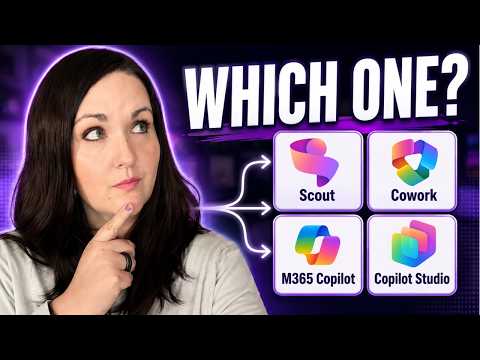
Microsoft AI: Which Tool to Use?
Principal Power Platform Advocacy Team Lead at Microsoft ◉ YouTuber ◉ Speaker ◉ LinkedIn Learning Course Author ◉ Low Code Revolution Host
Demystifying Scout, Copilot Cowork, Microsoft three sixty five Copilot and Copilot Studio with use cases and a guide
Key insights
- Video summary: This is a concise summary of a YouTube video that explains Microsoft’s AI tools; I am not the video’s author.
It clarifies which tool fits which job and why the tools often work together. - Core product differences: Copilot is the general AI assistant, Microsoft 365 Copilot works inside Office apps, Copilot Studio builds and customizes agents, and Azure AI Foundry targets developers and enterprises for deep control.
- Scout and Copilot Cowork: Microsoft Scout handles quick, AI-powered actions across your desktop, files, browser and connected tools.
Copilot Cowork runs larger, multi-step tasks in the cloud so work can continue without user intervention. - Microsoft 365 Copilot in daily apps: Microsoft 365 Copilot speeds routine work in Word, Excel, PowerPoint, Outlook and Teams by drafting, analyzing, building presentations and summarizing email or meetings.
- Model choice and new models: Microsoft’s catalog gives organizations many model options via the Azure AI Model Catalog.
Microsoft highlighted smaller models like Phi-3 and Phi-3.5 and support for newer capabilities such as GPT-5.4 Thinking and GPT-5.3 Instant. - Decision framework and synergy: Pick tools by goal — use AI as a helper, embed it in Microsoft 365, delegate cloud workflows, or build custom agents.
Often the best result comes from combining Copilot, Scout, Copilot Cowork and Copilot Studio for complementary tasks.
Video at a glance
In a clear explainer video, April Dunnam walks viewers through Microsoft’s growing set of AI tools and explains which option fits specific tasks. She structures the material around real-world scenarios, time-stamped segments, and a simple decision flow to help viewers choose. Therefore, the video targets readers who feel overwhelmed by names like Microsoft Scout, Copilot Cowork and Copilot Studio and want a practical comparison.
Moreover, Dunnam stresses that these tools are often complementary rather than direct competitors, and she shows common workflows where two or more products work together. She also highlights hands-on labs and an infographic as learning resources, while emphasizing governance and model choice as recurring themes. Consequently, the video aims to balance clarity with actionable recommendations for both end users and IT teams.
Breaking down the tools
First, Dunnam defines what each product does in plain language. She describes Microsoft Scout as an assistant that executes AI-powered actions across the desktop, files, browser, Microsoft 365 data, and connected tools, so users can trigger shortcuts and quick automations. In contrast, Copilot Cowork is presented as a way to delegate larger, multi-step tasks that continue running in the cloud, which helps with long-running jobs and background workflows.
Next, she explains that Microsoft 365 Copilot brings AI inside familiar apps such as Word, Excel, PowerPoint, Outlook and Teams to accelerate everyday productivity tasks. Meanwhile, Copilot Studio is aimed at builders: it helps organizations design governed, reusable agents that integrate connectors, automation, and model choice. Finally, Dunnam places developer-focused platforms like Azure AI Foundry on the technical end of the spectrum for teams that need deep control over models and infrastructure.
How they differ and practical uses
According to the video, the primary differences come down to location, scope and intended user. For example, if you need quick desktop shortcuts and context-aware actions, Microsoft Scout fits best; if you want AI embedded in document creation and data analysis inside apps, Microsoft 365 Copilot makes sense. Conversely, if your process requires custom agent behavior or enterprise-level governance, then Copilot Studio or Azure AI Foundry are more appropriate options.
She also shows concrete use cases so viewers can map tools to tasks: automated meeting follow-ups may run in Copilot Cowork, while a tailored customer-facing agent would be built in Copilot Studio. In practice, organizations often mix these tools, for example by using studio-built agents that call into Microsoft 365 services or cloud workflows that report back to desktop copilots. Thus, the choice depends on the workflow’s complexity, data needs, and integration points.
Tradeoffs and implementation challenges
Dunnam balances enthusiasm with caution, explaining that each approach carries tradeoffs. For instance, cloud-run agents offer scale and continuity but add latency, hosting costs, and potential governance burdens; meanwhile, desktop or app-embedded copilots minimize roundtrips but may lack power for long-running automation. Therefore, teams must weigh speed and cost against control and compliance when selecting a solution.
Additionally, she highlights model choice and security as persistent challenges. Organizations that demand tailored models or strict data residency often need the deeper controls of platforms like Azure AI Foundry, which increases development complexity and operational overhead. At the same time, using prebuilt copilots reduces implementation time but may limit customization and raise questions about data handling unless governance is carefully applied.
Decision framework and final takeaways
To conclude, Dunnam offers a decision flow that asks three questions: do you want to use AI, embed AI in Microsoft 365 workflows, or build custom AI systems? Based on those answers, the recommended path points to Microsoft 365 Copilot for everyday productivity, Copilot Cowork for delegated cloud tasks, and Copilot Studio or Azure AI Foundry for custom or enterprise-grade solutions. She also repeatedly notes that combining tools often produces the best results.
For newsroom and enterprise readers, the takeaway is practical: start with the simplest tool that meets the business need, then iterate toward custom agents if requirements outgrow off-the-shelf copilots. Finally, because governance, cost, and user training matter as much as capability, teams should pilot solutions, measure outcomes, and adapt policies to keep AI both useful and safe.

Keywords
Microsoft AI options, Microsoft Copilot vs Bing Chat, Microsoft AI explained, Azure AI services, Microsoft Copilot features, Microsoft AI pricing, How to choose Microsoft AI, Microsoft AI for business