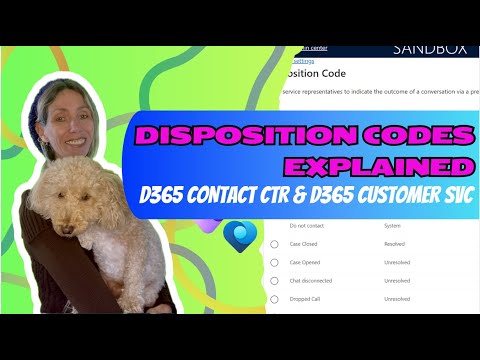
Video Overview: Disposition Codes in Dynamics 365 Customer Service
Video Overview
The YouTube video by Dian Taylor - [MVP] (Dynamics 365 Talk) explains how organizations can use Disposition codes in Microsoft Dynamics 365 Customer Service to capture how conversations actually end. The presenter walks viewers through enabling the feature, configuring codes, and the agent experience when wrapping up chats and calls. Consequently, the video frames disposition codes as a practical tool for improving reporting and operational insight. Overall, it positions the feature as a straightforward way to make outcomes visible rather than merely logging that an interaction occurred.
How the Feature Works
First, the video demonstrates configuration inside the Copilot Service admin center, showing the steps to toggle on the Disposition code feature and to require a code before closing a session. Next, Dian highlights how administrators can add codes, assign them to categories, and target them to specific Workstream channels such as chat or voice. Moreover, the interface includes a counter and a maximum allowed codes per interaction, which defaults to two but can be raised up to twelve. This design aims to balance useful granularity with a clean agent experience.
Benefits and Reporting Impact
According to the video, the primary benefit lies in cleaner data and more actionable reports, because codes turn freeform outcomes into standardized, machine-readable fields. Consequently, teams can track resolution rates, recognize recurring issues, and measure agent performance with greater confidence. Furthermore, leaders can identify process gaps and training needs by filtering closed conversations by code and category. As a result, organizations can move from anecdotal observations to targeted improvements supported by Dynamics 365 dashboards.
Tradeoffs and Configuration Choices
However, Dian also highlights tradeoffs that administrators must weigh. For example, making codes mandatory improves data completeness, but it can add friction at the point of closure and slow agent throughput if the code list is too long. In contrast, keeping a minimal set of codes reduces selection time but can diminish insight because options become too broad. Therefore, the video recommends a pragmatic balance: keep code lists lean—five to seven entries is suggested—while using categories and workstream-specific overrides to capture necessary detail.
Challenges and Adoption Considerations
The video acknowledges common challenges such as inconsistent tagging, agent resistance, and reporting complexity when too many similar codes proliferate. Moreover, Dian points out that improving data quality requires governance: periodic audits, retired or merged codes, and training to ensure agents understand categories and use them correctly. Integration can also be a challenge because other Dynamics areas, like supply chain or returns, use different disposition constructs, so teams must avoid mixing definitions across business functions. Consequently, the presenter advises incremental rollouts, close monitoring of usage patterns, and tying codes to clear operational actions to drive adoption.
Best Practices and Final Takeaways
Finally, the video closes with practical advice: start with a global set of codes, then adjust per workstream where channels need specific nuance, and always monitor the impact on agent workflow and report quality. For example, enable the counter and limit settings to discourage over-tagging while ensuring agents capture meaningful outcomes such as escalation, resolution, or follow-up required. In summary, Dian frames Disposition codes as a low-friction, high-value feature when configured thoughtfully and supported with governance and training, enabling organizations to turn conversation endpoints into measurable intelligence.