- All of Microsoft
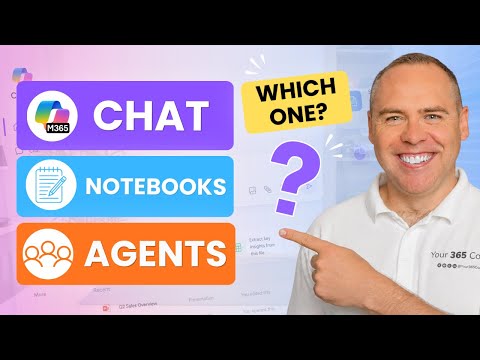
Copilot: Chat vs Notebooks vs Agents
Helping you and your company achieve more in Microsoft 365
Microsoft Copilot guide to Copilot Chat Notebooks or Agents for project productivity, team collaboration and Granola
Key insights
- Decision framework: Use Copilot Chat for quick questions and on-the-fly content creation, Copilot Notebooks when you need a project workspace grounded in reference files, and Agents for repeatable, task-specific automation.
- Copilot Chat — fast conversational assistant: It answers questions, drafts content, and connects to your emails, meetings, and work data.
Newer chat features let you invoke app agents directly (for example, @mention Word, Excel, and PowerPoint agents) so you can create files without leaving the chat. - Copilot Notebooks — focused project workspace: Notebooks gather notes, chats, and reference files so Copilot reasons over curated content rather than general chat context.
Notebooks now accept Markdown, TXT, and RTF files and can produce Word, Excel, and PowerPoint outputs from notebook material. - Agents — automation and specialization: Use Agents for multi-step workflows, repeated tasks, or stakeholder access to specific project functions.
Microsoft is expanding features like declarative agents, multiple owners, an agent marketplace, and stronger models behind agents to improve reliability and collaboration. - Recent platform updates: Notebooks are rolling out more broadly and integrate chats, generated content, and references into one grouped project workspace.
Chat gains tighter links to app agents and Notebooks, reducing tool switching and improving content grounding. - Practical tips: For quick work use Chat, for grounded project outputs add and manage reference files in a Notebook, and for recurring or specialized jobs build and test an Agent with clear instructions.
Use Notebook instructions for consistent responses, share Notebooks with teammates, and test Agents before wider release.
Video overview: a practical guide from Scott Brant
In a recent YouTube tutorial, Scott Brant walks viewers through how to choose between Copilot Chat, Copilot Notebooks, and Agents inside Microsoft 365 Copilot. He uses a project management example to make the differences concrete, showing how each experience fits different stages of work. Consequently, the video aims to give a simple decision framework so professionals can pick the right tool for specific tasks.
Core differences explained
Scott frames Copilot Chat as the fastest entry point for questions, quick drafts, and conversational work, while Copilot Notebooks is presented as a focused workspace that lets Copilot reason over curated project files. Meanwhile, Agents are shown as the automation layer for repeatable, multi-step, or specialized workflows that need consistent behavior. These distinctions help teams balance speed, context, and control when they adopt AI in day-to-day tasks.
Recent platform changes that matter
The video highlights several recent Microsoft updates that affect how each tool is used. For example, users can now invoke Excel, Word, and PowerPoint agents directly from chat, and notebooks accept richer reference formats like Markdown, TXT, and RTF; therefore, switching between drafting and structured project work becomes smoother. Additionally, the rollout of Notebooks into more user tiers and the evolution of declarative agents with collaborative ownership expand who can create and maintain project intelligence.
When to choose Copilot Chat
Scott advises using Copilot Chat for individual productivity tasks and quick problem solving, such as rewriting an email, summarizing a meeting excerpt, or drafting an outline on the fly. Because it responds quickly and integrates with your immediate context, Chat reduces friction for ad-hoc work but can struggle when a deeper, referenced understanding of a project is required. Thus, the tradeoff is between speed and depth: Chat is fast and flexible, yet it may produce inconsistent results when it lacks curated references or project-wide perspective.
How Notebooks support grounded teamwork
By contrast, Scott demonstrates Copilot Notebooks as the right choice when teams need a shared, source-backed workspace. Notebooks let you attach reference files and add instructions so Copilot can reason consistently over the same materials, which improves reliability and repeatability for project updates and deliverables. However, Notebooks require setup effort and governance decisions: teams must curate references, manage access, and maintain the notebook to keep outputs accurate, which introduces overhead but yields stronger, context-aware results.
Agents for repeatable and controlled automation
Finally, the video shows that Agents are best when you need task-specific automation, multi-step flows, or controlled external access for stakeholders. Agents can be built via the Agent Builder experience and connected to knowledge sources so they act predictably and securely, which is valuable for recurring reporting or stakeholder-facing updates. Still, Agents come with tradeoffs: they often require more design and testing up front, and teams must weigh the effort to build and maintain an agent against the efficiency gains it provides.
Choosing the right tool: a simple framework
Scott closes with a practical framework that balances immediacy, context, and repeatability: use Copilot Chat for quick, interactive needs; use Copilot Notebooks when you need grounded, shared reasoning; and use Agents for persistent, repeatable processes. This guidance emphasizes tradeoffs, since speed, accuracy, collaboration, and maintenance costs cannot be optimized simultaneously without compromise. Therefore, teams should pilot each option on real work, measure outcomes, and align governance so the chosen approach fits their workflow and risk profile.
Overall, the video by Scott Brant gives a clear, actionable breakdown that helps managers and individual contributors understand when to use each Microsoft 365 Copilot experience. By combining practical examples with recent platform changes, the tutorial helps viewers weigh tradeoffs and plan the work needed to get reliable, efficient AI assistance for projects and meetings. As a result, organizations can adopt a mixed strategy that matches tools to tasks rather than forcing a single solution on every scenario.

Keywords
Microsoft Copilot Chat vs Notebooks vs Agents, When to use Copilot Chat, Copilot Notebooks tutorial, Copilot Agents use cases, How to choose Copilot feature, Copilot comparison 2026, Best Copilot for productivity, Copilot Chat features explained