- All of Microsoft
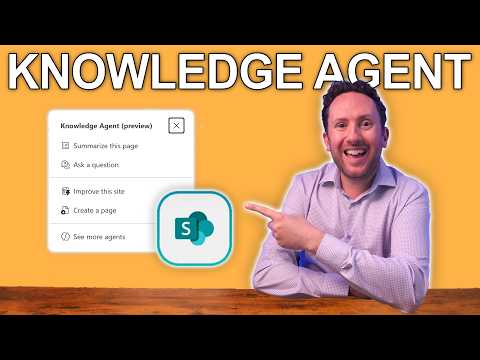
SharePoint Supercharges 365 Copilot
Consultant at Bright Ideas Agency | Digital Transformation | Microsoft 365 | Modern Workplace
SharePoint Knowledge Agent supercharges Microsoft Copilot with library organization and metadata for better search
Key insights
- Knowledge Agent in SharePoint is a new AI layer that links content to Microsoft 365 Copilot, turning sites and libraries into searchable knowledge sources.
It runs in a secure Microsoft 365 environment and aims to make Copilot's answers more accurate by improving content access. - Organize This Library is the standout feature: it lets admins and site owners restructure and tag files at scale so Copilot finds the right documents faster.
That reduces missed answers and improves response relevance across Teams, Word, and OneDrive. - Agents act as mini subject-matter experts by linking site content and rules to Copilot, while improved metadata helps surface contextually relevant documents.
Use agents to automate FAQs, content summaries, and tailored guidance for specific teams or topics. - Automation and workflow tools speed routine tasks like approvals, metadata fills, and content routing, boosting team productivity.
Combined with smarter content discovery, teams spend less time searching and more time acting on insights. - Governance and data security remain central: SharePoint enforces policies and access controls so Copilot only uses authorized information and reduces accidental oversharing.
Apply clear policies and periodic reviews to keep AI access aligned with compliance needs. - Preview availability lets organizations pilot the Knowledge Agent before wide rollout; start with a focused pilot and clear success metrics to drive adoption.
Train users, tune metadata and rules, and measure search accuracy to expand safely and effectively.
Introduction: A preview of a pivotal SharePoint update
Nick DeCourcy (Bright Ideas Agency) recently published a YouTube video that examines a new SharePoint feature now in preview and its implications for enterprise AI. In the video, he focuses on the arrival of the Knowledge Agent and how it integrates with Microsoft 365 Copilot, arguing that this development could address persistent problems with content discovery. Consequently, the demonstration centers on practical examples such as organizing document libraries and improving Copilot’s ability to find the right files. The video balances enthusiasm with caveats, noting that the preview stage still leaves room for refinement.
What the Knowledge Agent does and how it works
The video explains that the Knowledge Agent turns SharePoint sites and libraries into structured, AI-aware knowledge stores that Copilot can query more reliably. Moreover, DeCourcy shows the new "agent builder" experience that allows teams to set up site-level rules, automations, and organization strategies without deep development work. The agent can suggest metadata, surface high-value documents, and create simple automations to keep libraries tidy, which in turn reduces the friction Copilot previously experienced when sources were scattered or poorly tagged. Consequently, the feature aims to make content more discoverable and actionable across Microsoft 365.
Why this matters for Microsoft 365 Copilot
DeCourcy argues that Copilot’s usefulness has often been limited by the quality of the content it can access, and thus the Knowledge Agent could materially improve conversational accuracy and relevance. For example, he highlights the "Organize This Library" capability as a key moment where Copilot’s answers become less likely to miss important documents due to disorganized repositories. As a result, teams could see faster, more reliable outcomes from Copilot-driven workflows such as summaries, Q&A, and content generation. At the same time, improved metadata and governance help ensure Copilot uses authorized information, which is essential for secure enterprise deployments.
Tradeoffs: benefits versus complexity and cost
Despite the advantages, DeCourcy points out several tradeoffs stakeholders should weigh before broad adoption. First, while automation reduces manual effort, it introduces configuration complexity; organizations must invest time to define rules, taxonomies, and agent behavior so the system does not reinforce bad structure. Second, although some agent capabilities are available to all Copilot users, advanced features will follow a pay-as-you-go model, meaning budget considerations and licensing strategies will influence how widely the new tools are used. Therefore, businesses must balance potential productivity gains against the operational overhead required to maintain well-curated knowledge stores.
Challenges and areas for improvement
The video also highlights practical challenges that remain even with the new agent model. For instance, automating metadata suggestions can speed organization, but it can also introduce errors when models misinterpret context, so human review remains necessary to maintain accuracy. Additionally, integrating agent behavior across diverse sites and Teams channels requires consistent governance, otherwise different groups can drift toward incompatible taxonomies. Finally, DeCourcy notes that while the preview shows promising automation, real-world scale tests will reveal performance, cost, and security tradeoffs that organizations must evaluate carefully.
Adoption steps and what IT leaders should consider
DeCourcy recommends that IT leaders start small using the preview to pilot the Knowledge Agent on a limited set of repositories while collecting feedback from power users. Then, he suggests iterating on rules and metadata schemes so the agent’s output becomes increasingly reliable without overwhelming teams with change. Furthermore, he urges organizations to pair agent rollout with governance policies that control what Copilot can access, since data protection and compliance remain critical when AI tools query internal knowledge. Ultimately, the goal is to combine automation with human oversight so Copilot delivers consistent, trusted answers.
Outlook: a meaningful step with pragmatic limits
Overall, the video portrays SharePoint’s agent approach as a significant, practical step toward making Microsoft 365 Copilot more effective in real work scenarios. Nevertheless, DeCourcy tempers optimism by reminding viewers that the feature is in preview and that successful deployments require clear governance, careful configuration, and realistic expectations around cost. Consequently, the new capabilities promise better search and automation, yet they also demand that organizations commit to the ongoing work of curating and protecting their data. In short, the Knowledge Agent can improve Copilot’s answers, provided teams accept the tradeoffs and manage the challenges thoughtfully.

Keywords
SharePoint Copilot integration, Microsoft 365 Copilot SharePoint, SharePoint AI features, SharePoint content for Copilot, SharePoint knowledge management Copilot, Copilot for SharePoint rollout, SharePoint AI search enhancements, SharePoint and Copilot best practices