- All of Microsoft
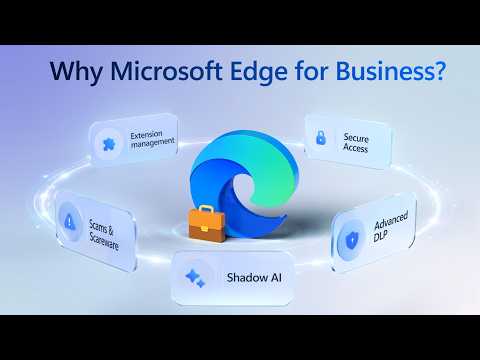
Edge: Unified Policy Controls for Any OS
Software Development Redmond, Washington
Protect data in Microsoft Edge for Business with Conditional Access, Purview DLP and Defender to block shadow AI
Key insights
- Policy controls for Microsoft Edge now run from the cloud in the Microsoft 365 Admin Center.
Admins create and push browser settings that follow users across devices when they sign into Edge. - Shadow AI Data Blocking and Purview DLP integration stop sensitive data from leaving your environment.
Admins can block unsanctioned AI services, control clipboard and screenshots, and lock data boundaries for contractors. - Cross-platform enforcement covers Windows, macOS and supported Linux environments on both managed and unmanaged devices.
The system can block other browsers, lock settings, and apply consistent rules regardless of OS. - Extension management lets you control add-ons by permission type from the admin center.
Use this to prevent malicious or unwanted extensions and reduce attack surface with tight threat protection controls. - Cloud-stored policies use group assignments and require an Edge sign-in to apply.
Setup steps: create policies in Settings > Microsoft Edge, assign groups, pilot with a test group, then roll out broadly. - Security and compliance improve while you gain operational efficiency across hybrid work.
Recommendations: start with DLP rules, enable contractor work profiles, block AI exfiltration, and monitor policy rollout and logs.
Video Summary and Context
The Microsoft-authored YouTube video outlines new browser policy capabilities designed to extend enterprise controls to Microsoft Edge sessions across platforms. Jeremy Chapman, Microsoft 365 Director, walks viewers through how organizations can enforce existing security policies directly in the browser, regardless of device ownership or operating system. The demonstration emphasizes practical use cases such as blocking data exfiltration to unsanctioned AI services and locking contractor browsing to corporate boundaries.
Throughout the roughly ten-minute segment, Microsoft positions these controls as part of a broader, cloud-first approach to governance. The video highlights how the new features integrate with familiar tools like Conditional Access, Purview DLP, and Microsoft Defender. Consequently, the offering targets IT teams that want centralized oversight across both managed and unmanaged endpoints.
What the Video Shows
The presentation opens by showing security applied directly inside the browser, and then moves on to practical demos with clear timestamps for each topic. Viewers see examples of Shadow AI Data Blocking, contractor work profiles that isolate corporate data, and configuration screens within the Microsoft 365 Admin Center. Chapman demonstrates how admins can restrict clipboard and screenshot actions by location and manage extensions by permission type.
Next, the video outlines how these policies appear in the Edge Management Service and how they propagate to users when they sign into Edge. It also explains how cloud-stored policies can override local or MDM/GPO settings in specific scenarios. As a result, organizations gain a user-centric way to enforce consistent settings across hybrid workforces.
Key Capabilities Highlighted
The core capabilities include centralized policy creation, cross-platform enforcement, and integration with existing security investments. For instance, admins can centrally deploy extensions, lock critical settings, and prevent sensitive content from leaving approved services by combining browser policies with Purview DLP. These controls apply to both managed devices and unmanaged contractor endpoints, which helps maintain a consistent security posture.
Additionally, the video shows how admins can block access to non-approved browsers or override local policies through registry-based methods. This gives organizations an extra layer of control to ensure compliance. However, Microsoft stresses that these features work best when users sign into Edge so the cloud policies can apply reliably.
Implementation and Operational Challenges
Deploying browser-level policy controls introduces several operational questions that the video acknowledges but does not fully resolve. For example, relying on users to sign into Edge for policy retrieval creates a dependency that may not hold across all remote or transient user populations. In environments where sign-in is inconsistent, administrators could encounter gaps in enforcement that require additional device-level controls or user education.
Moreover, extending DLP and clipboard restrictions into the browser can lead to false positives or user friction when workflows change. Administrators must tune policies carefully to avoid disrupting productivity while maintaining protection. Finally, cross-platform differences and extension management require ongoing testing, since behavior and permissions may vary between Windows, macOS, and Linux builds of Edge.
Tradeoffs Between Security and Usability
Balancing strict protection with user convenience forms a central theme in the video, and it rightly frames the tradeoffs organizations face. Tightening extension controls and blocking data flows to unsanctioned services reduces risk, yet it may also hamper legitimate tasks that rely on third-party tools or AI assistants. Therefore, IT teams must weigh the security gains against the potential slowdown in employee productivity.
Similarly, enforcing browser-only controls limits exposure on unmanaged devices but can feel invasive if policies restrict basic actions like clipboard use or screenshots. To minimize pushback, organizations should pair technical controls with clear communication and role-based exceptions. In short, the most effective approach balances protection, transparency, and minimal disruption.
How to Get Started and Practical Advice
The video points administrators toward the Microsoft 365 Admin Center where they can create and assign browser policies via the Edge Management Service. Microsoft recommends starting with targeted pilot groups to validate settings and monitor user impact before wide rollout. Pilots help teams refine Purview DLP rules, clipboard policies, and extension permissions to reduce false positives and minimize user friction.
Finally, the presenter encourages organizations to leverage existing security investments like Conditional Access and Defender rather than adding parallel tools. By integrating these services, teams can maintain a unified control plane that scales across platforms and user scenarios. Nevertheless, successful adoption will depend on careful policy design, stakeholder engagement, and continuous monitoring to address gaps and adapt to new threats.

Keywords
Edge browser policy controls, Microsoft Edge enterprise policies, Cross-platform Edge policy management, Edge group policy settings, Manage Edge on Windows Mac Linux, Browser policy enforcement any OS, Edge administrative templates ADMX, Edge security and compliance policies