- All of Microsoft
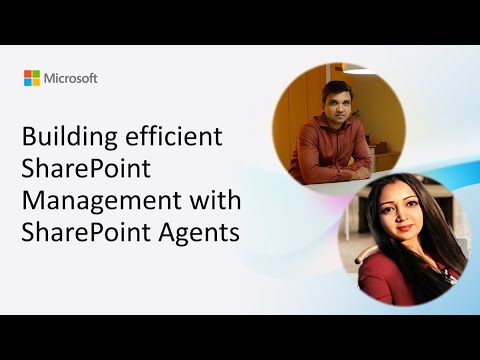
SharePoint Agents: Streamline Management
Software Development Redmond, Washington
SharePoint Insights agent with Copilot surfaces owners storage and external sharing via admin list to speed governance
Key insights
- SharePoint Insights agent: Demo by Nanddeep Nachan and Smita Nachan shows an agent that surfaces site owners, creation dates, storage use, and external sharing status so everyday questions don’t require the admin center.
It speeds troubleshooting and raises security awareness by pointing out externally shared sites. - Hidden admin inventory: The solution uses a hidden admin inventory list with scheduled exports to capture site metadata reliably.
Exports feed a Copilot-assisted CSV-to-Word conversion that becomes a scoped knowledge source for the agent. - Scoped knowledge source: Copilot converts exported CSV data into documents the agent can query, keeping answers site-focused and context-aware.
This approach limits scope and improves the accuracy of AI responses for site-level questions. - Streamlined site management: Agents reduce routine admin load by automating summaries, searches, and task help so users get quick answers without full admin access.
That improves day-to-day productivity and reduces time spent in the admin center. - Copilot license: Early access requires targeted release and a Copilot license; usage is consumption-based and administrators can monitor analytics to optimize deployment.
Broader availability and additional features are expected across 2025. - Governance prompts: Built-in prompts highlight externally shared sites and other risks, helping teams respond faster and enforce policies.
Combine these prompts with monitoring and user training to keep data secure while adopting agents.
Overview of the video demo
The Microsoft community call showcased a focused demo of the SharePoint Insights Agent, presented by Nanddeep Nachan and Smita Nachan. The video explains how the agent surfaces practical site details such as ownership, creation dates, storage usage, and external sharing status so everyday users can find answers without opening the admin center. Consequently, the demo positions the agent as a frontline tool for routine queries, improving efficiency for site owners and support teams alike. The presenters emphasize practical use rather than theoretical capabilities, keeping the demo tightly scoped to real-world needs.
Moreover, the recording originates from a Microsoft 365 & Power Platform community call and highlights community-driven innovation within the platform. The presenters walk through a working prototype and explain architectural choices that enable the agent to operate safely and at scale. As a result, viewers gain insight into both the functional outcomes and the design tradeoffs that guided development. Overall, the presentation framed the agent as a pragmatic step toward embedding AI into SharePoint workflows.
Demo highlights and user experience
During the demo, the agents show site-level metadata at a glance, helping users quickly identify externally shared sites and spot potential security concerns. The interface tags sites with ownership and storage metrics, which reduces the need to navigate to the admin center for everyday troubleshooting. Therefore, teams can resolve routine questions faster and free administrators to focus on higher-value tasks. The presenters also demonstrate governance prompts that surface risk indicators when external sharing is detected, improving awareness without adding complexity for typical users.
Furthermore, Copilot-assisted features were used to convert CSV exports into readable Word summaries that act as a scoped knowledge source for the agent. This approach makes site inventories actionable because the agent can reference structured exports rather than only raw lists. Consequently, users receive contextual answers grounded in the latest exported data, balancing immediacy with data governance. The demo thus illustrates how combining simple UI cues with AI-powered summarization can create useful, trustworthy outputs for everyday users.
Architecture and technical approach
The architecture centers on a hidden admin inventory list that holds scheduled exports, which the agents reference for up-to-date site information. These scheduled exports feed a pipeline where a Copilot-assisted CSV-to-Word conversion produces a scoped knowledge source that the agent can query. This layered approach separates raw administrative data from the conversational knowledge layer, so the agent works with curated snapshots instead of querying live admin endpoints directly. Consequently, it reduces surface area for unintended data exposure while keeping responses relevant.
In addition, the demo highlights how the agent integrates with existing Microsoft 365 services and anticipates tighter integration with Teams. The presenters explained that agents operate under Microsoft’s cloud infrastructure and respect governance controls, but early access requires specific release tracks and licensing. This staged rollout allows teams to evaluate risk and performance before broad deployment. Thus, the architecture balances rapid access to insights with safeguards that align with enterprise governance needs.
Benefits and tradeoffs
The demonstrable benefits include faster incident triage, better visibility into externally shared assets, and reduced administrative overhead for routine questions. Because agents provide contextual summaries and governance prompts, non-admin users gain empowerment without needing elevated privileges. However, tradeoffs exist: relying on scheduled exports means the agent reflects snapshots rather than real-time state, which can delay detection of rapid changes. Therefore, organizations must weigh the value of timely, near-real-time visibility against the lower risk and complexity of using curated snapshots.
Another tradeoff involves licensing and rollout complexity. While Copilot integration unlocks advanced summarization and conversational features, it also introduces consumption-based costs and requires administrators to manage quotas. Consequently, scaling agents across many sites may improve productivity but will need careful monitoring of usage metrics and costs. In short, administrators should plan phased deployments and monitor outcomes to optimize both user value and budget impact.
Challenges and next steps
Looking ahead, the main challenges involve data freshness, governance clarity, and user training. Although agents reduce friction for routine tasks, they require clear policies about what information they can surface and how often exports run. Organizations must therefore set governance prompts and training to ensure users understand the agent’s scope and limitations. Effective adoption will depend on balancing helpful automation with clear guardrails to prevent misunderstanding or overreliance on AI outputs.
Finally, the presenters and community anticipate further enhancements such as editable default agents, support for multiple agents in a conversation, and deeper Teams integration. These improvements promise richer collaboration workflows but will also raise questions about administration, versioning, and auditability. As a result, IT leaders should plan pilots that test usability, measure security outcomes, and refine governance before broad rollout. In conclusion, the demo offers a practical blueprint for adopting AI assistants in SharePoint while highlighting tradeoffs that organizations must manage for safe, effective use.
.jpeg?w=700&output=webp)
Keywords
SharePoint management, SharePoint agents, efficient SharePoint administration, SharePoint automation, SharePoint governance, SharePoint agent framework, SharePoint administration best practices, SharePoint performance optimization