- All of Microsoft
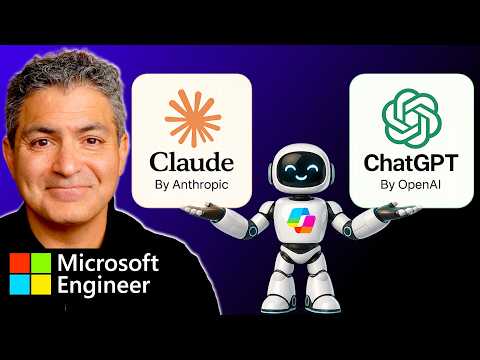
Copilot: Claude + ChatGPT Tutorial
Principal Technical Specialist @ Microsoft | Engineer | YouTuber
Microsoft Copilot: merge ChatGPT and Claude in Copilot Researcher ModelCouncil, use Critique mode, enable Frontier
Key insights
-
Video overview: This tutorial shows how to combine Anthropic Claude and OpenAI ChatGPT inside Microsoft 365 Copilot for richer outputs and smoother workflows.
It demonstrates practical demos using Copilot's Researcher and Cowork modes. -
Model Council: Send the same prompt to multiple models and view side-by-side reasoning to compare answers and spot gaps.
Use it to reduce bias and pick the best result for reporting or analysis. -
Critique mode: Pair one model to generate content and another to review it for accuracy and evidence grounding.
This separation of generation and evaluation improves reliability for research summaries and reports. -
Key models and agents: The video highlights Claude Opus (4.5/4.6), Sonnet, and GPT models, and shows agents like Claude Cowork and Researcher in Copilot.
You can run these models in Excel, PowerPoint and Copilot Studio for dashboards, slides and automated agents. -
Admin setup: You need a Microsoft 365 Copilot license and admin enablement to add Anthropic models in the Microsoft 365 admin center.
The steps include enabling Frontier features (if required), installing agents from the Agent Store, and selecting desired models per session. -
Practical benefits and rollout: Combining models boosts accuracy, supports long-running automated workflows, and keeps data inside your tenant for security.
The feature rolled out in phases, so test prompts, add trusted knowledge sources, and pair models for critique to get the best results.
At a glance: what the video shows
The video by Shervin Shaffie (Collaboration Simplified) walks viewers through a practical workflow that combines Claude from Anthropic with ChatGPT models inside Microsoft 365 Copilot. The presenter demonstrates how to run prompts across multiple models and how the new Model Council and Critique capabilities work together to generate and evaluate results. Consequently, the walkthrough highlights how users can compare model outputs side-by-side without leaving the Copilot environment, which aims to speed up research and decision-making.
Moreover, the video covers admin steps for enabling Anthropic models and Frontier features for eligible tenants, and it shows real examples in Excel, PowerPoint, and Copilot Studio. Therefore, viewers gain an end-to-end sense of setup, model selection, and practical application. The narration is hands-on and geared toward IT admins and power users who want to try multi-model workflows.
How the multi-model workflow operates
First, the tutorial explains how to select agents within Copilot, install the Claude Cowork agent from the Agent Store, and then pick models such as Claude Opus alongside GPT-based models. Next, the presenter runs a shared prompt through the Model Council to show synchronous outputs, allowing users to see differences in reasoning and tone. As a result, teams can decide which model output best fits a task, while keeping work grounded in Microsoft 365 data.
In addition, the video demonstrates Critique mode in the Researcher agent, where one model generates content and another model reviews it for factual grounding and clarity. This separation of roles aims to reduce hallucinations and improve trustworthiness, and the presenter highlights evidence-sourcing and citation as part of the evaluation process. Thus, the workflow helps users combine strengths from different architectures to produce more reliable summaries and analyses.
Admin setup and access considerations
Shervin outlines the admin steps to enable Anthropic models, noting that organizations need a Microsoft 365 Copilot license and tenant-level permissions to activate the feature. Additionally, access to Frontier features depends on program enrollment or admin approval, which means availability can vary by organization and region. Therefore, IT teams should plan rollouts carefully and communicate timelines to users to avoid confusion.
Furthermore, the video points out practical settings such as auto-select options for model choice and default behaviors when a session closes, which matter for consistency and governance. Because models can be switched in-app, admins must consider controls to prevent unauthorized data exposure when external models are used. Consequently, governance policies, conditional access, and tenant configuration become essential to balance usability and security.
Tradeoffs and practical challenges
While combining Claude and ChatGPT delivers richer outputs, the tutorial also acknowledges tradeoffs in complexity and cost. For example, orchestrating multi-model prompts can increase latency and consumption of model credits, and organizations must weigh accuracy gains against operational cost. Moreover, different models may disagree, which requires human judgement to reconcile conflicting recommendations and to choose a final answer.
Another important challenge is governance: although side-by-side comparisons can reduce bias, they do not eliminate it, and teams still need robust validation steps. Additionally, administrators face hurdles with rollout timing, regional availability, and compliance controls, especially when external models process sensitive data. Thus, the video underscores that adopting multi-model workflows requires both technical adjustments and organizational processes to manage risk effectively.
Use cases and best practices
The presenter showcases scenarios such as market analysis, automated slide generation, and research summarization, illustrating where the combined approach provides immediate value. For instance, using Model Council to compare explanations speeds up analysis of ambiguous data, while Critique mode improves the reliability of executive summaries by adding an evaluation layer. Consequently, teams can use these patterns to create repeatable workflows that improve output quality.
Finally, Shervin recommends testing prompts iteratively, adding relevant knowledge sources, and documenting agent behavior before wider deployment to reduce surprises. In addition, administrators should pilot functionality with a small group to refine governance and cost controls, and then scale once results are predictable. Ultimately, the video offers a useful starting point for organizations that want to experiment with multi-model AI inside Copilot while remaining mindful of tradeoffs and risks.

Keywords
Combine Claude and ChatGPT with Copilot, Claude ChatGPT Copilot integration, Claude ChatGPT tutorial, Copilot integration tutorial Claude ChatGPT, Multimodel AI integration, Prompt engineering Claude ChatGPT Copilot, AI assistant workflow Claude ChatGPT Copilot, Set up Claude ChatGPT with Copilot