- All of Microsoft
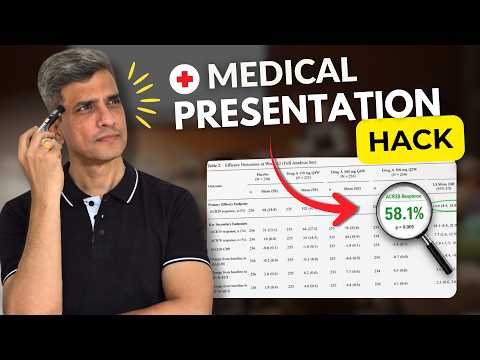
PowerPoint: Medical Tables Worth a Slide
Microsoft PowerPoint guide for medical presentations, pick key research tables, simplify trial data, show impact
Key insights
-
Presentation Objective: Define your talk goal first and use it to filter which tables earn a slide.
Match each table to one clear message so you avoid dumping excess data on the audience. -
Baseline Characteristics / Table 1: Don’t copy the full table; show only 1–3 key variables per slide.
For binary data, report one category (e.g., “yes”) and avoid combining many demographics into a single crowded table. -
Primary Outcome & Clinically Meaningful Results: Prioritize primary and pre-specified secondary outcomes, reporting absolute risks, confidence intervals, and effect size when possible.
Emphasize clinical relevance—explain how the result changes practice or patient care. -
Graphs over Tables: Convert complex tables into simple charts or trend graphs to make patterns obvious.
Place the visual on the left and a short explanatory sentence on the right so viewers read results and interpretation in one glance. -
One Message per Slide: Split large tables into multiple slides and present just one takeaway each time.
Use highlights, arrows, or bold labels to direct attention to the critical row or column. -
PowerPoint & Accessibility Best Practices: Use a 16:9 layout, set a single header row and first column, avoid merged or nested cells, and add alt text for complex visuals.
Use tools like Microsoft Copilot to build outlines, then verify every number against the source before you present.
Overview: Video and Main Message
The recent YouTube video by Presentation Process YouTube tackles a common problem in medical talks: presenters often overwhelm audiences with too many tables. Using the SPRINT Trial from the New England Journal of Medicine as an example, the authors show a simple framework for deciding which research tables deserve a slide and which do not. Consequently, the video aims to help physicians and researchers turn dense manuscript data into clear, practice-focused slides that support clinical decisions.
Furthermore, the video breaks the process into practical steps and offers timing cues to guide preparation for different formats such as journal clubs, grand rounds, and conference talks. It stresses that the failure of many presentations is not scientific complexity but the choice and display of data. Therefore, the proposed approach centers on aligning slide content with the presentation objective to improve clarity and impact.
Framework for Choosing Which Tables to Present
The video begins with a foundational rule: define your presentation objective before selecting tables to show. Rather than asking "what can I include," presenters should ask "what will help this audience make a decision or understand the study," which narrows choices and avoids unnecessary detail. This orientation means that not every table from a manuscript needs a slide, and many large tables can be split, simplified, or summarized instead.
For example, the baseline characteristics commonly found in Table 1 are useful, but only a few variables matter for most talks. The presenters recommend limiting a slide to one to three key variables or, for binary variables, reporting only one category proportion when it is meaningful. By focusing on what changes clinical interpretation, speakers can keep slides readable and relevant while still honoring scientific rigor.
Practical Slide Design Tips
Design choices influence how quickly an audience grasps results, so the video suggests several practical layout habits. First, use the widescreen 16×9 format to give charts room and to avoid cluttered tables; second, place graphs or tables on the left with explanatory text on the right to follow natural reading flow. In addition, converting large static tables into clear charts often reveals trends and relationships more effectively than rows of numbers.
Moreover, the presenters advise creating tables and charts directly in Microsoft PowerPoint rather than pasting images from manuscripts, so numbers remain editable and legible. However, they warn that any created chart must be cross-checked against the original paper to avoid transcription errors. Finally, highlight the most important result on the slide so that time-limited audiences will see the takeaway immediately without hunting through data.
Accessibility and Tool Support
Accessibility is integral to modern slide design, and the video emphasizes basic checks that improve usability for all attendees. Presenters should mark header rows and first columns in tables to help screen readers, avoid merged or nested cells that confuse navigation, and add clear alt text for complex figures. These small steps make slides usable for people with disabilities and reduce misinterpretation for everyone else.
In addition, the video points to AI and productivity tools that can speed preparation, including automated outlines and content suggestions, while cautioning that these aids require human verification. For instance, Microsoft Copilot can generate a draft structure quickly, but presenters must validate numbers and clinical meaning against the source manuscript. Similarly, the built-in Accessibility Checker can catch many issues, though it should complement, not replace, manual review.
Tradeoffs and Challenges
Balancing clarity with scientific completeness creates unavoidable tradeoffs that presenters must manage thoughtfully. Simplifying data helps audiences but risks omitting context that clinicians need to critique study methods or subgroup effects. Therefore, presenters should anticipate questions by having backup slides with full tables or appendices, yet they must avoid overloading the main talk with that detail.
Another challenge is audience diversity: trainees may need more background, while experienced clinicians want technical specifics. Time limits also force choices, and exploratory or negative results often tempt presenters to include too much nuance. Consequently, the best approach combines a tight, objective-driven main narrative with accessible supplemental material and careful crosschecking to preserve accuracy while improving comprehension.
Conclusion: A Practical Path Forward
The Presentation Process YouTube video offers a clear, usable method for deciding which tables deserve slides and how to present them. By defining objectives first, simplifying tables into focused visuals, and applying accessibility and verification checks, presenters can communicate trial results more effectively without sacrificing rigor. Ultimately, this balanced approach helps clinicians see what matters most, while retaining the ability to dig deeper when needed.

Keywords
medical presentation tips, presenting research tables, data visualization for medical slides, slide design for research tables, choosing tables for slides, clinical research presentation tips, effective medical slides, medical conference presentation advice