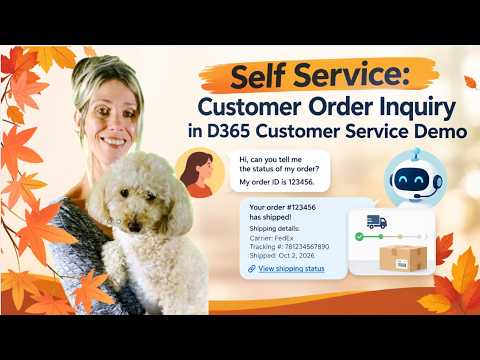
D365 Customer Service: Order Inquiry
Microsoft MVP | Dynamics 365 CE Presales Engineer - Director at RSM US LLP | LinkedIn Learning Author
Dynamics Three Sixty Five Customer Service AI self-service retrieves orders and shipping links for seamless support
Key insights
- AI agent: This demo video shows an AI agent in Dynamics 365 Customer Service that accepts an order ID, retrieves order and shipping details, and returns a direct carrier link so customers can track shipments themselves.
- Self-service: Customers can check order status without calling support, which speeds answers and reduces repetitive inquiries for service teams.
- Customer context: The portal captures recent customer actions and passes that history to agents, so representatives see what the customer already tried before the chat starts.
- Portal integration: The solution uses a customer-facing portal (often Power Pages) and requires a small code snippet or integration work to send activity history into Dynamics 365.
- Copilot-assisted service: Modern D365 tooling, including Copilot features, helps agents use pre-chat context to respond faster and more accurately.
- Business benefits: The approach cuts agent workload, improves resolution speed, boosts agent efficiency, and creates a smoother customer experience tied to real order and shipping data.
Quick summary
Dian Taylor - MVP (Dynamics 365 Talk) presents a YouTube demo that shows how an AI agent in Dynamics 365 Customer Service can handle a simple order inquiry. In the video, a customer provides an order ID and the agent retrieves order and shipping details, even offering a direct carrier link for tracking. Consequently, the demo highlights how self-service automation can speed responses and reduce repetitive requests to support teams. Overall, the clip illustrates a practical scenario rather than a full product release or new feature name.
How the demo works
First, the customer interacts through a portal-style chat or web interface and supplies an order identifier. Next, the AI agent looks up the order in the connected service system and returns relevant shipment details to the customer. Then, the agent includes a direct link to the shipping carrier so the user can follow up independently if needed. Thus, the flow demonstrates a short, focused example of a real-world use case for conversational AI in customer service.
Why this approach matters
By automating order lookups, the demo shows how organizations can lower routine workload and speed customer access to facts. Moreover, the approach improves agent efficiency because representatives receive context about what the customer already tried before the conversation began. As a result, live agents can focus on complex issues that require human judgment while the system answers straightforward queries. In short, the model supports faster resolution times and a more seamless experience for customers.
Tradeoffs to consider
However, adopting this kind of automation requires balancing convenience with control and accuracy. On one hand, automated lookups reduce volume and speed up responses; on the other hand, they increase reliance on correct data mapping and third-party carrier links, which can break or produce stale results. Additionally, developers must weigh the cost and effort to integrate portals, authentication, and context capture against the expected reduction in human effort. Consequently, businesses should plan for validation, retries, and monitoring to reduce failures and maintain trust.
Implementation challenges
The demo also surfaces several technical and operational challenges that teams must address when building similar solutions. For example, Microsoft documentation referenced in the underlying blog notes that capturing a customer's recent actions and passing that history into the service interface requires adding code snippets and portal integration work. Furthermore, secure access to order and shipment data requires careful handling of authentication, authorization, and privacy rules so customers only see permitted details. Thus, implementation takes more than toggling a setting; it needs careful design, testing, and ongoing maintenance.
Operational and governance considerations
Beyond technical work, organizations must decide how to present information, when to escalate to a human agent, and how to log conversations for audit and improvement. Additionally, teams should consider how the system handles ambiguous or incomplete queries, how to surface contact points when AI cannot resolve the issue, and how to gather consent for using customer data in automated flows. Moreover, companies must plan for model drift and updates so automated responses remain accurate over time. In practice, good governance and clear fallback rules reduce customer frustration and operational risk.
Practical takeaways
The video by Dian Taylor serves as a concise proof-of-concept that highlights the practical benefits of combining a portal, Dynamics 365 Customer Service, and conversational AI for order inquiries. Moreover, it underscores that while automation can significantly reduce repetitive work and improve response speed, it also demands integration effort, monitoring, and strong data controls. Therefore, teams that pilot this pattern should measure both customer experience gains and the total cost of ownership for integration and ongoing support. Finally, this demo provides a useful blueprint for organizations that want to start small and expand automation gradually.

Keywords
D365 Customer Service self-service, Dynamics 365 customer order inquiry, D365 order inquiry demo, Dynamics 365 self-service portal, Customer service automation in D365, Dynamics 365 order tracking tutorial, D365 Customer Service walkthrough, Self-service order management Dynamics 365