- All of Microsoft
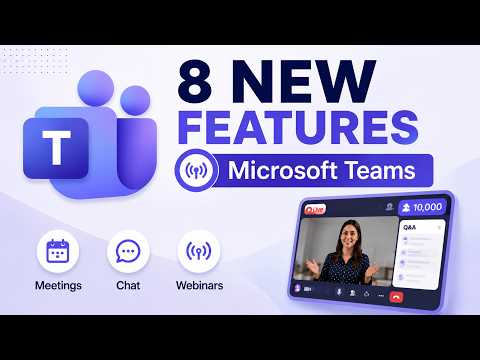
Microsoft Teams: 8 Summer 2026 Features
Principal Group Product Manager - Microsoft Education
Microsoft Teams updates boost meetings, webinars, chat and performance with PPT Live, Efficiency Mode and shared notes
Key insights
-
Summary context: This is a concise newsroom summary of a YouTube tutorial about Microsoft Teams’ Summer 2026 updates; I am not the video’s author.
Key focus: AI-first meetings and stronger hybrid work tools that make Teams act more like a work hub than only a chat app. -
Meeting recaps and Copilot: Microsoft adds hands-free Audio Recap and an organized Copilot recap that combines recordings, transcripts, files, notes, and action items into one view.
Benefit: Users catch up faster and move from discussion to tasks without hunting for meeting artifacts. -
Built-in Copilot and chat workflow: Integrated Copilot Chat appears inside Teams to draft responses, summarize threads, and prepare or follow up on meetings without switching apps.
Benefit: Saves time and keeps meeting context in one place. -
Meeting and webinar UX updates: The video highlights a live PPT refresh, resized meetings pane, a Shared Notes tab in chat, and a new webinar UI for admin ease.
Notable limits: Webinars now scale to 10K attendees and support a private meeting chat for organizer and presenters. -
Audio, room, and control improvements: Teams adds AI voice isolation, better Teams Rooms features for hybrid participants, and stronger in-meeting controls (layouts, mic management, and app window annotation).
Benefit: Higher audio clarity and smoother hybrid meeting experiences. -
Productivity and navigation: Small but practical changes include pin-on-top windows, richer notification previews, compact layouts, and auto-surfaced action items via follow-up automation.
Result: Faster navigation, less meeting fatigue, and clearer next steps after meetings.
Overview of the video
In a recent YouTube presentation, Mike Tholfsen walks viewers through his “Top 8 Microsoft Teams New Features - Summer 2026” roundup, focusing on meeting and collaboration updates. He frames the release around three themes: AI-first meetings, stronger hybrid-work tools, and more flexible collaboration controls. The video is structured as a step-by-step tutorial and highlights which capabilities are already rolling out and which are still in public preview. Consequently, the piece serves both as a quick reference and a practical demo for educators, IT admins, and power users.
What the top features do
First, Audio Recap and the broader Intelligent Meeting Recap aim to reduce meeting fatigue by auto-generating summaries, capturing transcripts, and grouping related files and action items. Additionally, integrated Copilot experiences let users prepare for meetings, draft follow-ups, and surface decisions without leaving the app, which speeds up post-meeting follow-through. Other updates include AI-powered voice isolation for clearer audio, smarter Teams Rooms enhancements for hybrid participants, and a new Lobby Chat to message attendees before they join. Finally, Microsoft improved meeting controls, layout options, and notification previews to streamline daily workflows.
How these changes affect daily workflows
As a result of these updates, Teams is shifting from a pure chat and meeting platform into an AI-assisted work hub, where discussions flow directly into actionable items. This means users can expect faster follow-up because notes, tasks, and decisions appear in a centralized recap rather than scattered across chat threads and files. Moreover, improved audio and layout controls reduce friction during live calls, which helps distributed teams stay focused. Nevertheless, the practical gains depend on how organizations configure and adopt these features.
Tradeoffs and technical challenges
However, these benefits bring tradeoffs that organizations must weigh. For instance, automating recaps and using AI in meetings raises legitimate privacy and compliance questions, especially for regulated industries that require strict data controls. At the same time, advanced AI processing and richer meeting captures can increase bandwidth and compute demands, affecting device performance and network costs. Therefore, IT teams will need to balance productivity gains against governance, capacity planning, and privacy policies.
Scalability and administrative considerations
Mike Tholfsen highlights features such as the new webinar UI and the raised webinar attendee limit to 10K, which widen Teams’ use for large-scale events and training. While this expands possibilities, it also complicates moderation, support, and monitoring because larger events demand tighter access rules and clearer presenter workflows. Additionally, new controls like private webinar chat for organizers and presenters require careful policy setting to prevent information leakage while keeping events interactive. In short, administrators must test these scenarios and update governance to match broader scale.
Adoption hurdles for educators and power users
For educators and power users, features like the shared notes tab, the split of muted versus meeting chats, and the new Efficiency mode offer clear usability benefits that can save time. Yet these users will need training and pilot testing to incorporate new behaviors, such as relying on AI recaps and trusting automated summaries for grading or decision-making. Moreover, differences between public preview and general availability mean some features may change, so early adopters should plan for iterative adjustments. Consequently, a phased rollout with feedback loops will reduce disruption and improve outcomes.
Balancing innovation with control
Organizations must strike a balance between enabling productivity and maintaining oversight; to do so, they should pair pilots with policy updates and clear user guidance. For example, turning on advanced meeting capture should go hand in hand with consent practices and retention settings to meet legal requirements. At the same time, leaving features off to avoid risk can prevent teams from realizing efficiency gains, so measured experimentation is key. Ultimately, successful adoption depends on aligning technical setups with real-world workflows.
Practical takeaways for IT and users
In practical terms, the video suggests starting small by enabling public preview features for pilot groups, then collecting feedback and measuring impact on meeting load and follow-up time. IT teams should validate network and device performance for AI-powered features and update training materials so users understand how to use recaps, Copilot, and lobby messaging effectively. Additionally, leaders should communicate changes clearly to avoid confusion and to set expectations around privacy and governance. By doing so, organizations can capture benefits while minimizing friction.
Conclusion
Mike Tholfsen’s tutorial frames the Summer 2026 updates as evolutionary rather than revolutionary, with a clear bend toward making meetings more actionable through AI and better hybrid experiences. While the features promise time savings and improved clarity, they also introduce governance, performance, and privacy tradeoffs that organizations must manage. Therefore, careful planning, pilot testing, and policy updates will determine whether these new capabilities translate into lasting productivity gains. Finally, teams that combine thoughtful governance with staged adoption are most likely to benefit from the new Teams landscape.

Keywords
microsoft teams new features summer 2026, teams update summer 2026, microsoft teams ai features 2026, teams meeting updates 2026, teams collaboration tools 2026, microsoft teams admin improvements 2026, teams security and compliance 2026, microsoft teams roadmap summer 2026