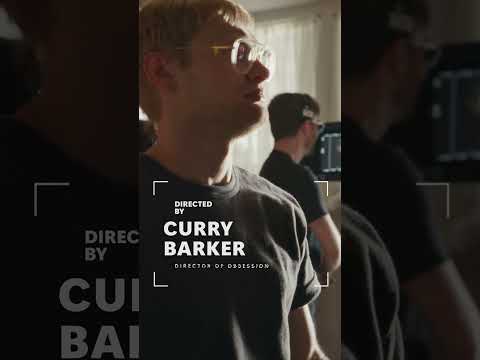
Windows powers Curry Barker’s horror short Mama Bear
Windows supports Curry Barker’s psychological-horror short, a creator-led film rather than a showcase for a specific Windows feature.
Key insights
- Mama Bear is a creator-led psychological-horror short associated with Microsoft Windows.
- Research notes describe Windows as supporting the production and visual-effects workflow.
- The available material does not identify a specific Windows device, app, or operating-system feature.
- No technical workflow details, system requirements, or product availability are provided.
Windows is associated with Curry Barker’s Mama Bear, a psychological-horror short, as a production partner rather than as a named software feature. The collaboration is relevant to Windows users curious about creative projects, but the available material does not identify a particular app or device to use. Windows is the source of a YouTube Short promoting the project, though the supplied transcript contains no spoken or demonstrated details.
What it does
The project pairs a creator-led horror story with a Microsoft Windows partnership. Background notes describe Windows as supporting the production and visual-effects workflow, while Barker provides the film’s concept and creative direction. The notes characterize the result as entertainment-first, not a conventional Windows product demonstration.
The story centers on Floyd, a troubling phone call, and a warning involving Lacey, followed by a surreal encounter with a doppelgänger. These plot details provide context for the film but do not explain how Windows technology was used on set or in post-production. The notes also mention visual-effects contributions from Corridor Crew, without specifying the tools or exact work involved.
Who it is for and what you need
Viewers interested in independent filmmaking or Windows’ role in a creative collaboration may find the project relevant. It is not presented as a tutorial, feature announcement, or technical guide for Windows users. The material does not state any Windows edition, app, hardware specification, license, or other prerequisite.
It also does not provide a rollout or preview status: this is described as a film partnership, not a software release. The supplied sources do not establish any regional restrictions or access requirements. The background notes characterize the film as available on YouTube, but the supplied Short transcript itself does not confirm viewing details.
How it works
The available information describes the partnership at a high level, not as a replicable production recipe. It says Windows supported production and visual-effects work, but does not name the devices, software, or workflow stages involved. That means readers cannot use this material to reproduce the film’s effects or compare specific Windows tools.
There are no settings to enable, menus to navigate, or steps to follow. The practical takeaway is limited: Windows is connected to the production, but the supplied information does not show how that support translated into a technical process. Treat the collaboration as a creative project, not evidence of a newly released Windows capability.
Limitations and open questions
The exact Windows products used, the nature of Microsoft’s production support, and the contribution of particular tools remain unspecified. No system requirements, licensing details, or independently verifiable technical results are included. The short’s supplied transcript is empty, so it cannot substantiate additional on-screen claims.
The background notes also do not confirm a sequel or a connection to Barker’s earlier film Obsession. Readers looking for product guidance should wait for a source that names the Windows hardware or software involved. The available material supports only the narrower conclusion that Windows partnered on the film.
Sources
Frequently asked questions
What Windows feature does Mama Bear demonstrate?
The supplied material does not identify a Windows feature. It describes a creative partnership and production support, not a product demonstration.
What Windows software or hardware was used to make Mama Bear?
The available information does not name any specific device, app, or Windows edition.
Is Mama Bear a Windows tutorial?
No. It is described as a psychological-horror short, and the supplied material does not provide technical instructions.