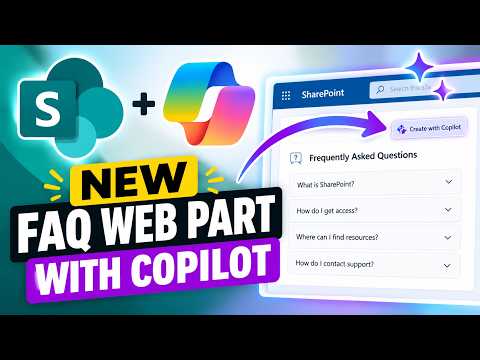
SharePoint FAQ web part: create FAQs with Copilot
Lead Consultant at Quisitive
SharePoint page authors can use Copilot to draft FAQ categories, questions and answers from a document, then review and publish them.
Key insights
- Copilot can use a selected document to draft FAQ categories, questions and answers in the web part.
- Authors can revise the draft through Copilot chat or edit the FAQ text directly.
- The FAQ web part can also be edited manually without a Copilot license, according to the demonstration.
- Visitors can submit questions when the author enables the Submit Question field.
- The demonstrated submitted-question picker did not appear; its behavior was not verified in that test.
SharePoint’s FAQ web part can use Copilot to turn information in a document into draft FAQ categories, questions and answers, reducing the amount of content authors must enter by hand. This matters to SharePoint page owners and editors who publish internal guidance, product information or other frequently requested answers. Steve Corey demonstrates the web part’s Copilot-assisted and manual editing experiences in a YouTube video.
What it does
The FAQ web part puts grouped questions and answers on a SharePoint page. In the demonstrated workflow, an author adds the web part while editing a page, selects a source document through Copilot chat, and asks Copilot to populate the FAQ from that document. Copilot then proposes categories and corresponding questions and answers, which the author can refine before publishing.
This is a drafting workflow, not an automatic publishing step. Corey stresses that the author must check the generated information for accuracy and relevance. The demonstration also shows that the result can be adjusted in two ways: by continuing the conversation with Copilot or by editing the text directly in the web part.
For authors who previously typed each entry individually or used a separate SharePoint list or custom web part, the built-in FAQ offers a way to structure the content on the page itself. The video does not compare all possible approaches, but it shows the author changing a category name and describes manual entry as an option.
Who it is for and what you need
The feature is relevant to people who create and maintain SharePoint pages containing repeated questions and answers. Examples in the demonstration include information about a product and an HR announcement. A current document with useful source information is needed for the Copilot-assisted example; the author selects the document from the Copilot conversation.
According to the demonstration, Copilot assistance is available to the account using a Copilot license, while a user without one can still edit the FAQ manually. Corey’s non-Copilot account can add questions, delete them, reorder questions, move them between categories and reorder whole sections. Visitors do not need a Copilot license to read the published FAQ, as the video describes the published content as static text.
The supplied materials do not establish a general rollout stage, geographic availability, specific licensing terms beyond this demonstrated distinction, or any prerequisite configuration. Microsoft’s linked documentation is included below, but the available material does not provide enough detail to make broader availability claims.
How it works
- Edit a SharePoint page and add the FAQ web part. In the demonstration, the author first adds a one-column section and then inserts FAQ.
- Select the FAQ web part and open Copilot from its editing experience. Ask Copilot to populate the FAQ from a document, selecting that document in the prompt.
- Review the generated categories, questions and answers. Rename or revise entries through the Copilot conversation, or edit the text directly in the web part.
- Publish the page when the content is ready. The demonstration publishes the FAQ before checking how a reader can submit an unanswered question.
- To collect questions from visitors, enable the “Submit Question” field in the web part’s properties. When editing, authors can use “Add a question” to add entries and, where available, select a submitted question to answer.
Without Copilot, the author can still edit the same web part manually. The demonstrated controls include adding or deleting questions, changing their order, moving questions between categories and moving categories. This makes the manual path useful for maintenance or for authors who do not have Copilot access.
Submitted questions are intended to help authors identify gaps in an FAQ. Corey demonstrates sending a question from the published page, then returning to edit mode and checking the “Add a question” flow for a list of submissions. In that test, the expected dropdown did not appear. The video therefore identifies where the author should look, but does not verify that the submission-to-picker path was working in that environment.
Limitations and open questions
Generated content needs human review. A document can include details that should not be copied into a broadly visible page, and Copilot’s draft may still need correction. Corey specifically warns that information from a sensitive source could be copied into the FAQ if protections are not in place; the author should assess the source and the intended audience before publishing.
The video does not establish how the feature handles every file type, how many documents can be selected, or what exact licensing and rollout rules apply across tenants. It also does not confirm when submitted questions become available to authors. In Corey’s test, the question picker did not work as expected, and he suggests phased rollout as a possibility rather than confirming a cause.
For teams evaluating the feature, the practical distinction is clear: Copilot can help draft an FAQ from a document, but manual editing remains available in the demonstrated non-Copilot account. Treat the generated FAQ as a draft, verify each answer against authoritative material, and check the submission workflow in your own environment before relying on it for feedback collection.
Sources
- Microsoft Support: Use a FAQ web part in SharePoint
- Steve Corey’s SharePoint FAQ web part demonstration
Frequently asked questions
Can I edit the SharePoint FAQ web part without a Copilot license?
The demonstration shows a non-Copilot account adding, deleting and reordering questions and moving them between categories. The materials do not establish broader licensing terms.
How do I create FAQ questions from a document in SharePoint?
Add the FAQ web part, select it, open Copilot, and prompt it to populate the FAQ using a selected document. Review and edit the proposed content before publishing.
Can visitors submit questions to a SharePoint FAQ?
The author can enable the “Submit Question” field in the web part properties. In the demonstration, the author could not verify that a submitted question appeared in the editor’s question picker.
Do readers need a Copilot license to view a published SharePoint FAQ?
The demonstration says readers can view the published FAQ without a Copilot license. It does not provide broader licensing or availability details.