- All of Microsoft
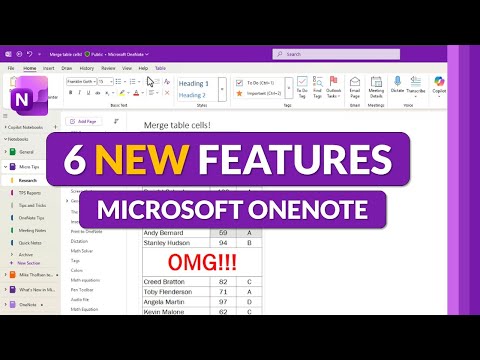
OneNote: 6 Must-Know Fall 2025 Features
Principal Group Product Manager - Microsoft Education
Microsoft OneNote updates: merge table cells, paste as text, better margins, hide Copilot, Class Notebook toolbar
Key insights
- Merge Table Cells
OneNote now lets you select and merge table cells on Windows and Mac, making table edits faster and cleaner. This saves time when reorganizing notes or combining rows and columns during reviews. - Paste as Text Shortcut (Ctrl+Shift+V)
A universal paste-as-text shortcut reduces unwanted formatting when you paste content. It works on Windows and has equivalent support for Mac and the web, helping notes stay consistent. - Search Box Updates
The search box is more responsive and clearer, returning results faster and highlighting matches inside pages. Improved search helps you find meeting notes, highlights, and attachments more reliably. - Margins and Mobile Page Creation
Page margin handling now stays consistent across devices, and mobile page creation has improved layout controls. Your pages keep their spacing and look when you switch between phone, tablet, and desktop. - Hide Copilot or Notebook Icons
You can now hide the Copilot and extra notebook icons via File > Options to reduce interface clutter. This option simplifies the view for users who prefer a minimal workspace. - Class Notebook Toolbar Improvements
The Class Notebook toolbar received updates for teachers, making it easier to distribute pages, manage student sections, and access class tools. These changes speed up lesson prep and classroom workflows.
Mike Tholfsen’s recent YouTube video walks viewers through the latest OneNote updates for Fall 2025, and our newsroom reviewed his summary to present the changes objectively. The video highlights a set of updates that mix new inking tools, improved meeting and collaboration features, and small but useful interface tweaks that aim to speed daily workflows. Many of the changes are currently available through the Microsoft 365 Insider channel, so availability varies by user and region.
Inking and handwriting advances
First, OneNote adds richer pen options designed to feel more like real writing instruments. The new Fountain and Brush Pen Tools expand expression with variable thickness and texture, while the Ink Eyedropper makes it fast to reuse colors from anywhere in a note. Additionally, the AI-driven Handwriting Straightening tidies up messy strokes automatically, which can improve readability without manual edits.
These upgrades significantly help creatives and students who rely on handwritten notes, but they also bring tradeoffs. For example, more sophisticated inking features can increase memory and battery use on older devices, and they require designers to balance realism against performance. Moreover, achieving identical behavior across Windows, Mac, web, and mobile remains a challenge, so users may see slightly different results depending on device and update timing.
Meeting details and collaboration
OneNote’s meeting integration receives a notable boost by pulling richer meeting data from Outlook and Teams, including agendas, attendee lists, and transcripts when available. Combined with enhanced support for embedded Loop Components, notes can act as a shared, live canvas that updates across Microsoft 365 apps in real time. Educators will also welcome improvements to the Class Notebook toolbar, which streamlines lesson planning and grading tasks during live sessions.
However, integrating meeting content raises practical and policy questions. Privacy and consent are important when OneNote imports recordings or transcripts, so organizations must set clear policies about what is stored and shared. Furthermore, real-time collaboration depends on robust connectivity and sync architecture, which can be uneven in mixed environments or when users operate across multiple tenants.
Productivity and interface tweaks
Alongside larger feature work, the release includes smaller but high-impact updates such as Merge Table Cells, a convenient CTRL-SHIFT-V shortcut to paste text-only, search box enhancements, and better handling of page Margins across devices. Users can also hide the Copilot or Notebook icons through File | Options, which reduces visual clutter for those who prefer a minimalist interface. These refinements aim to make common tasks faster while keeping the OneNote workspace cleaner by default.
Still, there are tradeoffs in discoverability and habit change. Keyboard shortcuts like CTRL-SHIFT-V boost speed for power users, yet casual users may miss new options unless prompted by in-app tips. Similarly, giving users the option to hide icons increases personalization but can lead to confusion when features are turned off by mistake. In short, Microsoft must balance simplicity, customization, and discoverability to satisfy diverse user groups.
Rollout, Insider previews and IT considerations
Many of the updates are rolling out through the Microsoft 365 Insider program before wider distribution. Consequently, early adopters can test features sooner, while broader audiences will wait for staged releases that include additional polish and fixes. IT administrators should monitor change logs and update policies before enabling new features across enterprise tenants to avoid unexpected disruptions.
This staged approach helps Microsoft gather feedback and reduce wide-scale issues, but it also fragments user experiences. Some teams will run newer builds while others remain on older, more stable versions, so documentation and support teams must account for multiple feature sets. Administrators should weigh the benefits of early access against potential support overhead and the need for internal training.
Practical takeaways and final assessment
Overall, the Fall 2025 OneNote updates deliver a blend of creative tools, collaboration improvements, and productivity refinements that make the app more capable for both classroom and professional use. For users who rely on handwriting and inking, the new pen options and automatic cleanup offer clear benefits, while meeting integration and Loop support strengthen OneNote’s role as a collaborative hub.
Nevertheless, users and IT teams must weigh performance, privacy, and consistency when adopting these features. We recommend trying new capabilities in the Insider channel if you want early access, while larger organizations should pilot updates with a small group first. In conclusion, Mike Tholfsen’s video provides a practical tour of these changes, and the updates collectively move OneNote toward a more connected and expressive note-taking experience.
Keywords
OneNote Fall 2025 features, Microsoft OneNote update 2025, OneNote new features Fall 2025, OneNote AI features 2025, OneNote collaboration update 2025, OneNote handwriting improvements 2025, OneNote templates organization 2025, OneNote sync performance fixes 2025