- All of Microsoft
Copilot Cowork Pricing: Real-World Costs
Microsoft 365 atWork; Senior Digital Advisor at Predica Group
Copilot Cowork cost guide: Copilot Credits billing and cost controls in Microsoft Three Sixty Five admin center
Key insights
- Copilot Cowork went generally available on June 16, 2026 and adds agentic AI that plans, executes and delivers multi-step work across your Microsoft 365 tenant.
It moves beyond suggestion to run longer, multi-tool workflows that touch mail, calendar, files and apps. - Copilot Credits power Cowork usage and are billed on top of a Microsoft 365 Copilot license at about $0.01 per credit on Pay-As-You-Go and roughly $0.008 per credit on the prepaid P3 plan.
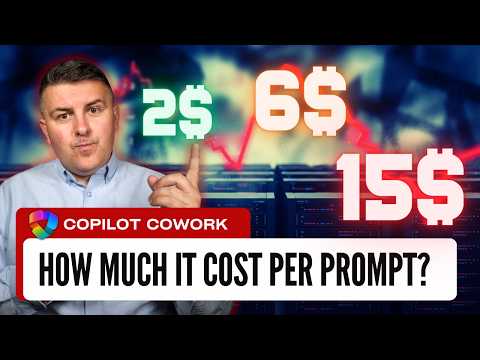
That two-layer model means you keep your base Copilot subscription and pay separately for consumed credits. - Task cost examples give directional pricing: a light task ~125 credits (~$1), a medium task ~500 credits (~$5) and a heavy task ~2,500 credits (~$25).
Use these examples to estimate typical runs but expect variation by workload. - Cost drivers include the AI model chosen, how much context is retrieved, the number of tool calls, and total runtime.
Each run’s credit use reflects all four factors, so prompt design and scope control directly affect cost. - Admin controls let you limit spend and manage access in the Microsoft 365 admin center and Azure billing before the Frontier grace period ends (July 1, 2026).
Run pilots, set quotas and apply policies to avoid surprise bills — early adopters have already burned large budgets. - Budget planning matters: prepaid P3 offers ~20% savings for predictable volume, while PayGo fits learning and small pilots.
Example impacts ranged from a 75-person org estimating ~$17,288/month to an individual case of 80,000 credits costing ~$795/month, later reduced by better prompting and limits.
Szymon Bochniak (365 atWork) recently published a YouTube walkthrough explaining the newly released Copilot Cowork and how its consumption billing works in practical settings. In his video, he outlines the agent-style capabilities of the feature, shows example task runs, and highlights administrative steps organizations must take before a near-term grace period ends. Consequently, IT and finance teams need to understand both the technical change and the financial implications before they enable the feature broadly.
Overview of Copilot Cowork
Copilot Cowork represents a step beyond standard assistant features because it plans and executes multi-step work across a Microsoft 365 tenant rather than only offering suggestions. The system connects to your emails, calendars, files and other tenant data to retrieve context and run workflows that can involve multiple tool calls. Importantly, the capability is agentic: it can orchestrate a task end to end, which can save time but also consumes resources in ways that simpler chat prompts do not.
Pricing and the Credit Economy
Bochniak explains that Copilot Credits now bill on top of an existing Microsoft 365 Copilot license, creating a two-layer cost model. Credits are charged at about $0.01 each on a pay-as-you-go basis (PayGo) or at a lower rate with a prepaid annual pack such as P3, which reduces the per-credit price by roughly 20 percent. Thus, organizations face both a fixed licensing cost and a variable usage cost, and they must balance predictability against flexibility when choosing between PayGo and prepaid options.
The video walks through how a single task’s cost depends on four main factors: the model invoked, the volume of context retrieved, the number of tool calls, and the total runtime. For example, Bochniak groups tasks into light, medium and heavy categories with directional cost examples roughly around $1, $5 and $25 per run respectively. While these are estimates, they help teams model expected spend and decide whether to optimize prompts or restrict certain task types.
Real-Life Examples and Budget Impact
To make the economics concrete, Bochniak uses real-life scenarios where organizations burned high AI budgets quickly when they did not apply controls. He cites examples of teams that consumed tens of thousands of credits over a short period, and he notes a sample budget recommendation for a small professional firm that reached into the tens of thousands of dollars per month. Consequently, the video stresses that adopting Cowork without governance can lead to surprising invoice spikes.
At the same time, Bochniak demonstrates how improving prompting and reducing unnecessary tool calls materially cuts consumption. One shared example shows a user trimming monthly spend by refining their prompts and limiting repetitive high-cost runs. Therefore, while Cowork brings productivity gains, it also rewards careful usage design and ongoing monitoring to keep costs reasonable.
Managing Costs and Administrative Controls
Administrators must configure credit billing in the Microsoft 365 Admin center and can set policies to limit exposure before the Frontier grace period ends. Bochniak walks viewers through practical controls such as usage caps, monitoring dashboards and role-based permissions that restrict who can run agent tasks. These controls let organizations experiment with Cowork in a controlled pilot phase before wider rollout.
Moreover, the video highlights that prepaid packs offer discounts for predictable demand, while PayGo suits organizations that prefer to learn consumption patterns first. However, choosing prepaid requires committing to a volume forecast, which itself is a forecasting challenge and can create a tradeoff between savings and flexibility. Hence, teams should weigh forecast accuracy against potential savings before committing.
Tradeoffs and Technical Challenges
Bochniak notes tradeoffs that organizations must balance: higher model usage yields more capable outputs but increases credit burn, while tighter limits reduce surprise costs but may frustrate users. Another challenge is accurate measurement, because online tooling, long runtimes and multiple retrievals can make credit accounting non-intuitive. As a result, IT leaders must coordinate with finance and power users to set practical thresholds and reporting.
Finally, the video emphasizes that governance, user training and prompt engineering are central to success with Copilot Cowork. Teams that invest in controls and education can capture the productivity benefits while avoiding runaway costs, but they must accept that this approach requires ongoing oversight. Ultimately, Bochniak’s walkthrough offers a clear, pragmatic guide for organizations to evaluate the new capability and prepare policies and budgets before they enable it at scale.

Keywords
How much does Copilot Cowork cost, Copilot Cowork pricing 2026, Copilot Cowork subscription cost per user, real-life Copilot Cowork pricing examples, Copilot for Cowork cost comparison, Copilot Cowork enterprise pricing guide, Copilot Cowork total cost of ownership, Copilot Cowork pricing case studies