- All of Microsoft
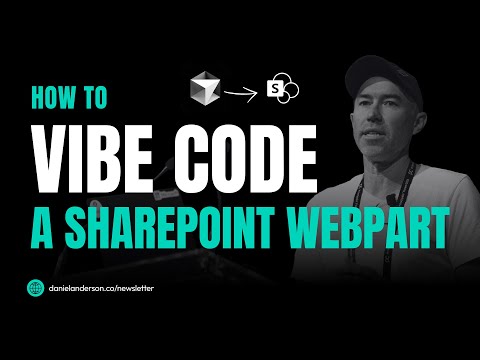
SharePoint AI Builds My Web Part Live – See How It Worked
A Microsoft MVP 𝗁𝖾𝗅𝗉𝗂𝗇𝗀 develop careers, scale and 𝗀𝗋𝗈𝗐 businesses 𝖻𝗒 𝖾𝗆𝗉𝗈𝗐𝖾𝗋𝗂𝗇𝗀 everyone 𝗍𝗈 𝖺𝖼𝗁𝗂𝖾𝗏𝖾 𝗆𝗈𝗋𝖾 𝗐𝗂𝗍𝗁 𝖬𝗂𝖼𝗋𝗈𝗌𝗈𝖿𝗍 𝟥𝟨𝟧
AI builds SharePoint web parts using Cursor, Claude Sonnet. Learn AI-assisted coding, REST API, error fixes, dashboard creation.
Key insights
AI-Powered SharePoint Development: The video demonstrates how AI tools like Cursor and Claude Sonnet can create a complete SharePoint web part through simple natural language conversations, removing the need for traditional coding.
Vibe Coding: Instead of writing code line by line, users describe their desired features in plain language. The AI then generates and deploys the necessary code for web parts, making development faster and more accessible.
Microsoft Copilot Integration: Microsoft Copilot acts as an intelligent assistant within SharePoint. It helps summarize content, rewrite documents, generate ideas, and automate repetitive tasks to boost productivity.
REST API Connection: The process includes integrating SharePoint lists with web parts using the REST API, allowing dynamic data-driven dashboards without manual programming.
Error Troubleshooting with AI: When issues like tenant domain errors arise during development, AI provides instant solutions and fixes, streamlining the workflow for developers.
Advanced Features and Benefits: New capabilities such as FAQ Web Parts, AI-Based Section Creation, smart content classification, predictive file suggestions, autofill, and translation services make SharePoint more collaborative and efficient for hybrid teams.
Introduction: AI Revolutionizes SharePoint Web Part Development
In a recent YouTube video by Daniel Anderson [MVP], viewers witnessed a groundbreaking approach to SharePoint development. The video, titled “This AI Wrote My Entire SharePoint Web Part While I Watched,” showcases the power of artificial intelligence in transforming how web parts are created and deployed. Instead of the traditional, labor-intensive process of writing code line by line, Anderson demonstrates how natural language interaction with AI tools can generate fully functional SharePoint web parts in real time.
This innovative workflow leverages platforms like Cursor and Claude Sonnet, allowing developers to simply describe their requirements and see the code materialize. As organizations increasingly seek efficiency and agility, such AI-driven solutions are gaining traction, promising to reshape modern development practices.
Setting Up AI-Powered SharePoint Development
The video begins by guiding viewers through the setup process for SharePoint development using Cursor, a platform designed to integrate seamlessly with AI coding assistants. Anderson explains how, with minimal configuration, developers can prepare their environment to take advantage of AI capabilities. He details the steps required to connect Cursor to a SharePoint tenant and highlights how even initial setup challenges—such as tenant domain errors—can be swiftly resolved with AI’s guidance.
By streamlining the setup phase, these tools lower the technical barriers for both new and experienced developers. However, while this approach can significantly reduce onboarding time, it also presents a tradeoff: developers must trust that the AI’s suggestions align with best practices and security standards. Balancing speed with oversight is a recurring theme throughout the demonstration.
Natural Language Coding and Error Resolution
A core highlight of Anderson’s video is the concept of “vibe coding”—using conversational prompts to instruct the AI on what to build. For example, Anderson asks the AI to create a basic “Hello World” web part and then iteratively expands its functionality through simple language instructions. Each request is interpreted and converted into code by the AI, removing the need for manual syntax and boilerplate.
When errors or unexpected behavior arise, the AI also assists in troubleshooting. Anderson demonstrates how describing the problem in plain English allows the AI to diagnose and suggest fixes, turning debugging into a collaborative, rapid process. While this can greatly boost productivity, it raises questions about the depth of understanding required from developers. Relying heavily on AI might obscure the underlying logic, making it essential to maintain a balance between automation and foundational knowledge.
Building Data-Driven Dashboards and List Integrations
The video progresses to more complex scenarios, such as constructing a data-driven dashboard web part and integrating with SharePoint lists via REST API. Anderson showcases how the AI handles intricate requirements, from fetching and displaying list data to configuring dynamic dashboards—all through conversational input. This dramatically accelerates the prototyping and deployment of custom solutions, empowering teams to respond quickly to evolving business needs.
Nevertheless, with increased automation comes the challenge of ensuring data accuracy, security, and maintainability. Developers must review AI-generated code carefully, as subtle mistakes or security oversights could be introduced. This underscores the importance of combining AI’s efficiency with human oversight and domain expertise.
Deployment and the Future of SharePoint Customization
In the final segment, Anderson deploys the completed web part, highlighting the seamless transition from idea to implementation. The entire process, from setup to deployment, is completed in a fraction of the time required by traditional development methods. This illustrates the transformative potential of AI-assisted workflows in enterprise environments.
Looking ahead, the integration of AI into SharePoint development is poised to lower entry barriers, foster innovation, and enable organizations to customize their digital workplaces rapidly. However, the need to balance speed, quality, and security remains paramount. As AI becomes an integral part of development, ongoing education and vigilance will be critical to harnessing its benefits while mitigating risks.
Conclusion: Embracing AI for Agile SharePoint Solutions
Daniel Anderson’s demonstration offers a compelling glimpse into the future of SharePoint development. By blending natural language interaction with advanced AI tools, teams can achieve unprecedented levels of efficiency and creativity. As organizations continue to navigate the complexities of hybrid work, adopting such technologies could provide a vital edge—provided they remain mindful of the inherent tradeoffs and challenges along the way.
Keywords
AI SharePoint web part AI-generated SharePoint web part SharePoint development automation AI coding SharePoint custom web parts AI programming tools Microsoft SharePoint AI integration