Pro User
Timespan
explore our new search
Excel
Sep 13, 2026 6:19 PM
Excel: Create Interactive Dashboards
by HubSite 365 about Kenji Farré (Kenji Explains) [MVP]
Co-Founder at Career Principles | Microsoft MVP
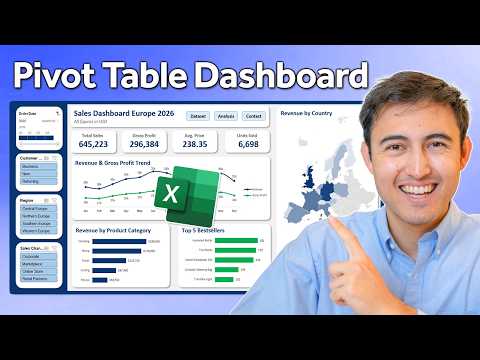
Build an interactive Excel sales dashboard with Pivot Tables, slicers, timeline and maps plus Power BI tips
Key insights
- Excel Table: Convert raw data into a table so new rows expand automatically and formulas and PivotTables update reliably.
Tables simplify data cleanup and make future refreshes smoother. - PivotTable: Create multiple PivotTables to calculate key metrics like revenue, gross profit, average revenue, and units sold by region, product, and channel.
Use PivotTables as the calculation backbone for all dashboard KPIs. - PivotCharts: Turn PivotTables into visual reports—monthly trend lines, a regional sales heatmap, category breakdowns, and top-five product charts—to highlight patterns and winners.
Keep visuals clear, labeled, and focused on one insight each. - Slicers and Timeline: Add slicers for customer type, region, and sales channel plus a timeline for dates to enable interactive filtering across the dashboard.
Link these controls to every related PivotTable using Report Connections so one filter updates all charts and KPIs. - Refresh: Use a one-click refresh after adding new data so all PivotTables and charts update automatically; test by inserting sample rows and refreshing.
Prepare the dashboard sheet for easy sharing or export once refresh behavior works reliably. - Design & Navigation: Place KPIs, charts, and filters on a single polished dashboard sheet and add navigation buttons to jump to the dataset or analysis sheets.
Prioritize clean layout, consistent formatting, and intuitive filters to help users find insights fast.

Keywords
interactive Excel dashboard, Excel dashboard tutorial, build Excel dashboard from scratch, Excel dashboard for beginners, dynamic Excel dashboard, Excel data visualization tutorial, step-by-step Excel dashboard, create interactive dashboard in Excel