- All of Microsoft
Microsoft Agents: Automate Your Workflow
Software Development Redmond, Washington
Expert Microsoft Agents webinar recap on governance compliance and cost controls for scaling AI agents, deck on LinkedIn
Key insights
- Microsoft Agents recap: this webinar video reviews how intelligent, specialist agents extend Microsoft 365 Copilot by working together to automate business workflows.
It shows the shift from a single assistant to a network of collaborating agents that handle multi-step tasks across apps. - Key advantages: agents deliver targeted automation for specific processes, reduce manual steps, and increase accuracy.
They enable teams to delegate tasks, speed approvals, and chain actions across Outlook, Word, CRM, and other services. - Copilot vs Agents and Copilot Studio: Copilot acts as a personal generalist, while agents are specialists built for end-to-end processes.
Copilot Studio provides the tools to create, manage, and orchestrate these agents with visual flows and deployment controls. - Governance and cost controls: implement policies for data access, approvals, and role-based permissions to keep agents compliant and secure.
Use usage-based pricing and quotas, telemetry and cost monitoring to prevent runaway spend and to optimize agent usage. - Technical capabilities: agents support deep reasoning and multi-agent orchestration to make complex decisions and pass work between services.
They integrate with core platforms (AI Agents Service and Microsoft Fabric) to share data and complete cross-application workflows reliably. - Adoption best practices: start with small pilots, use Scenario Libraries and Adoption Sites for templates, and involve security and IT early.
Measure outcomes, iterate on agent flows, and scale gradually while monitoring performance and cost.
Byline
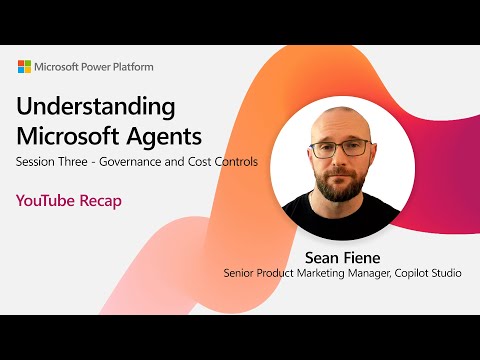
The following is a newsroom recap of a YouTube video published by Microsoft titled "Understanding Microsoft Agents | EP03," which summarizes a webinar held on 3 September 2025. The session featured Sean Fiene, Kenric Auguillard, Zohar Raz, and Samer Baroudi and focused on governance and cost controls for AI-driven agents in the Microsoft 365 Copilot ecosystem. Accordingly, this article synthesizes the video content and places it in context for IT leaders and decision makers.
Overview of the YouTube Recap
The video outlines how Microsoft Agents extend the traditional role of the individual Copilot by introducing specialized, collaborative assistants that automate distinct business workflows. Moreover, the presenters describe a shift from one generalist AI to a network of agents that communicate and coordinate, enabling end-to-end processes across tools such as email, documents, and Dynamics CRM. Importantly, the session also emphasized governance and cost management as central themes for any organization planning to deploy agents at scale.
In addition, the video previews the contemporary tooling that supports this model, including the private-preview availability of Copilot Studio and the new concept of multi-agent orchestration announced at Microsoft Build 2025. The presenters demonstrated how agents can pass tasks among themselves, reason over complex steps, and produce outputs that feed directly into line-of-business systems. They also noted supporting resources such as adoption sites and scenario libraries aimed at accelerating enterprise uptake.
Core Technology and Capabilities
The presenters explained that while Copilot remains a powerful personal assistant tied to an individual's content and context, Microsoft Agents are engineered to be specialists for specific workflows. Consequently, these agents can be designed to extract sales insights, draft proposals, schedule follow-ups, or integrate data into business applications in a coordinated fashion. This specialization enables higher precision and efficiency for repeatable tasks where context and rules matter.
Furthermore, the description of agent capabilities included improved reasoning, agent-to-agent communication, and "agent flows" inside Copilot Studio, which let designers model interconnected steps. As a result, complex cross-application processes become manageable because agents can orchestrate actions across Outlook, Word, and other services. At the same time, the video made clear that the platform is evolving, with public previews expanding availability and further technical refinements anticipated.
Governance and Cost Controls
Governance emerged as a primary concern in the webinar, and the presenters recommended layering controls to protect data and manage operator permissions. For instance, teams should define access boundaries, logging practices, and approval gates so agents act within acceptable policies and audit trails remain intact. Consequently, good governance reduces compliance risk while enabling automation to scale responsibly across departments.
On the cost front, the video introduced a usage-based pricing model designed to align costs with real-world agent activity, thereby encouraging experimentation while controlling spend. However, the presenters also acknowledged tradeoffs: usage-based pricing can make predictability harder for budget teams, while flat-rate models provide certainty but may discourage efficient use. Therefore, organizations need to balance cost transparency with operational flexibility through monitoring, tagging, and chargeback mechanisms.
Practical Benefits and Adoption Support
The webinar highlighted practical advantages such as improved productivity through targeted automation, the ability to model business processes without deep coding, and enhanced cross-application orchestration that reduces manual handoffs. Moreover, Microsoft has published scenario libraries and adoption resources to help teams get started and to shorten the learning curve for nontechnical stakeholders. Thus, enterprises can move faster from pilot to production when they pair technical capabilities with structured change management.
Nevertheless, the presenters advised realistic expectations: early deployments often require iteration to refine prompts, data connectors, and exception handling rules. Consequently, operational teams should allocate time and resources for testing, observation, and user training so agents become reliable parts of daily workflows. By taking a staged rollout approach, organizations can capture value while limiting disruption.
Tradeoffs, Challenges, and Next Steps
Balancing automation with human oversight is perhaps the most recurrent challenge discussed in the video, because aggressive automation improves efficiency but can reduce human visibility into edge cases. Additionally, multi-agent systems introduce debugging complexity since failures can propagate across agent boundaries, and tracing root causes requires integrated observability tools. Therefore, leaders must weigh the benefits of broader automation against the additional operational discipline needed.
Finally, the presenters pointed to ongoing work to improve tooling, pricing models, and enterprise-ready governance features, suggesting a clear roadmap for maturing agent deployments. In short, Microsoft Agents offer compelling new ways to automate business processes, but they demand careful planning around governance, cost predictability, and operational readiness. As adoption grows, organizations that pair technical pilots with strong oversight will likely realize the greatest long-term value.

Keywords
Microsoft Agents tutorial, Microsoft AI agents explained, How Microsoft agents work, Azure autonomous agents, Building agents with Microsoft Copilot, Microsoft agent framework, Conversational agents Microsoft, Understanding Microsoft Agents EP03