- All of Microsoft
Microsoft AI: September 2026 Highlights
Principal Cloud Solutions Architect
Microsoft AI update: Copilot and Foundry in Azure enable secure agent workflows with Fabric, Teams and OneDrive
Key insights
- September 2026 update: Microsoft focused on a major Copilot redesign plus staged Windows AI component updates for supported Windows 11 builds, delivered through Windows Update.
- Copilot structure: The new Copilot centers on three areas — Home for conversational work, Code for prompt-driven app building, and Autopilot for persistent agents that keep working after you sign off.
- Autopilot and agents: Autopilot runs longer tasks, coordinates workflows, and ties into admin controls and cost limits so enterprises can manage agent behavior and spending.
- Code and Home features: Code helps users create apps, dashboards, or scripts from prompts without deep coding, while Home unifies chat, collaboration, and quick access to Copilot tools.
- Windows AI components: Microsoft updated components like Image Search, Content Extraction, and Semantic Analysis on multiple September dates; these apply mainly to AI-capable or Copilot+ PCs and appear in Update history in Settings.
- Enterprise and developer tools: The release expands Foundry, agent controls, Copilot Managed Runtime, model routing, and integrations (Teams, GitHub, M365) to support app publishing, sandboxing, and managed permissions for production use.
Overview
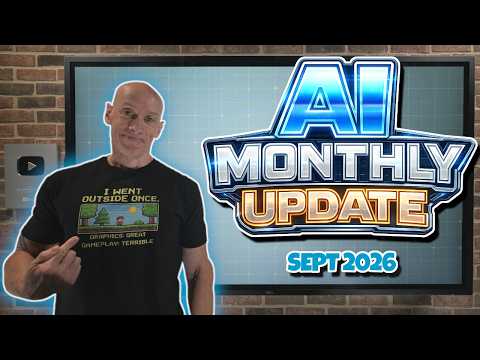
John Savill's [MVP] released a detailed YouTube update that summarizes Microsoft’s major AI changes for September 2026. The video walks through a broad set of topics, from a redesigned Copilot to Windows AI component updates and developer tooling in Foundry. Viewers get a chaptered roadmap that highlights model updates, agent features, and enterprise controls. Therefore, the clip serves as a concise briefing for IT teams tracking Microsoft’s AI roadmap.
Importantly, the presentation combines product announcements with practical notes on deployment and monitoring. For example, Savill points to specific component version changes and explains where administrators can verify installs. Moreover, he lists new models and integrations that are relevant to cloud and edge deployments. Consequently, the video blends high-level direction with actionable detail for technical audiences.
Copilot redesign: Home, Code, and Autopilot
The central headline is Microsoft’s redesigned Copilot, organized into three core areas: Home, Code, and Autopilot. Home aims to centralize conversation and productivity workflows, while Code offers prompt-driven app and dashboard building. Meanwhile, Autopilot introduces persistent agents that can continue tasks after users step away, which points toward more autonomous workplace automation.
While these changes aim to unify chat, app creation, and long-running tasks, they introduce tradeoffs. For instance, greater autonomy through Autopilot improves efficiency but raises governance and monitoring needs. Likewise, the low-code promise of Code speeds development but may require careful integration testing to avoid hidden performance or security gaps. Therefore, organizations will need to balance productivity gains against control and compliance requirements.
Windows AI component updates
Microsoft also pushed several AI component updates for Windows 11 in September 2026, with published builds covering multiple channels and editions. The updates include refreshed modules for image search, content extraction, semantic analysis, and other AI models that power the OS and Copilot-related features. Administrators can see the new versions in the Windows Update history on capable devices, especially those marketed as Copilot+ PCs.
However, these rolling updates create operational choices for IT teams. On one hand, staying current ensures access to the latest model improvements and security fixes. On the other hand, frequent component changes may increase validation work across diverse hardware and imaging pipelines. Thus, teams must weigh the benefits of faster feature access against the cost of more frequent testing and compatibility checks.
Foundry, agents, and Developer tooling
Savill’s video places heavy emphasis on developer and agent features in Foundry, including a Foundry Dev Pack, agent publish paths to M365 Copilot and Teams, and hosted agent network egress controls. In addition, updates cover model routing, voice agents, managed runtimes, and feature-level items such as GitHub Copilot HydraFusion and VS Code agent merging. The scope indicates Microsoft is building an integrated stack for agents, developer workflows, and enterprise-ready runtime hosting.
Yet, these advances present their own challenges. For example, interconnecting agents with enterprise data sources requires strict permission mapping and careful network egress policies to avoid data leakage. Moreover, developers must manage cost versus quality when autoscaling models, since the video highlights cost and quality tiers and budget increase request flows. Consequently, teams should plan both technical architecture and financial governance when adopting these tools.
Enterprise controls, governance, and cost tradeoffs
The update underscores Microsoft’s push to pair new capabilities with enterprise controls such as agent permissions, hosted runtime options, and budget management. For instance, the video addresses enterprise-managed permissions for agent operations and sandboxing for experimental work. These controls make it easier to deploy agents safely, yet they also add administrative overhead that requires centralized policies and training.
Furthermore, the balance between autonomy and governance emerges as a core tension. Allowing agents to act independently boosts productivity but forces organizations to build monitoring, auditing, and rollback mechanisms. At the same time, tighter governance reduces risks but can slow adoption and innovation. Therefore, decision-makers must design governance that preserves agility while minimizing operational and security exposure.
What to watch next
Looking forward, the key signals to monitor include how quickly enterprises adopt the new Copilot layout, how well Windows AI component updates roll out at scale, and how teams manage agent governance in production. Additionally, attention should remain on cost controls, model selection strategies, and integration maturity for services like SQL and PostgreSQL skills highlighted in the video. In short, early adopters will learn a lot about operational tradeoffs that later users can avoid.
In conclusion, John Savill’s update provides a practical guide to Microsoft’s September 2026 AI changes. It captures both the product vision—more integrated, agentic, and work-focused AI—and the operational realities that organizations must manage. Therefore, IT leaders should evaluate these features in pilot environments while planning governance, cost controls, and compatibility testing before broad rollout.
Keywords
Microsoft AI Update September 2026, Microsoft Copilot September 2026, Azure AI services September 2026, Microsoft 365 AI September 2026, Bing AI update September 2026, Microsoft generative AI news 2026, Azure OpenAI September 2026, Microsoft AI roadmap September 2026