- All of Microsoft
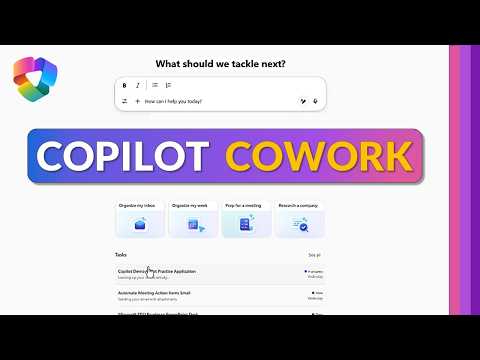
Copilot Cowork: 5 Ways to Automate Work
Principal Group Product Manager - Microsoft Education
Microsoft three sixty-five Copilot Cowork automates docs and meetings to boost productivity with Copilot Premium
Key insights
- From a recent tutorial on Microsoft 365 Copilot, Copilot Cowork is an AI "coworker" that runs multiple tasks at once across Microsoft 365—creating documents, accessing your calendar, doing research, and automating routine work faster.
- Core capabilities include Contextual Awareness (uses your files, emails, and meeting content), Cross-App Integration (works in Teams, Outlook, Word, Excel, PowerPoint), and Actionable Outputs (summaries, drafts, charts, and action items you can refine).
- For meetings and research, Teams recaps and Meeting prep let Copilot summarize recordings, list decisions, assign tasks, and pull background data like company financials to save prep time.
- Inbox and communication features include Email summarization and quick draft replies that distill long threads, surface unresolved items, and match your tone to speed up responses.
- Content creation workflows show Copilot building first drafts, roadmaps, presentations, and spreadsheets—plus support for Custom apps and workflows to run scripted scenarios or automate recurring tasks.
- Availability and security: Copilot Premium is required for Cowork and the feature is in the early Frontier adopter phase; it follows enterprise privacy and compliance controls when accessing organizational data.
In a new tutorial video, Mike Tholfsen demonstrates how Microsoft 365 Copilot now includes a feature called Copilot Cowork, which aims to automate common work tasks across Microsoft 365 apps. He walks viewers through five practical use cases, showing how the tool can create documents, access calendars, run research, and coordinate multiple tasks at once. As a result, organizations can test workflows that span Teams, Outlook, Excel, Word, and PowerPoint without switching tools.
What Copilot Cowork Does and How It Fits
Copilot Cowork builds on existing Copilot capabilities by orchestrating multi-step actions across apps and data sources. Consequently, it can kickoff activities like drafting an email, pulling a meeting brief, and compiling related files in a single run. Tholfsen explains that this orchestration requires a Copilot Premium subscription and is currently available to early adopters in the Frontier program, which means access may be limited during the rollout.
At a high level, Copilot Cowork leverages context from documents, calendar items, and chats to produce actionable outputs that users can refine. However, there are tradeoffs: while automation saves time, it also requires careful setup and oversight to avoid errors or misinterpretation. Therefore, teams should balance efficiency gains with human review to ensure quality and accuracy.
Five Use Cases Demonstrated
Tholfsen highlights five concrete scenarios where Copilot Cowork can add value, ranging from research tasks to meeting preparation and custom app workflows. For example, it can pull together company financials for a quick research brief, which helps analysts jumpstart their work with less manual searching. Similarly, the tool can prepare meeting notes and action items so participants arrive ready to act.
Another use case shows how Cowork quickly creates a roadmap, a briefing document, and schedules a meeting in one flow, saving repetitive steps. In addition, Tholfsen demonstrates a custom app scenario that simulates a practice script, illustrating how developers and power users can extend the feature. Finally, the ability to schedule prompts for recurring tasks helps maintain consistency across regular workflows.
Benefits and Practical Tradeoffs
The key benefit of Copilot Cowork is clear: it reduces repetitive work and speeds up routine processes, which frees professionals to focus on higher-value decisions. Moreover, integration across apps reduces context switching, improving productivity and reducing errors from manual copying and pasting. Yet, organizations must weigh this against subscription costs and the need to manage access controls and data governance.
Security and compliance remain central tradeoffs that Tholfsen addresses: Copilot uses enterprise controls to access data, but administrators must configure permissions carefully. Additionally, automated outputs can occasionally miss nuance or generate incomplete summaries, so teams should plan for human review and clear accountability. In short, automation accelerates work but does not replace domain expertise.
Challenges in Adoption and Mitigation Strategies
Adopting Copilot Cowork brings technical and cultural challenges, including training users and aligning the tool with existing processes. For instance, custom workflows may require IT support to connect apps and data sources, and users may need guidance to write effective prompts. Therefore, pilot programs and role-based training are practical steps to reduce friction and surface unexpected issues early.
Another challenge is balancing automation with accuracy, especially for regulated industries where errors carry higher risk. To mitigate this, organizations should implement approval gates and maintain audit trails for automated outputs. Furthermore, monitoring usage patterns and collecting user feedback will help refine prompts and templates over time.
How Teams Should Move Forward
For teams considering Copilot Cowork, Tholfsen’s video suggests starting small with high-impact workflows like meeting recaps and email summaries, then expanding to more complex scenarios. This phased approach helps prove value quickly while limiting exposure to risk, and it allows teams to gather metrics that justify broader rollout. Additionally, involving compliance and IT early ensures governance keeps pace with innovation.
In conclusion, the video by Mike Tholfsen makes a pragmatic case for experimenting with Copilot Cowork to streamline everyday work across Microsoft 365. While the tool offers clear productivity gains, success depends on careful planning, clear ownership, and ongoing oversight to manage tradeoffs between speed and accuracy. As organizations test early access in the Frontier program, they should document lessons learned to build reliable, secure automation at scale.

Keywords
Microsoft 365 Copilot use cases, Copilot Cowork automation, Automate work with Microsoft Copilot, Copilot for Microsoft 365 productivity, Copilot workflow automation examples, How to use Copilot Cowork, Best Copilot use cases for office automation, Copilot Cowork Teams integration