- All of Microsoft
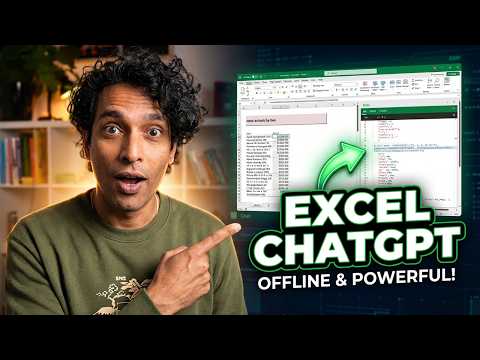
ChatGPT in Excel: Offline AI Formulas
Microsoft Excel expert builds offline ChatGPT with Excel formulas for budget insights using Excel Labs and built in AI
Key insights
- Offline Excel GPT: A YouTube demo shows an offline "ChatGPT" built entirely with Excel formulas to analyze budget data and produce chat-like insights.
The video includes a live demo and chaptered walkthroughs of design and final output. - Excel formulas (LAMBDA, LET, MAP): The build relies on modern Excel functions such as LAMBDA, LET, and array helpers to encapsulate logic and reuse steps without macros.
These functions let the sheet transform inputs, run repeated logic, and return text results inside cells. - Prompt simulation and chaining: The author assembles prompts and parses responses using nested formulas, text functions, and helper ranges to mimic a prompt-response flow.
This creates chained calculations that act like token handling and simple state tracking inside the workbook. - Interactive budget analysis: The result behaves like a chat interface that reads budget tables, summarizes variances, and generates readable recommendations directly from spreadsheet data.
The demo shows practical outputs such as expense summaries and insight sentences without external APIs. - Limitations: The approach hits formula complexity, performance, and scalability limits and cannot match real LLM reasoning or external knowledge updates.
Maintenance is harder as formulas grow, and very large datasets or deep language understanding need true AI models or APIs. - Alternatives (Excel AI, add-ins, APIs): For stronger natural-language answers or larger data, use Excel’s built-in AI features, add-ins, or connect to LLMs via APIs; these offer performance and model updates the formula-only method lacks.
The original video includes a downloadable demo file and pointers to related Excel tools and editors for further learning.
Overview: A surprising ChatGPT-style build inside Excel
In a recent YouTube video, the creator known as Chandoo demonstrates an offline system that mimics a ChatGPT-style conversational assistant using only spreadsheet formulas. The piece frames the project as a practical response to a workplace request to "add AI" to budget data, and it shows how far native spreadsheet logic can be pushed. Consequently, the video draws attention because it avoids external models or cloud calls and relies entirely on formula logic within the sheet.
Furthermore, the video is chaptered so viewers can jump directly to the demo, construction, and detailed formula walkthroughs. For example, the chapters run from the initial motivation at 0:00 to a closer look at formula mechanics around 8:17 and the conclusion after 10:26. This structure helps viewers who want either a quick inspection or a deep technical dive.
Overall, the piece offers a thought-provoking experiment rather than a production-ready replacement for language models, and it raises questions about tradeoffs between local control and feature completeness. Reporters should note that the author shares a demo workbook for hands-on review but does not rely on third-party AI services. As a result, readers can assess the method directly without cloud dependency.
The demo: What the spreadsheet can do
Early in the video, Chandoo demonstrates a user asking natural-language questions about budget data and receiving structured insights back in the sheet. The system accepts a free-text prompt, interprets the intent, and returns analysis such as summaries or flagged anomalies, all appearing to be generated live by formulas. Thus, the viewer can see how conventional spreadsheet functions emulate conditional logic and text assembly.
Importantly, the demo highlights limitations as well as strengths: it handles routine queries and templated outputs well, but it struggles with truly open-ended or creative tasks. For instance, it produces useful summaries and calculated insights quickly, yet it cannot match the fluency and broad knowledge base of a cloud model. Consequently, the practical uses are clear: report generation, templated commentary, and rule-based interpretation.
Also, the creator points out that the workbook includes a dedicated area for testing prompts and a separate area for the underlying formula engine. This separation improves transparency, because users can inspect each step of the logic and edit formulas to adapt them to different datasets. Therefore, the design favors learnability and auditability over black-box convenience.
How the offline GPT is built with formulas
Next, the video moves into the mechanics and reveals how common functions combine to approximate natural-language processing tasks. The author uses nested text functions, lookup logic, pattern matching, and programmatic assembling of answers to transform inputs into human-readable outputs. In addition, he shows how arrays and dynamic ranges help manage variable-length responses and perform repeated operations without macros.
Transitioning into a closer look, the walkthrough highlights an important principle: complex behavior emerges from many small, well-structured formula blocks. Rather than one giant formula, the model uses modular pieces that parse, classify, and format results step by step, which makes debugging easier. This modular approach also creates tradeoffs, since it increases workbook size and can slow recalculation on large datasets.
Finally, the creator demonstrates a deeper formula that aggregates findings and produces a final narrative. Although clever, these constructions demand advanced spreadsheet skills and careful maintenance, because small changes can ripple through dependent formulas. Consequently, the approach is accessible to experienced users but can be fragile for those unfamiliar with advanced functions.
Tradeoffs and technical challenges
While the idea of an offline, formula-driven assistant is appealing for privacy and portability, it carries clear tradeoffs in capability and scalability. For instance, local formulas cannot match the generalization power of pretrained language models, and they often require handcrafted rules to cover edge cases. Thus, organizations must weigh the benefit of keeping data on-device against the diminished flexibility.
Performance is another concern because complex workbooks can trigger slow recalculation, especially with large source tables or many dependent formulas. Moreover, maintainability becomes an issue when formulas grow long and interconnected; therefore, teams should document formula logic and consider splitting workbooks to limit complexity. As a result, the solution fits best for targeted, repeatable tasks rather than broad conversational AI.
There is also a human factor: not everyone can write or debug advanced formulas, so scaling the approach across a team requires training or intermediary tools. Even though the video briefly addresses what happens if users "can't write formulas," the safe conclusion is that adoption requires either upskilling or tooling to hide complexity. Consequently, the practical rollout will depend on available skills and governance policies.
Practical takeaways for analysts and managers
Ultimately, the video serves as both a proof of concept and a learning resource for analysts who want offline alternatives to cloud AI. For managers, the key takeaway is that spreadsheet-native solutions can add value quickly for defined workflows, yet they require careful design to remain reliable. Therefore, pilot projects should focus on small, high-value reports where privacy or offline access matters most.
For hands-on analysts, the workbook example encourages modular design, extensive comments, and version control to reduce risk. Furthermore, combining this approach with existing built-in features of modern spreadsheet software can mitigate some limitations while keeping sensitive data local. In short, the experiment is useful and instructive, but it complements rather than replaces full-featured AI services.
In reporting this story, it is important to emphasize the novelty and the constraints of the approach, and to note that the creator, Chandoo, provides a demo file for readers who want to explore the technique. Consequently, the video offers a clear, hands-on demonstration of how far formulas can go and invites a broader conversation about tradeoffs in on-device intelligence.

Keywords
offline ChatGPT Excel, Excel AI chatbot offline, ChatGPT in Excel formulas, build local ChatGPT with Excel, Excel-only AI chatbot, GPT-like chatbot Excel formulas, create offline AI in Excel, Excel formulas for chatbot