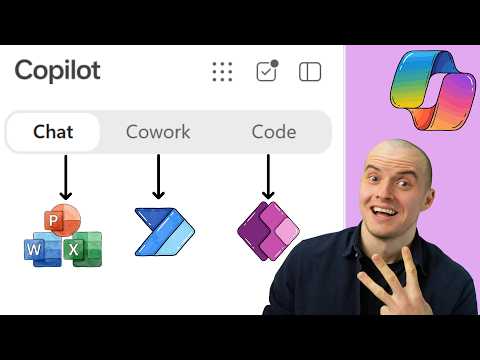
Microsoft Copilot Code builds apps from SharePoint data
Solutions Architect, YouTuber, Team Lead
Sean Astrakhan demonstrates Copilot Code apps and a Cowork task, showing how Microsoft 365 users can turn SharePoint data into small team tools.
Key insights
- Astrakhan demonstrates a LinkedIn character counter and a drag-and-drop Kanban board built with Copilot Code.
- The Kanban board uses SharePoint data and is shared with a team.
- A Cowork scheduled task moves post ideas from OneDrive into a SharePoint list.
- The video description says it covers credit costs and governance in the Microsoft 365 admin center.
Sean Astrakhan of Untethered 365 recently published a demonstration of Microsoft Copilot’s Code and Cowork experiences. The video shows a Cowork scheduled task moving post ideas from OneDrive into a SharePoint list, followed by two apps built with the Code tab. The practical takeaway is that the examples connect everyday Microsoft 365 content to small, purpose-built tools, while leaving important details such as availability and exact costs to be checked in the demonstration.
What's new
The demonstration focuses on Copilot’s Code tab, where Astrakhan builds a LinkedIn character counter and a drag-and-drop Kanban board. A Kanban board is a visual way to organize work into stages, with items represented as cards that can be moved between columns. The video description says the board is built on SharePoint and shared with a team.
The other part of the workflow uses Cowork to set up a scheduled task. That task moves the creator’s best post ideas from OneDrive into a SharePoint list. In this example, Cowork handles a recurring transfer between Microsoft 365 locations, while Code is used to build interfaces for specific tasks.
The description also flags model selection, SharePoint access and app sharing as subjects covered in the video. It says the demonstration includes credit costs and governance in the Microsoft 365 admin center, and mentions a bonus about Word documents in Copilot chat. The supplied description does not provide the actual model choice, credit figures or configuration steps.
Why it matters
For makers and business users, the examples illustrate a path from a request stated in ordinary language to a small app intended for a specific job. A character counter addresses a bounded writing task; the Kanban board organizes work using SharePoint data. These are more concrete scenarios than a general-purpose chat prompt because each produces a tool that can be used again.
For teams, the SharePoint connection is central to the board example. The video description says the app is shared with a team and explicitly points to SharePoint access, which makes permissions part of the story, not just the app’s appearance. The description does not state how access is configured or whether every person who can open the app also has the required access to its underlying SharePoint data.
For administrators, the mention of costs and governance makes this relevant beyond individual experimentation. A generated app that uses organizational data raises questions about who can create and share apps, what credits a task consumes, and how access is controlled. Astrakhan says these topics are addressed, but the available description does not report the answers or establish a general licensing or rollout position.
The broader research notes describe Copilot as bringing experiences such as Home, Code, Cowork, Chat and Autopilot into a more unified environment. They characterize Code as a way to create apps, dashboards and automations through natural-language instructions, and Cowork as suited to delegated, multi-step work. In this video description, however, the visible examples are specifically the scheduled OneDrive-to-SharePoint task and the two apps; readers should not assume the description verifies every broader capability.
How it works
The workflow described is a sequence of tasks across Copilot and Microsoft 365 data locations. The source gives the high-level sequence but not a detailed prompt, setup guide or technical implementation. Based on the description, it runs as follows:
- Use Cowork to set up a scheduled task that moves selected post ideas from OneDrive into a SharePoint list.
- Open Copilot’s Code tab and choose a model; the description says model selection is shown but does not name the model.
- Build a LinkedIn character counter with Code, then build a drag-and-drop Kanban board on SharePoint.
- Share the board with a team, taking SharePoint access into account.
The distinction between the two capabilities is useful: Cowork is shown handling a scheduled transfer, while Code produces interactive apps. The source does not explain whether the scheduled task runs unattended under a particular user identity, what happens when a list item already exists, or how errors are handled. It also does not describe the app’s underlying code, data model or hosting arrangement.
Limitations and open questions
The source is a video description rather than a full transcript or technical walkthrough, so it supports only a limited account of the demonstration. It does not specify the Copilot license, tenant requirements, regional availability, rollout stage, or whether the features are generally available. No exact credit amount or model name appears in the supplied material.
Important implementation details remain unclear. The description does not say what permissions a maker needs to create or share the apps, how a recipient’s SharePoint permissions affect use, or what governance controls an administrator can apply. It also does not establish whether the examples work unchanged in other tenants or with other data.
Readers evaluating the approach should treat the video as an example of a workflow, not as confirmation that the same setup is available in every organization. The linked video is the source for the demonstration; the supplied material does not let us independently verify its specific settings, costs or outcomes.
Sources
Frequently asked questions
What apps does the demonstration build with Copilot Code?
It builds a LinkedIn character counter and a drag-and-drop Kanban board on SharePoint.
What does the Cowork scheduled task do?
It moves selected post ideas from OneDrive into a SharePoint list. The supplied description does not explain its setup or error handling.
Does the source give the cost or license requirements?
The video description says it covers credit costs, but it gives no figures. It does not specify license requirements.
Can any team use these features now?
The supplied material does not state availability, rollout stage or tenant requirements, so that cannot be confirmed from this source.