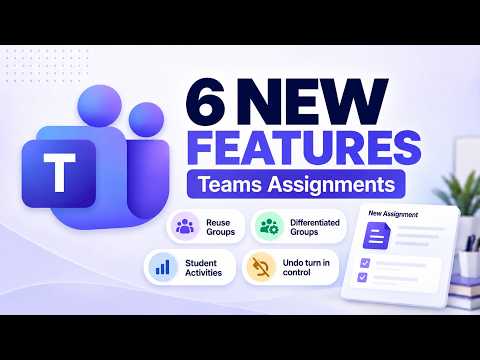
Microsoft Teams Assignments: 6 New Tools
Principal Group Product Manager - Microsoft Education
Microsoft Teams Education updates Assignments with reusable groups, differentiation, Learning Activities, turn-in lock
Key insights
- Reuse groups — Select existing student groups when you create a new group assignment to save setup time and keep team membership consistent.
Reuse groups speeds workflow for recurring projects and simplifies grading across units. - Differentiated Learning Groups — Create and assign different tasks to groups or individual students to match skill levels or learning goals.
Differentiation helps teachers target instruction and manage varied mastery within one class. - Learning Activities in Assignments — Add activities like flashcards, matching, and short quizzes directly inside an assignment without leaving the assignment editor.
Embedding activities keeps students focused and reduces the steps teachers need to prepare interactive work. - Classwork creation made easier — Use streamlined authoring and ready templates in the Classwork tab to build Learning Activities faster and reuse them across classes.
The smoother creation flow reduces prep time and encourages consistent instructional design. - Student-created Learning Activities — Let students turn assignment content into review activities or quizzes to deepen learning and foster ownership.
Teachers keep oversight while students practice retrieval and reflect on content through active creation. - Disable Undo Turn-in — Turn off the Undo Turn-in option per assignment so submitted work stays final for grading.
This submission control reduces late edits, supports grading consistency, and clarifies expectations for students.
Introduction
In a recent tutorial video, Mike Tholfsen outlines six updates to Microsoft Teams Assignments aimed at the 2026 back-to-school season. The video walks viewers through features such as reusing groups, creating differentiated groups, embedding Learning Activities directly in assignments, and new controls like disabling Undo Turn-in. Importantly, Tholfsen notes these are his observations and not official statements from his employer. As a result, the video serves as a practical tour rather than a formal product roadmap.
Overview of the Six Key Features
First, teachers can now reuse groups from previous assignments, which speeds up setup for recurring projects. Second, the update allows for differentiated learning groups so educators can target instruction more precisely and assign different tasks to smaller cohorts. Third, Learning Activities — including flashcards, matching, and fill-in-the-blanks — can be added directly into the assignment flow, reducing context switches.
Fourth, the workflow for creating Learning Activities inside Classwork has been simplified, making it easier to build reusable practice tasks. Fifth, students may create their own Learning Activities from assignment content, which can increase engagement and peer learning. Finally, teachers can disable Undo Turn-in to lock submissions once a student turns work in, which can help enforce deadlines and grading consistency.
How These Features Work in Practice
Together, these updates move Assignments toward a more integrated teaching tool where content, assessment, and practice live in the same workflow. For example, adding a practice activity while creating an assignment means teachers no longer have to switch to separate tools to build formative checks. Moreover, reusing groups and creating differentiated groups allow teachers to scaffold assignments with less administrative overhead.
Meanwhile, enabling students to turn assignment content into activities supports active learning and reflection, and it can give teachers insight into student understanding. At the same time, tools like disabling Undo Turn-in provide stricter controls for assessment integrity and timely grading. As a result, the platform balances flexibility for instruction with mechanisms for classroom management.
Additionally, the changes suggest a shift toward embedding policy and standards alignment into daily workflows. Teachers can attach curriculum standards to assignments and see coverage, which helps with compliance and reporting. Consequently, this tightens the connection between learning objectives and the tasks students receive.
Tradeoffs and Challenges
While these features promise convenience, they introduce tradeoffs that schools must weigh. For instance, allowing students to create Learning Activities can boost engagement, but it may require more moderation and quality checks by teachers to keep material accurate and aligned with objectives. Therefore, districts will need to balance student agency against the extra oversight that may follow.
Likewise, integrating more functionality into one tool reduces the need for external apps, but it also concentrates dependence on a single platform. If schools rely heavily on Assignments for differentiated instruction, any outage or change in policy could disrupt many workflows. Furthermore, AI-assisted features such as auto-generated rubrics speed up planning, yet they can introduce bias or standardize assessment in ways that flatten individual judgement unless teachers review them carefully.
Adoption, Training, and Privacy Considerations
Adopting these updates will require teacher training and time to redesign some lesson flows. Professional development should focus not only on how to use the features but also on when each feature makes sense pedagogically. In addition, administrators should communicate clear policies about student-created content and assignment-level AI guidance so educators and families understand expectations.
Privacy and localization are further considerations because assignment settings can now be tailored regionally and include standards alignment across many countries. Thus, districts must audit settings and data handling to ensure compliance with local rules and student privacy standards. Finally, educators should pilot new workflows before full deployment to identify technical gaps and refine grading practices.
What This Means for Educators
Overall, the updates Tholfsen demonstrates make Microsoft Teams Assignments a more policy-aware and standards-linked environment. Consequently, teachers who adopt these tools can reduce time spent on setup and create clearer expectations for students. However, success depends on training, clear local policies, and thoughtful use of automation to avoid unintended consequences.
In short, the six features offer practical gains for classroom efficiency and student engagement, yet they also bring management choices and responsibilities. As schools evaluate these enhancements for fall 2026, leaders should weigh the benefits of integrated workflows against the need for oversight, privacy protections, and ongoing teacher support.

Keywords
Microsoft Teams Assignments Fall 2026, Teams Assignments new features 2026, Microsoft Teams for Education updates 2026, Teams Assignments grading improvements, Teams Assignments analytics and insights, Classroom tools Microsoft Teams Fall 2026, Assignments rubrics and feedback Teams, Teachers workflow Teams Assignments 2026