- All of Microsoft
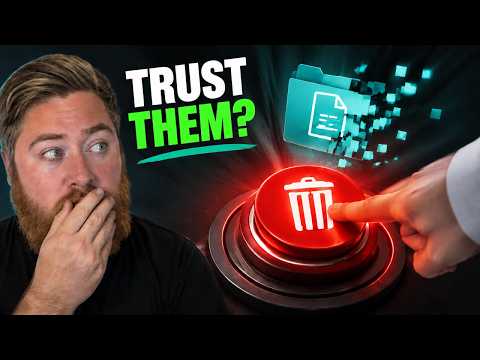
ShareGate Protect: Prevent Site Deletion
SharePoint cleanup with ShareGate Protect boosts Microsoft Copilot readiness, reclaims storage, streamlines governance
Key insights
- ShareGate Protect
Delegates keep/archive/delete decisions to actual site owners so IT stops being the bottleneck.
It supports exclusion lists, review deadlines, owner email preview and a launchable review campaign, plus an admin dashboard that shows progress. - SharePoint cleanup
Removes old content to reclaim storage, speed migrations and improve Microsoft 365 Copilot accuracy.
Cleaning inactive sites is a low-cost governance win before Copilot goes live. - Site owner
Only trusted roles should delete sites; routing decisions to site owners speeds reviews and respects local context.
If many workspaces are ownerless, automated or alternative controls are still required. - 93-day recovery
Deleted SharePoint sites are retained for up to 93 days and can be restored from the admin center during that window.
Deletion removes libraries, files, lists, settings and history, so retention policies and holds remain essential safeguards. - Security and permissions
Reviews can target external sharing links and guest access, making the campaign a quick security and permissions tidy-up as well as a cleanup. - Limitations and verdict
Current gaps include no automated reminders, no recurring reviews, limited OneDrive support, and optional features like mandatory reasons and branded emails — most are on the vendor roadmap.
Best fit: IT teams with hundreds or thousands of workspaces and real site owners; pause if you need fully automated, scheduled clean-ups or most sites lack owners.
Introduction: A practical review of a cleanup tool
In a recent YouTube walkthrough, Dougie Wood [MVP] examines ShareGate Protect and how it helps organizations clean inactive SharePoint workspaces. The video frames the problem as a combination of storage waste and poor data readiness for AI features like Copilot, and it shows a hands-on campaign that routes keep, archive or delete decisions to the people who actually own the sites. Consequently, the review focuses on real-world scale: hundreds or thousands of sites where IT cannot reasonably make every retention call. The presentation balances demonstration with commentary on governance, recovery, and limits of the tool.
Why SharePoint cleanup now matters
First, Dougie explains that dormant SharePoint sites can harm both storage budgets and AI outcomes because tools such as Copilot may surface outdated or irrelevant documents. Moreover, inactive sites multiply over time as Teams, mailboxes and Planner boards leave behind full workspaces, so the storage problem is systemic rather than incidental. Therefore, reclaiming space and removing stale content becomes part of preparing for migrations and improving search accuracy across a tenant. As a result, cleanup efforts are positioned as low-cost, high-impact items in a Microsoft 365 governance plan.
How ShareGate Protect works in practice
Dougie walks viewers through the admin setup: building exclusion lists, setting review deadlines, previewing owner email, and launching the campaign so site owners receive a simple keep, archive or delete choice. On the owner side, the process is intentionally light: owners choose an action and provide a reason without IT approval gating every decision, which speeds reviews. From the admin dashboard, progress shows what’s completed and who is delaying responses, and deleted sites remain recoverable from the SharePoint admin center for up to 93 days. Thus, the tool hands responsibility to owners while preserving a recovery window and visibility for administrators.
Tradeoffs and operational challenges
However, Dougie also outlines clear tradeoffs: delegating deletion to site owners reduces IT bottlenecks but increases reliance on accurate owner identification and engagement. If many workspaces are ownerless, the approach loses effectiveness and IT will still need to make decisions or reassign ownership. Furthermore, the review relies on human judgement rather than full automation, which is useful for nuance but limits scalability where continuous or scheduled cleanups are required. Consequently, organizations must weigh whether their environment has sufficient active ownership to benefit from the tool or whether they need more automated, repeatable policies.
Feature gaps and the roadmap
The video candidly lists several features not yet available in ShareGate Protect, including automated reminders, recurring reviews, OneDrive support, mandatory reasons and branded emails, and Dougie notes that many of these are on the vendor’s roadmap. That transparency matters because some teams require those capabilities to run a persistent governance program without manual intervention. At the same time, ShareGate’s current strengths—delegated reviews with a clear admin dashboard—address a common pain point for large tenants even if full automation remains a future enhancement.
Verdict and practical recommendations
Dougie concludes that ShareGate Protect is a strong fit for IT admins who manage hundreds or thousands of workspaces and who can map decisions to real site owners, because it removes IT as the single approval bottleneck while keeping a recoverable trail. Conversely, if most workspaces lack owners or an organization needs fully automated, scheduled cleanups today, the tool may not yet meet requirements and a wait for added features could be wiser. Ultimately, the right approach combines role-based access, retention policies, and the recovery window as safety nets while adopting tools that match the organization’s ownership model and automation needs.
In sum, the video presents a balanced walkthrough that highlights practical benefits and clear limits. Therefore, organizations should test the workflow against their ownership landscape and governance goals before rolling it out widely, while also planning for complementary controls such as retention policies, discovery holds and backups. Dougie’s hands-on demo helps administrators weigh risks and gains so they can make a measured decision about trusting delegated deletions in their Microsoft 365 environment.

Keywords
ShareGate Protect review, prevent SharePoint site deletion, SharePoint site protection, audit SharePoint deletions, recover deleted SharePoint sites, SharePoint permissions management, protect SharePoint from users, ShareGate Protect features