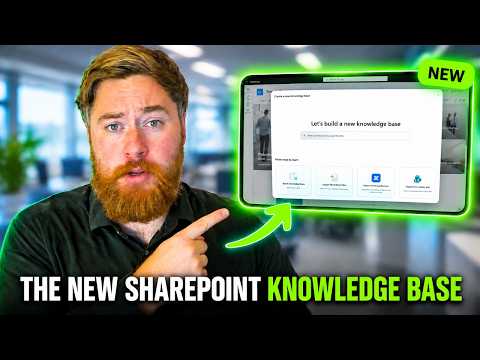
SharePoint Knowledge Base: create and import pages
SharePoint site owners can organize Markdown knowledge pages for Copilot and agents, with manual authoring and imports available in preview.
Key insights
- Create a Knowledge Base from a SharePoint site's New menu; start blank or import content.
- Knowledge Base articles use Markdown, not SharePoint pages, Word files, or PDFs.
- The preview supports imports from Markdown, Confluence, and classic SharePoint wiki pages.
- Manual creation and search are available without Copilot credits; AI-assisted builds and refreshes require credits.
- The preview does not support sensitivity labels on knowledge pages or simultaneous co-editing.
SharePoint Knowledge Base lets teams organize internal guidance as Markdown articles that Copilot and agents can use to answer questions. It matters to SharePoint site owners and teams that want to turn policies, procedures, and existing wiki content into a structured knowledge resource. Dougie Wood [MVP] demonstrates creating a knowledge base, adding articles, importing content, and comparing licensing options.
What's new
A Knowledge Base is a structured collection of articles hosted in SharePoint, rather than a regular folder of Word documents or PDFs. Articles can be arranged into a basic navigation hierarchy, tagged with properties, and searched. The design is aimed at making information available to Copilot and SharePoint agents, as well as to people who need to find it.
Articles are Markdown files. Authors can use the visual editor or switch to the source editor to work with the underlying text. The editor supports common formatting such as headings, bold and italic text, lists, tables, images, and videos, but the experience is functional rather than a branded employee-facing site.
You can start with a blank knowledge base, import Markdown files or folders, or import Confluence content and classic SharePoint wiki pages. The feature also supports Copilot-assisted creation from sources such as files, emails, meetings, and chats, subject to the relevant licensing and credits. The available experience is in Frontier preview, so its menus and behavior may change.
Who it is for and what you need
The feature is intended for teams that want a maintained collection of internal knowledge for Copilot and agents. Start with a SharePoint site, then create a knowledge base there. Teams can organize collections around departments, teams, or other needs; multiple knowledge bases can be created in the SharePoint environment.
In the described preview, Frontier access requires a Copilot license. The licensing choices affect what users can do after they reach the feature. Without Copilot licensing or credits, users can author and edit articles manually, create navigation, comment, import supported content, and read and search the knowledge base.
With a Copilot license but without Copilot credits, users can ask Copilot questions and get answers linked to relevant articles, but cannot use Copilot to create knowledge base content. Copilot credits enable advanced tasks such as building from sources, adding sources to an existing knowledge base, refreshing articles, running a health check, and creating or updating a knowledge base with Autopilot in the Microsoft 365 Copilot app.
How it works
- Open the SharePoint site where the knowledge base should live. Select New, then Knowledge base, and choose to start blank or use an import option.
- Give the knowledge base a name and create it. To add an article, select New, then Blank page, and enter the article title.
- Write the article in the visual editor or use the source editor for Markdown. Add a description, tags, and other available properties to help characterize the content and make it easier to find.
- Use the three-dot menu and select Rearrange to organize pages into a hierarchy. For existing content, select Import and choose Markdown files, folders, Confluence, or classic SharePoint wiki pages.
- To inspect the stored files, use the three-dot menu to switch to library view. Return to the knowledge base view using the control at the top.
For Copilot-assisted builds or refreshes, the user is asked to approve use of credits. The demonstration describes credits as pay-as-you-go, with one credit equal to one cent, charged per build or refresh task. It also describes administrators enabling usage-based billing in the Microsoft 365 admin center and setting spending limits.
Limitations and alternatives
Markdown is the supported article format. Documents in other formats need to be converted to Markdown or handled through Copilot-assisted creation where available. Imports are an option for Markdown, Confluence, and classic SharePoint wiki content; they do not make the knowledge base a general-purpose document library.
The preview has important governance and collaboration limits. File-level sensitivity labels are not supported on knowledge base pages, and labels on source files do not carry over. Source-content permissions also do not carry over: knowledge pages use the knowledge base's own SharePoint permissions. Review access on the knowledge base rather than assuming an imported source's permissions will protect its new article.
During the preview, users can share individual pages and subpages, not the entire knowledge base, and multiple people cannot edit the same article at the same time. Copilot updates may overwrite human edits, so teams should review generated or refreshed content carefully. Manual writing and importing remain alternatives when editorial control or avoiding credit-based AI tasks is the priority.
Sources
Frequently asked questions
How do I create a SharePoint Knowledge Base?
Open a SharePoint site, select New, then Knowledge base, and start blank or choose an import option. Add articles with New and Blank page.
What file format does SharePoint Knowledge Base use?
Knowledge Base articles use Markdown. The described import options include Markdown files or folders, Confluence content, and classic SharePoint wiki pages.
Do I need Copilot credits to use a SharePoint Knowledge Base?
Manual authoring, importing, reading, and searching are available without credits. Copilot-assisted creation from sources, adding sources, refreshes, health checks, and Autopilot builds require credits.
Is SharePoint Knowledge Base generally available?
The feature is in Frontier preview. Its menus and behavior may change before general availability.